CAN Bus Connector: A Practical DIY Guide for Makers
Learn how to select, wire, and test a CAN bus connector for DIY projects. This step-by-step guide covers transceivers, termination, protections, and common troubleshooting for makers and hobbyists.


By the end of this guide you will be able to identify common CAN bus connector types, assemble a simple CAN network, and safely test it with a microcontroller and a CAN transceiver. You’ll learn essential wiring, termination, and electrical safeguards, plus how to diagnose basic can bus faults in a connector can bus context. This introductory overview sets the stage for the hands-on steps that follow.
Understanding CAN Bus Basics
CAN bus, or Controller Area Network, is a robust serial communication protocol designed for automotive and embedded systems. It uses a differential two-wire pair that carries data at high speed while tolerating electrical noise. On a typical CAN network, two twisted wires labeled CAN_H and CAN_L form the bus; devices connect to this pair through transceivers and controllers. The key to a healthy network is proper termination, correct baud rate, and a consistent ground reference. When you work with a connector can bus in DIY projects, you’ll realize the importance of avoiding star topologies and choosing end points carefully. According to Adaptorized, starting with a clear plan helps prevent signal reflections and missed messages later in the build. In practice, you’ll choose a suitable baud rate (e.g., 125 kbps to 1 Mbps) based on the length of your wire and the devices involved. Understanding these basics gives you a solid foundation for the hands-on sections that follow.
Can Bus Connector Variants and Context
Many hobbyists encounter several connector types when building a CAN network. Common approaches include shielded RJ-45 style connectors on modular CAN shields, DB9 connectors on legacy interfaces, or screw-terminal blocks for prototyping. The key idea behind a connector can bus is to provide a reliable, differential pair that is tolerant of interference. Regardless of the physical connector, the electrical signal and bus topology remain governed by CAN standards. This section helps you map physical connectors to electrical requirements so you can choose the right parts for your project.
Planning Protection and Grounding
Protection and grounding are not glamorous, but they prevent a lot of headaches. Use a solid common ground reference between devices, add decoupling capacitors near the MCU and transceiver, and keep the CAN wires short and twisted to minimize noise pickup. A clean layout reduces the risk of voltage offsets that can corrupt messages. For a connector can bus, plan where to place termination resistors (across CAN_H and CAN_L at each end) and how to route wires to minimize stub lengths. This planning step saves time during assembly and testing.
Selecting CAN Components: Transceivers, Controllers, and Cables
A CAN network hinges on three components: the CAN transceiver, a CAN-enabled controller (or MCU with built-in CAN), and the cabling. The transceiver converts differential CAN signals to logic-level voltages your MCU can process, while the controller handles framing, error checking, and message IDs. For breadboard prototyping, you’ll typically use a modular CAN shield or breakout with standard twisted-pair cable. Choose cables rated for automotive or industrial use when you anticipate longer runs or harsher environments, ensuring impedance remains consistent along the bus path.
Wiring Schematics and Termination
Draw a simple schematic before wiring: two conductors for CAN_H and CAN_L, a ground return, and end termination at both bus termini. A typical CAN bus length can influence your baud rate; longer cables require slower speeds to maintain signal integrity. Place 120-ohm resistors across CAN_H and CAN_L at each end of the bus. Avoid star-shaped wiring; instead, chain devices along a single trunk with minimal stubs to prevent reflections. When in doubt, start with a short test run on a breadboard and scale up.
Common Pitfalls and Troubleshooting
Popular issues include missing or misplaced termination, improper ground configuration, and mismatched baud rates between devices. A common symptom is messages appearing sporadically or not at all. Verify physical connections first, then confirm that all devices share the same baud rate and CAN ID policy. Use a logic analyzer or CAN bus analyzer to observe the waveforms on CAN_H and CAN_L. If you see a flat or noisy signal, re-check termination, cable quality, and shielding.
Real-World Examples: Hobbyist Projects
DIYers often start with a simple data logger that listens to a CAN bus from a vehicle sensor or an embedded machine. Another popular project is a home automation node that converts CAN messages to a wireless protocol for remote monitoring. These projects teach you how to map CAN IDs to meaningful data, implement buffering for missed messages, and handle error frames gracefully. The core skills—correct wiring, proper termination, and careful testing—transfer across projects, making your next build faster and more reliable.
Testing and Validation Methods
Testing CAN bus wiring requires a mix of hardware and software checks. Begin with a basic loopback test: configure the transceiver to echo received frames back to the MCU and verify data integrity. Use a scope or logic analyzer to observe CAN_H and CAN_L for proper differential signaling and a clean bus recessive state when idle. Validate timing by sending known messages at different baud rates and confirming delivery acknowledgments. For robust validation, test under simulated noise and longer cable lengths to reveal issues early.
Integration with Other Systems
CAN can be bridged to UART, USB, or Ethernet to integrate with PC software or other microcontroller networks. A typical approach is to implement a CAN-to-UART bridge on a small MCU, enabling data capture on a PC or a microcontroller-based gateway. When integrating with other systems, ensure you preserve message IDs and data lengths, and implement appropriate buffering to prevent data loss when the gateway is busy. Documentation of your bridge’s capabilities helps future maintenance and expansion.
Maintenance and Longevity Tips
Regular checks should include inspecting cable insulation, tightening connectors, and re-checking termination resistance after mechanical changes. Use proper strain relief to prevent wire fatigue, particularly where cables bend or move. Periodically test the bus with a known-good set of messages to detect drift in timing or lost frames. Keeping a wiring diagram and test logs makes future upgrades easier and reduces the risk of regression.
Tools & Materials
- CAN transceiver IC (generic)(A compatible transceiver that supports differential signaling on CAN_H and CAN_L)
- CAN-capable microcontroller or CAN controller IC(MCU with built-in CAN or an external CAN controller with SPI/UART interface)
- Twisted-pair CAN cable (e.g., CAT5/CAT5e)(Two-conductor pair with shielding if environment is noisy)
- 120-ohm termination resistor(Place at each end of the CAN bus between CAN_H and CAN_L)
- Grounding wire(Ensure a solid common ground across devices)
- Breadboard or prototyping board(For initial layout and testing before final PCB)
- Power supply compatible with MCU(Ensure voltage matches your MCU (e.g., 3.3V or 5V))
- Crimping tools and wire strippers(For making secure terminations and connectors)
- USB-to-CAN adapter (optional for PC debugging)(Helpful for testing CAN messages from a PC)
- Multimeter or oscilloscope (optional)(Useful for verifying voltage levels and signal integrity)
Steps
Estimated time: 45-90 minutes
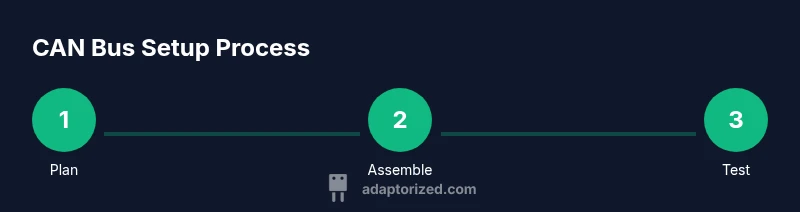
- 1
Plan the CAN bus topology
Sketch the layout, decide bus length, and identify end points. Plan where to place termination resistors and how devices will connect without creating signal stubs. A clear plan reduces confusion during assembly and testing.
Tip: Keep stubs under a few centimeters when possible to minimize reflections. - 2
Gather and verify components
Collect the transceiver, CAN-capable MCU, twisted-pair cables, and resistors. Verify voltage levels and ensure all devices can operate at the required baud rate. Create a simple bill of materials to avoid mid-build substitutions.
Tip: Double-check compatibility between MCU voltage and transceiver logic levels. - 3
Wire CAN_H, CAN_L, and common ground
Connect CAN_H and CAN_L between devices using the twisted-pair cable. Establish a common ground across all modules. Keep runs tidy to avoid crossing power lines that can introduce noise.
Tip: Label wires to prevent mix-ups between CAN lines and power lines. - 4
Install end termination resistors
Place 120-ohm resistors at the two extreme ends of the bus across CAN_H and CAN_L. Do not install termination in the middle of the bus unless necessary for long runs.
Tip: If you add devices beyond the ends, reassess termination strategy. - 5
Configure MCU and CAN controller
Set the baud rate in your firmware and ensure the CAN IDs do not collide. Initialize receive buffers and enable error handling. Start with a small message rate for reliability.
Tip: Use a conservative baud rate initially to validate wiring. - 6
Run a basic loopback test
Transmit a known message and verify it is received back by the same device or a bridge. Observe the bus with a scope to confirm differential signaling and idle recessive state.
Tip: If no data appears, recheck ground and termination. - 7
Validate with real data and document results
Send multiple messages with varying IDs, confirm receiver side parsing, and log any missed frames. Document your wiring and test results for future maintenance.
Tip: Keep a simple log of baud rate, cable length, and device counts.
Your Questions Answered
What is the purpose of termination resistors on a CAN bus?
Termination resistors match the characteristic impedance of the cable, reducing reflections that cause corrupted messages. Place one at each end of the bus for best results.
Termination resistors match the cable and prevent reflections, helping CAN messages stay clean. Place one at each end of the bus.
Can I run CAN over a simple RJ-45 cable?
Yes, RJ-45 can be used for CAN when paired with proper twisted conductors and shielding. Ensure the cable maintains differential impedance and avoid star-shaped layouts.
CAN can run over RJ-45 when the cable supports the right impedance and shielding; avoid star topologies.
Do I need to know CAN IDs and data lengths to start?
Yes. Assigning distinct CAN IDs and understanding data length codes helps prevent collisions and ensures receivers interpret messages correctly.
You should plan IDs and data lengths to avoid conflicts and misinterpretation.
What diagnostic tools help verify a CAN network?
A logic analyzer or CAN bus analyzer, along with an oscilloscope, helps visualize signaling on CAN_H and CAN_L and confirms correct timing.
Use a CAN analyzer or logic analyzer and a scope to verify timing and signal integrity.
What is a safe approach to integrating CAN with other systems?
Use a dedicated bridge module or gateway, keep buffers, and ensure voltage and logic level compatibility to avoid damage.
Bridge CAN to another system with a safe, buffered gateway and compatible logic levels.
Watch Video
What to Remember
- Plan the topology before wiring to avoid stubs.
- Use proper termination at each bus end.
- Keep CAN lines twisted and away from noise sources.
- Test with loopback and log results for reliability.