What Port LDAP Uses: Ports 389 and 636 Explained
Learn the default LDAP ports (389 for LDAP, 636 for LDAPS), when to use STARTTLS, and practical tips for securing directory services across OpenLDAP, Active Directory, and similar deployments. This guide covers firewall planning and TLS best practices for reliable connectivity.


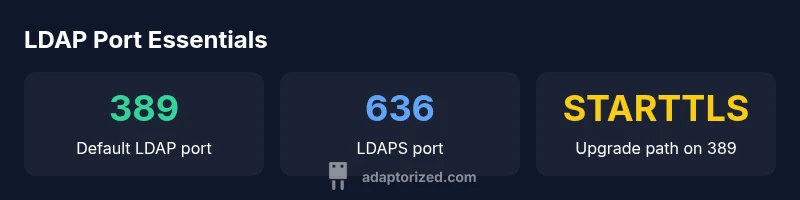
LDAP primarily uses port 389 for standard directory services communication and port 636 for LDAPS, the secure variant. STARTTLS can upgrade 389 connections to TLS, or you can use 636 for TLS from the start. For firewall planning and secure deployments, these ports are the critical reference points that guide access controls and auditing.
Understanding what port ldap means for your network
In practical terms, what port ldap refers to is the set of network channels that directory services listen on and respond through. For most deployments, LDAP uses 389 for standard, non-encrypted connections, while LDAPS uses 636 for encrypted traffic. This distinction matters for firewall rules, segmentation, and compliance. According to Adaptorized, the right port strategy also aligns with client support and administrative policy, which helps prevent misconfigurations that expose credentials or permit unencrypted access. A well-planned port strategy also reduces audit findings during security reviews and simplifies change management across multi-site deployments.
From a design perspective, think of 389 as the default transport, with 636 reserved for TLS-enabled communications. Your network topology—whether a flat LAN, segmented DMZs, or multi-subnet deployments—determines how aggressively you segment LDAP traffic and how strictly you enforce TLS. In practice, most environments use 389 for initial binds and directory queries, upgrading to TLS (via STARTTLS or direct TLS) for sensitive operations such as password changes or privileged user lookups.
Tip: Document your LDAP port policy and ensure that incident response playbooks account for LDAP traffic when tracing authentication events. Modern security tooling often relies on TLS-enabled LDAP for reliable auditing and compliance reporting.
Port basics: 389 and 636 in detail
The two most important LDAP ports are 389 and 636. Port 389 is the conventional port for LDAP without TLS by default; it can be upgraded to TLS using the STARTTLS command during a session. Port 636 is LDAPS, LDAP over TLS, where TLS is negotiated at connection start. In mixed environments, admins frequently run both ports in parallel: 389 to allow legacy clients and 636 to satisfy TLS-only clients. If you enable STARTTLS on 389, you gain the flexibility of upgrading plaintext connections to encrypted ones without opening an extra port. However, some legacy clients and firewall configurations may still favor 636 for end-to-end TLS. Overall, the port choice should reflect your risk tolerance, client support, and regulatory requirements.
Operational note: Ensure your directory servers are listening on the intended ports and that TLS certificates are valid and trusted by clients. Misconfigured certificates or expired credentials can cause TLS handshake failures, leaving authenticated sessions vulnerable or blocked. Regular renewal and monitoring of certificate trust stores are part of good LDAP hygiene.
Practical checklist: verify port bindings, confirm TLS mode (STARTTLS vs LDAPS), validate certificate chains, and test from a representative client across subnets before rollout.
STARTTLS and end-to-end TLS: choosing the right approach
Choosing between STARTTLS on 389 and LDAPS on 636 hinges on your security posture and client compatibility. STARTTLS elevates an existing 389 connection to a TLS-protected channel, preserving existing LDAP traffic flows and simplifying network policy changes. This approach is popular in mixed environments where some clients lack LDAPS support or where firewall constraints complicate TLS termination. LDAPS (636), by contrast, delivers TLS encryption from the outset, reducing the attack surface during the handshake and eliminating the risk of a plaintext initial bind.
From a risk-management perspective, STARTTLS may expose a brief plaintext period during upgrade in strict environments, though modern implementations mitigate this with strict policy and certificate pinning. For highly regulated settings (e.g., healthcare or financial services), LDAPS is often favored due to its straightforward end-to-end encryption model. In all cases, ensure your TLS configuration uses strong ciphers, valid certificates, and proper hostname validation to prevent man-in-the-middle attacks.
Best practice: align your TLS strategy with your directory service deployment model, test thoroughly in staging, and document which clients and services rely on each port. Regularly review cipher suites and certificate trust chains to stay ahead of deprecation and vulnerability disclosures.
LDAP in common directory services: OpenLDAP, Active Directory, and more
LDAP deployment patterns vary by vendor, but the port story remains consistent. OpenLDAP and other open-source implementations typically listen on 389 by default, with optional LDAPS on 636. Active Directory also supports 389 for LDAP and 636 for LDAPS, though domain controllers may enforce TLS in some configurations and enforce TLS through policy rather than deployment practice. In multi-branch or cloud-integrated environments, you may also encounter LDAPS proxies or TLS termination at load balancers; in such cases, ensure the client libraries trust the certificate chain and that TLS termination points preserve end-to-end security guarantees when needed.
When integrating with cloud-based identity services, review the provider’s guidance on LDAP connectivity, including whether encrypted alternatives like LDAPS or LDAP over TLS are required for API/SSO integrations. As always, keep TLS certificates current and validate client trust stores to avoid handshake failures that can masquerade as authentication problems.
Practical example: a mixed OpenLDAP + AD environment often benefits from a unified TLS policy, consistent certificate management, and centralized logging of LDAP bind events to support forensics and auditing.
Network design and firewall considerations for LDAP traffic
LDAP traffic is sensitive because credentials and directory queries can reveal critical information about users and services. When designing the network, isolate LDAP traffic from public networks and restrict access to known, trusted subnets. Firewalls should typically allow: 389 traffic for non-secure or STARTTLS-enabled LDAP, and 636 traffic for LDAPS, between client machines and domain controllers or LDAP servers. Implement least-privilege rules: allow defined subnets, limit access to specific servers, and use stateful inspection for TLS traffic.
Consider deploying TLS termination at a controlled edge device only if you can maintain end-to-end trust; otherwise, encourage direct TLS between clients and servers to maintain robust auditing. Disable anonymous binds on servers where possible and enforce mutual TLS or certificate-based client authentication in highly secure environments. Regularly review firewall logs for unusual LDAP binds, which may indicate credential stuffing or reconnaissance activity.
A well-documented network map, including DNS records, IP ranges, and server roles (read vs. write replicas), will reduce misconfigurations and help your incident responders trace authentication anomalies quickly.
Security best practices and auditing LDAP port usage
Security teams should integrate LDAP port usage into their broader identity and access management program. Enforce TLS where feasible, maintain a rotation schedule for certificates, and utilize access control lists (ACLs) to segment LDAP traffic by service and role. Enable auditing on directory servers to capture binds, search operations, and TLS handshake failures, and centralize these logs for correlation with authentication events. Regularly verify that LDAP over TLS is enabled for production services and that non-TLS paths are disabled or strictly controlled.
Training for administrators on LDAP port best practices reduces the risk of misconfiguration. Include clear runbooks for enabling STARTTLS in mixed environments, and ensure that your change-management process requires TLS revalidation when moving from plaintext to encrypted channels. Lastly, test disaster-recovery scenarios to confirm that LDAP services remain accessible under TLS restrictions and network outages.
Testing, monitoring, and auditing LDAP port usage
Testing LDAP port connectivity should be part of routine network validation. Use ldapsearch, OpenSSL s_client, or netcat to verify connectivity and TLS handshakes. Start by connecting to 389 without TLS to validate basic reachability, then test STARTTLS on 389 and finally LDAPS on 636 to confirm end-to-end TLS behavior. Monitoring should include device-level port availability, TLS certificate expiration alerts, and anomaly detection for unusual bind patterns. Regular health checks help prevent outages during authentication storms.
For ongoing visibility, implement centralized dashboards that track LDAP port usage, TLS handshake failures, and authentication errors. Pair port metrics with directory service health checks to quickly identify misconfigurations or certificate issues before they impact users.
Common misconfigurations and troubleshooting basics
Common misconfigurations include leaving 389 exposed without TLS, misconfigured certificates causing handshake failures, or inconsistent TLS policy between clients and servers. Troubleshooting should begin with basic connectivity checks (ping, telnet/nc on 389 and 636), followed by certificate validation (openssl s_client -connect server:636 -showcerts). If TLS fails, check hostname matching, certificate chain trust, and whether the client is configured to enforce TLS or needs to be updated to support newer cipher suites. Finally, review directory service logs for bind and search events to identify potential authentication or authorization issues.
Proactive steps include standardizing TLS configurations across servers, maintaining a centralized trust store, and validating client configurations whenever you add new LDAP clients or services. Regularly run controlled tests in staging before production changes to prevent TLS-related outages in user-facing applications.
LDAP port reference table
| Port/Scenario | TLS State | Typical Protocol | Notes |
|---|---|---|---|
| 389 | Optional (STARTTLS) | LDAP over TCP | Common for intra-network; TLS can be negotiated via STARTTLS |
| 636 | Mandatory TLS | LDAPS | TLS from connection start; recommended for secure deployments |
| startTLS on 389 | Upgrade path | LDAP with STARTTLS | Flexible security; can upgrade unencrypted connections |
Your Questions Answered
What is the default LDAP port?
By default, LDAP listens on port 389 for non-encrypted communications. For secure transmission, many deployments use port 636 (LDAPS). You can also upgrade a 389 connection to TLS with STARTTLS. Always align with your security policy.
Most LDAP servers listen on 389 by default; switch to TLS with STARTTLS or use 636 for TLS from the start.
Should I always use LDAPS (636)?
LDAPS (636) provides end-to-end TLS, reducing the risk of leaked credentials in transit. However, STARTTLS on 389 is common and flexible in mixed environments. Choose based on your infrastructure and client support.
LDAPS gives you TLS from the start, but STARTTLS on 389 is widely used when you need flexibility.
Can LDAP operate on non-standard ports?
Yes, LDAP can run on other ports, but standard ports are expected by clients, tools, and many security policies. If you change ports, update clients and document the change in your security policy.
Yes, but stick to standard ports if possible; if not, keep documentation and update clients.
How can I test LDAP port connectivity?
Use tools like ldapsearch, openssl s_client, or netcat to verify port reachability and TLS handshakes. Start with 389 for plain TCP, then test 636 or STARTTLS to ensure TLS works end-to-end.
Test LDAP ports with ldapsearch or openssl; start with 389, then test TLS.
Does Active Directory use the same LDAP ports as OpenLDAP?
Active Directory uses 389 for LDAP and 636 for LDAPS, similar to OpenLDAP. TLS configuration and domain controller policies may influence how TLS is enforced.
AD uses the same ports, but TLS enforcement can vary by domain controller settings.
What firewall rules should I implement for LDAP traffic?
Open 389 for LDAP and 636 for LDAPS between clients and directory servers per policy. Restrict access by IP ranges when possible and enforce TLS to protect credentials.
Limit LDAP ports to trusted subnets and use TLS where possible.
“Port selection is not just a checkbox; it directly affects security, auditing, and compatibility. StartTLS on 389 is flexible, while 636 provides end-to-end TLS by default.”
What to Remember
- Default LDAP port is 389
- Use 636 for end-to-end TLS (LDAPS)
- STARTTLS on 389 upgrades to TLS when needed
- Plan firewall rules around 389/636 and document TLS strategy