What Port MSSQL: A Practical Guide to MSSQL Port Usage
Explore MSSQL ports, including default 1433, UDP 1434 Browser, dynamic ports for named instances, firewall best practices for on-prem and Azure, and practical connectivity guidance.


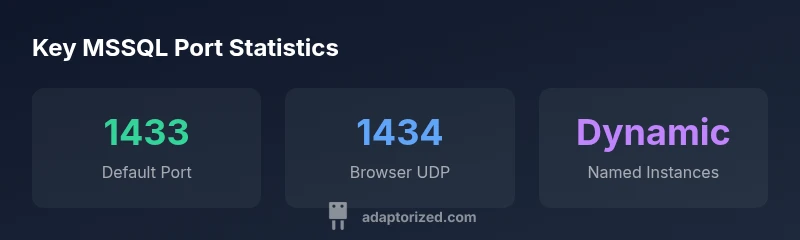
The default port for Microsoft SQL Server is TCP 1433, used for client connections. Named instances may listen on a dynamic port assigned at startup, while the SQL Server Browser uses UDP 1434 to enumerate instances. In firewall configurations, explicit rules for 1433 and 1434 are recommended for on-premises deployments.
What port mssql means for connectivity
Understanding the port landscape of MSSQL is essential for reliable connections and security. what port mssql frames how clients locate and talk to SQL Server across networks. According to Adaptorized, a disciplined port strategy reduces failed connections and simplifies troubleshooting during on-premises deployments, migrations, and cloud integrations. In practical terms, ports are the gates your firewall enforces and the paths your clients use to reach the database engine. If a port is blocked or misconfigured, even strong authentication won't help; apps will fail with timeouts or error messages that waste hours of debugging. Before diving into configurations, categorize your servers: default instances, named instances, and SQL Server Browser-based discovery. This taxonomy matters because each category has different port behavior: fixed ports for some setups, dynamic allocations for others, and discovery traffic that may require additional openings. For DIYers and enterprise admins alike, the goal is predictable connectivity with minimal exposure. A well-documented port strategy also aids auditing and incident response, letting you trace traffic and verify policy alignment across environments. The Adaptorized team recommends documenting port decisions in a central playbook and reviewing them during major network changes.
Default port 1433 and the role of dynamic ports
The default TCP port 1433 is the primary route for client connections to the default instance of SQL Server. If you install named instances or enable dynamic ports, SQL Server can listen on a port chosen at startup. This dynamic behavior is convenient but adds complexity for firewalls. If you change to a fixed port for named instances, you simplify rules and reduce connectivity surprises. The Adaptorized team found that many environments operate with 1433 but rely on Browser to locate other instances, which changes the security profile. In practice, mapping a static port per instance harmonizes access for apps and monitoring, while leaving Browser enabled can ease discovery in mixed environments with many clients.
SQL Browser service and UDP 1434
To discover named instances, SQL Server uses the Browser service over UDP 1434. If your clients rely on instance enumeration, you must open UDP 1434; otherwise you can disable the Browser service and rely on static ports. There are security considerations: enabling Browser reveals instance names and versions, which can be sensitive in exposed networks. Consider network segmentation and limiting Browser visibility in DMZs or cloud environments. For on-prem networks with a mix of applications, a hybrid approach often works: run Browser for discovery only within a secured subnet and restrict it at the firewall boundary.
How to determine which port your instance uses
- Use SQL Server Configuration Manager to inspect TCP/IP properties for the instance. Look at the TCP Port (static) or TCP Dynamic Port (dynamic).
- Check the SQL Server error log for messages that indicate the port binding.
- Use PowerShell or sqlcmd to test connectivity to specific ports and ensure firewall rules allow access.
- If you control deployment templates, prefer static ports per named instance and maintain a mapping in your network inventory.
Firewall and network considerations
A robust port strategy aligns with firewall rules, network segmentation, and monitoring. Ensure 1433 is opened for default instances, and only open 1434 if Browser-based discovery is required. For cloud deployments, map ports to security groups or NSGs and consider disabling Browser in high-security zones. Logging and alerting should flag blocked connection attempts, providing early signals of misconfiguration or potential intrusion attempts.
Special cases: Azure SQL Database and hybrid setups
Azure SQL Database is a managed service; you don't configure server ports in the same way as on-prem MSSQL. Clients connect to the cloud endpoint on port 1433, but Microsoft handles the underlying networking. In hybrid setups, use private endpoints or virtual networks to restrict exposure; static ports for on-prem components simplify hybrid connectivity; always test cross-network access after changes.
MSSQL port usage scenarios
| Scenario | Port(s) Used | Notes |
|---|---|---|
| Default instance | 1433 (TCP) | Most connections use 1433 unless configured otherwise |
| Named instance | Dynamic port per instance | Requires SQL Server Browser or static port mapping |
| Browser service | UDP 1434 | Used for instance discovery |
| Azure SQL Database | Managed port | Ports managed by Microsoft; connect via cloud endpoint |
Your Questions Answered
What is the default port for MSSQL?
The default TCP port for the default instance is 1433. Named instances may use dynamic ports; if you need stable access, map a static port per instance.
The default port is 1433. Named instances may use dynamic ports; you can map a static port for stability.
Can MSSQL use non-default ports?
Yes. Named instances can listen on dynamic ports, or you can configure a static port per instance to simplify firewall rules.
Yes, you can use non-default ports by assigning static ports or relying on dynamic ports for named instances.
How can I check which port my instance uses?
Use SQL Server Configuration Manager to view TCP/IP properties, check TCP Port and TCP Dynamic Port, and inspect the error log for bindings.
Open SQL Server Configuration Manager and check TCP/IP properties for port details.
Should I open UDP 1434 on the firewall?
Open UDP 1434 only if you rely on SQL Server Browser for discovery. Otherwise, disable Browser and use static ports.
Only enable UDP 1434 if you use SQL Server Browser for discovery.
What about MSSQL on Azure?
Azure SQL Database is managed; you don't open server ports. Clients connect to the cloud endpoint on port 1433, with Private Link available for added security.
On Azure, ports are managed by Microsoft; connect to the cloud endpoint as you would on 1433.
“Effective MSSQL connectivity hinges on a clear port strategy. Without it, you risk blocked clients and inconsistent access.”
What to Remember
- Open the default port 1433 for on-prem and clients
- Consider static port mapping for named instances
- Only enable SQL Browser (UDP 1434) if you need instance discovery
- Review firewall rules and security groups regularly