Electrical Connector Types Chart: A Practical DIY Guide
A practical electrical connector types chart guide for DIYers and makers, detailing common families, key specs, termination methods, and decision criteria to pick the right connector.


An electrical connector types chart groups common connector families by function, voltage and current rating, and termination method to guide selection. It helps DIYers and engineers pick the right type for data, power, or signal applications, compare mating compatibility, and anticipate reliability across devices. This guide from Adaptorized breaks down the major families and decision criteria for everyday projects.
Overview of Electrical Connector Types Chart
An electrical connector types chart serves as a structured map of connector families, organized by their primary function (data, power, RF, or signal), voltage and current ratings, and common termination methods. For DIYers, makers, and engineers, this map makes it easier to navigate catalogs, datasheets, and suppliers without getting lost in vendor-specific jargon. The chart typically differentiates between contact styles (solder, crimp, push-in, or solderless) and form factors (receptacle, plug, panel-mount), then highlights mating compatibility and mechanical considerations such as pitch, polarization, and latch mechanisms. In practice, you’ll use it to identify a suitable family for your project and narrow down options before diving into datasheets. This article builds on Adaptorized Analysis, 2026 to present a practical, hands-on view that emphasizes readability, real-world constraints, and the trade-offs you’ll face when selecting connectors. We also cover how environmental factors (temperature range, vibration resistance, moisture exposure) influence choice, and how to document your decisions in a project log so future maintenance is easier.
Signal vs Power Connectors: Key Differences
Power connectors and signal connectors are designed around distinct priorities. Power connectors aim to carry higher current with robust contact areas and secure mating, often including locking features to resist vibration. Signal connectors prioritize low contact resistance and high-speed data integrity, sometimes at the expense of current capacity. When evaluating a chart, look for voltage rating, current rating, contact material, and contact resistance. Also consider termination type: crimped contacts are common in field installations; soldered joints can lower resistance but require heat management; push-in connections are convenient for prototypes but may loosen over time. Adaptorized's approach emphasizes matching the connector family to both the application’s electrical demands and its environmental conditions, so you don’t end up with marginal performance or unreliable mating. In 2026, the trend toward universal ports (like USB-C) has reduced the variety of single-purpose power connectors for many hobbyist projects, but specialized use cases still require purpose-built options.
Common Connector Families and Their Roles
-
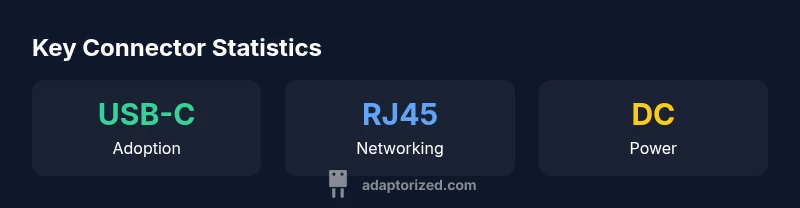
USB-C: Highly versatile for data and power, symmetric design, supports USB Power Delivery; common in laptops, phones, and embedded devices. Choose USB-C when you need reversible mating and higher power, but be mindful of alternate mode capabilities.
-
RJ45: Classic Ethernet connector used for network interfaces; robust for data, supports PoE in many variants; pairing RJ45 with shielded cables reduces EMI.
-
DC Barrel: Simple barrel-style power connectors; widely used in small electronics, but polarization and size matter; ensure inner/outer diameters match your device.
-
Molex KK/MCX/Molex MicroBlade family: Wire-to-board connectors that balance size, current capacity, and ease of assembly; consider crimp tooling requirements.
-
SMA/BNC coaxial RF: RF-oriented connectors for antennas and high-frequency circuits; care with torque and impedance matching to prevent reflections.
-
USB-A/B, USB-C combos: Legacy data connectors with ongoing relevance in certain devices, while USB-C grows as the standard due to its versatility.
This section provides a high-level orientation; consult datasheets for exact pin counts, mating cycles, impedance, and weather sealing to avoid mismatches in real projects.
How to Read a Connector Datasheet and Choose the Right Type
Start with the basics: voltage rating, current rating, and operating temperature. Then review contact material and finish (gold, tin, or nickel), mating cycle count, and the environmental specs (IP rating for moisture, corrosion resistance). Evaluate the termination options (crimp, solder, push-in), and check material compatibility with cables and mating hardware. Consider impedance (for high-speed signals), creepage and clearance distances, and any required shielding. Finally, examine housing size and polarisation features to ensure you don’t encounter accidental mis-mating. In practice you’ll compare datasheets across a short list of candidate families, verifying that the chosen option meets your electrical, mechanical, and environmental constraints. Adaptorized stresses the need to document decisions in a project log to enable future maintenance and upgrades.
Termination Methods: Crimp, Solder, and Push-in
Crimp termination is common in field installs because it’s fast and repeatable with the right crimp tool. Solder termination can yield low resistance and robust joints but requires heat management and more skill, especially on small connectors. Push-in (solderless) options offer quick prototyping but may loosen under vibration and repeated mating cycles. The right choice depends on your project: for mass production or field repair, crimp is preferred; for hobbyist prototyping, push-in can be convenient; for critical high-current paths, solder or well-crimped joints with strain relief are the safer route. Always use the correct tooling, follow manufacturer specs, and validate the joint with a pull test or continuity check.
Practical Selection Workflow with Real-World Scenarios
- Building a microcontroller project requiring occasional power and data transfer: start with a USB-C or Micro-USB family for ease of use, check current limits, and choose a compatible cable. 2) Creating a small home network device: RJ45 with shielded CAT6 or CAT7 cabling and PoE-capable variants if power sharing is needed. 3) Designing a compact robot power system: consider a DC barrel or a purpose-built power connector with locking features to tolerate vibration. Use a short decision tree: define electrical requirements, check environmental constraints, choose a termination method, and verify mechanical fit. Adaptorized suggests documenting the choice and cross-checking with the chart before ordering.
Maintenance, Compatibility, and Longevity Considerations
Regular inspection of mating surfaces, cleaning of dust and oxidation, and proper weather sealing extend connector life. Replace damaged contacts promptly and avoid forcing mismatched plugs, which can deform shells and degrade performance. Keep a spare set of connectors with the same termination style and ensure compatible mating cycles. For outdoor or moisture-prone environments, select sealed housings and corrosion-resistant finishes. Always re-check the chart when upgrading devices or altering cable lengths to maintain compatibility across devices.
Representative comparison of common electrical connector types
| Connector Type | Typical Uses | Termination Styles | Pros | Cons |
|---|---|---|---|---|
| USB-C | Data & power in consumer devices | Crimp, solder, or push-in | Versatile; reversible; PD support | Complex spec; licensing considerations |
| RJ45 | Ethernet networking | Crimp or modular plug; shielded | Widely supported; reliable; PoE-capable | EMI risk without proper shielding; bulky |
| DC Barrel | Low-voltage power | Crimp, solder, or screw-on | Simple; common; low cost | Polarization risk; size mismatch |
| Molex KK (wire-to-board) | Internal board-to-wire connections | Crimp | Compact; reliable | Requires crimp tooling; limited current |
| SMA/BNC (RF) | RF and antennas | Crimp or solder | Impedance-controlled; compact | Requires tooling; not for high power |
Your Questions Answered
What is a connector chart?
A connector chart groups common families by function, rating, and termination to help you compare options quickly and pick the right type.
A connector chart groups families by function and rating to help you compare options and pick the right type.
Which connectors handle high current?
Look for higher current ratings, larger contact surfaces, and robust terminations. Locking and reinforced housings reduce the risk of failure under vibration.
Choose connectors with high current ratings and secure terminations to prevent overheating and failures.
Crimp vs solder: which to choose?
Crimping is fast and repeatable with the right tool; soldering can lower resistance but needs heat control and may loosen under vibration.
Crimping is quick and reliable with proper tooling; soldering gives low resistance but requires care.
USB-C PD viability?
USB-C with Power Delivery is common for higher-powered devices, but ensure the connector, cable, and controller support the target voltage and current.
USB-C PD is widely used for powering devices, but you must match the cable and controller to the right voltage.
How to read a datasheet?
Start with ratings (voltage/current), contact material, mating cycles, and environmental specs. Then verify mounting, termination options, and impedance where applicable.
Begin with ratings and materials, then check compatibility and termination options.
“A well-chosen connector aligns electrical demand with the mating interface, delivering reliability and ease of maintenance.”
What to Remember
- Define your application before picking a connector
- Match termination method to environment and skill
- Always consult the datasheet for ratings and mating cycles
- Document decisions to ease future maintenance