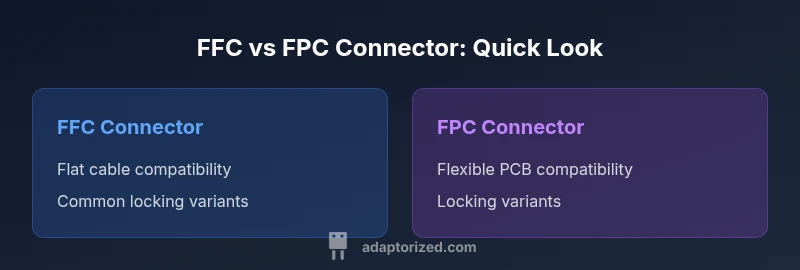
FFC vs FPC Connector: A Practical DIY Guide
A detailed, objective comparison of FFC vs FPC connectors for DIY electronics. Learn how to choose by cable type, pitch, locking style, and reliability, with practical installation tips.


According to Adaptorized, FFC versus FPC connectors are related but refer to different parts of the same family. FFC describes the flat flexible cable itself, while FPC denotes the flexible printed circuit that the connector mates to. In practice, many sockets are designed to handle both through compatible pitch and locking styles, but correct selection hinges on matching the cable or PCB geometry, thickness, and the preferred latch. This practical guide helps DIYers navigate those choices.
What are FFC and FPC Connectors?
FFC stands for flat flexible cable, a thin, ribbon-like conductor assembly used in compact electronics. FPC stands for flexible printed circuit, a bendable substrate with copper traces etched on it. Connectors intended for these two geometries are designed to grip either a flat cable or a flexible PCB, often with similar locking mechanisms such as ZIF or LIF. In many contexts, people use the terms interchangeably, but the cable versus board distinction is critical when selecting a socket. For DIY projects, understanding whether your part is an FFC or an FPC variant — or a hybrid — reduces insertion damage and improves long-term reliability.
Key Terminology You Should Know
Before choosing between FFC and FPC connectors, it helps to know a few terms:
- Pitch: the center-to-center distance between adjacent contacts.
- Thickness: the material thickness the connector must accept, either a flat cable layer or a flex PCB core.
- Stiffener: a rigid piece attached to an FFC that helps insertion stability.
- ZIF/LIF: locking styles that either release with a tiny trigger (ZIF) or require light force (LIF).
- Contact count: the number of conductive pins the connector accommodates.
- Bend radius: the minimum recommended bend for a flexible circuit or cable.
- Insertion direction: whether the contacts accept the cable from the top, bottom, or edge.
Grasping these terms helps you read datasheets and spec sheets more accurately when you shop for connectors and cables.
Locking mechanisms: ZIF, LIF, and Non-Lock variants
Locking type is a core usability factor. ZIF connectors use a lever or small latch to release and insert without forcing the cable, which reduces damage. LIF connectors require less engagement force but still provide a secure hold. Some variants are non-locking and rely on friction to keep the cable in place. For DIY projects that see vibration or flex, ZIF or LIF with a pronounced latch generally offers the best long-term reliability. If you anticipate frequent cable changes, prioritize a robust locking mechanism; otherwise, a non-lock variant might reduce cost and complexity.
Cable vs PCB: How thickness and pitch affect compatibility
FFC cables have a defined thickness and a flat ribbon profile, while FPCs vary in copper thickness and core materials. Pitch compatibility matters more than you might expect; mismatched pitch means the pins won’t align with the contacts, causing intermittent connections or failures. In practice, you’ll encounter common pitches in fine-pitch families like 0.3 mm, 0.5 mm, and larger steps beyond 1.0 mm depending on the device. When selecting connectors, verify the pitch, thickness window, and whether the connector is rated to handle both the cable and the PCB features you’re using.
Insertion direction and orientation considerations
Insertion direction affects how you assemble a device and whether cable routing is feasible in the final enclosure. Some connectors accept the cable from the top, others from the edge, and a few allow reversible insertion. Orientation is especially important for FPCs where the folded PCB edge needs to line up with a board edge or a sleeve in the housing. For DIY projects with tight spaces, choose a connector with a mating direction that aligns with your enclosure geometry and preferred service procedure. A clear mating guide helps prevent mis-insertion during assembly.
Electrical performance: impedance, contact reliability, and longevity
Electrical performance is influenced by contact geometry, pitch, and the stability of the locking mechanism. Higher pin counts and tighter pitches can improve signal density but may introduce impedance challenges if the mating surfaces are not precisely aligned. A well-designed FFC or FPC connector minimizes contact resistance and ensures consistent impedance across the flex path. In practice, look for connectors with robust plating, reliable latch action, and documented mating cycles to estimate longevity in applications subjected to flexing or vibration.
Mechanical considerations: flex fatigue, bending radius, and strain relief
A key reliability factor for FFC and FPC assemblies is how well the design accommodates flexing. The bend radius of the cable or the FPC sets the allowed degree of movement without damaging copper traces. In small devices, space constraints force tighter radii, increasing the risk of trace cracking if the connector isn’t designed to tolerate flex. Favor connectors that include instructions for bend radius and provide strain relief features or mounting solutions to reduce stress on the cable or PCB edge.
Interchangeability and real-world compatibility
In practice, not all FFC and FPC connectors are interchangeable. Some manufacturers label sockets as dual-purpose, but they may only support specific cable thicknesses or PCB flex types. Before ordering parts, confirm the exact cable width, thickness, pitch, and the PCB edge geometry. If you’re prototyping, consider purchasing a compatible adapter or evaluation kit that lets you verify fit on a breadboard or test jig. Real-world compatibility depends on datasheets, housing tolerances, and how tightly the connector’s clamp engages the flat surface.
Practical selection guidelines for DIY projects
To select wisely for a DIY project, follow a simple checklist: identify whether you are using an FFC or an FPC; measure or verify the pitch and thickness; confirm pin count matches your design; decide on a locking style suited to your environment; check insertion direction and board footprint. Favor connectors with a clear datasheet, readily available spare parts, and a housing that supports assembly without forcing the cable. If you’re unsure, choose a widely supported family with good community documentation and readily available replacement parts.
Installation tips and common mistakes to avoid
Practical tips to ensure a successful installation include: align the cable or PCB edge precisely with the connector’s contact row; avoid bending the flex path at the connector interface during seating; use the recommended locking mechanism and avoid over-tightening. Common mistakes include mismatching pitch, forcing the cable, exposing the copper traces to damage during handling, and failing to verify that the latch is fully engaged. A careful tolerance check and a test fit with a scrap piece can prevent expensive retries.
Cost, availability, and supplier considerations
Availability of FFC and FPC connectors varies by supplier and region. In DIY circles, widely supported families often offer lower costs and broader documentation. More specialized flex designs or higher pin counts may require ordering from authoritative distributors or the original equipment manufacturer. Factor in lead times if you are working on a tight schedule and be mindful of the potential for obsolescence in older connector generations. A conservative stock approach reduces project risk when datasets evolve or prototypes progress to production.
Comparison
| Feature | FFC Connector | FPC Connector |
|---|---|---|
| Cable vs board compatibility | Flat flexible cable (FFC) | Flexible printed circuit (FPC) |
| Locking style | ZIF/LIF or similar for cables | ZIF/LIF or similar for PCBs |
| Insertion orientation | Varies by family | Varies by family |
| Pitch range | Typically 0.3 mm to 2.5 mm (family-dependent) | Typically 0.3 mm to 2.5 mm (family-dependent) |
| Contact count range | Often 8 to 40 pins | Often 8 to 40 pins |
| Best for | Compact flat cables in tight spaces | Flexible PCBs or high flex applications |
| Availability and cost | Widely available; cost varies by pitch and family | Moderate to high; availability tied to flex designs |
The Good
- Low-profile designs save space in tight enclosures
- Wide range of pitch options supports many project sizes
- Locking variants (ZIF/LIF) improve connection reliability
- Good availability from electronics suppliers and hobby stores
- Clear mating guides reduce misalignment risk
Drawbacks
- Sensitive to misalignment and improper handling
- Cable substitution often requires re-termination or a new flex path
- Locking mechanisms add cost and require precise alignment
- Durability under flexing depends on cable and PCB quality and strain relief
Choose the FFC connector for flat cables and the FPC connector for flexible PCBs, matching pitch and locking style to your design.
In practice, start by identifying whether your project uses a flat cable or a flexible PCB. Then confirm the pitch, thickness, and lock type. With those factors aligned, both connector types deliver reliable performance in DIY applications.
Your Questions Answered
What is the difference between FFC and FPC connectors?
FFC connectors are designed for flat flexible cables, while FPC connectors mate with flexible printed circuits. Many connectors support both in practice, but the real distinction is whether you’re inserting a cable or a PCB edge. Always verify the mating geometry in the datasheet to avoid misfits.
FFC connectors go with flat cables; FPC connectors go with flexible PCBs. Check pitch and thickness to match the mating geometry.
Can I use an FFC connector with an FPC?
It depends on the connector’s compatibility with both cable and board. Some sockets are dual-purpose; others are not. Always confirm the exact pitch, thickness, and soldering or locking requirements in the manufacturer’s datasheet.
Sometimes yes, sometimes no. Check the specs for pitch and thickness before pairing.
What pitches are common for FFC/FPC connectors?
Common pitches include 0.3 mm, 0.5 mm, 0.8 mm, and 1.0 mm, among others. Availability varies by family, so choose a connector with a pitch that matches your cable or PCB.
Look for your cable or PCB pitch in the 0.3 to 1.0 mm range; verify with datasheets.
How do I choose between FFC and FPC connectors?
Base your choice on whether you’re using a flat cable or a flexible circuit. Consider pitch, thickness, number of contacts, and locking style. Read datasheets and, if possible, test with a sample before committing.
Pick the option that matches your cable or PCB geometry and locking needs.
Are FFC/FPC connectors reliable for high flex applications?
Reliability depends on design, locking, and strain relief. Some connectors are rated for frequent flexing; others are not. Ensure appropriate bend radius and secure fastening to maximize longevity.
They can be reliable if designed for flexing and properly installed.
What are common mistakes when using FFC/FPC connectors?
Mismatching pitch or thickness, misalignment during insertion, applying excess force, or neglecting strain relief can cause damage. Always test with a scrap piece and verify the latch engagement.
Check pitch and alignment, and don’t force the cable into place.
What to Remember
- Match connector type to your cable or PCB
- Always verify pitch and thickness before buying
- Locking mechanisms improve reliability in flexing environments
- FPC is better for flex PCBs; FFC is better for flat cables
- Test with a mock setup before final assembly