How to Install a Connector: A Comprehensive DIY Guide
Learn how to install a connector safely and reliably with practical steps, tool lists, safety tips, and real-world examples for DIYers and makers.


In this guide you will learn how to install a connector safely and reliably, from choosing the right type to testing the finished connection. By following the steps below and gathering a basic toolkit, you can complete a clean, durable connection suitable for most DIY projects. According to Adaptorized, the right installation starts with selecting the type and preparing the wires before you crimp, solder, or push in the connector.
What is a connector and why you install it
A connector is a device that joins two or more conductors, providing a reliable electrical or signaling path. In DIY projects, knowing how to install a connector correctly ensures safety and performance. The Adaptorized team emphasizes planning: you must match the connector type to the wire gauge, material, and environmental exposure. This section covers the fundamentals you need before you touch tools: selecting the right family of connectors, checking compatibility with your cable, and understanding the installation context. By choosing well, you minimize failures and corrosion over time. For many projects, the goal is a robust, serviceable connection that can be inspected and replaced easily. The phrase “how to install a connector” should be broken into steps you can follow without guesswork. In practice, you’ll consider insulation, strain relief, and environmental protection; poor choice or sloppy termination is a common cause of intermittent failures. If you are ever unsure, consult the datasheet for the connector and the wire specification. This helps you estimate the crimp length, insulation diameter, and termination style. Whether you’re wiring a sensor, a power lead, or a data line, the basics stay the same: clean conductors, secure terminations, and thorough testing. According to Adaptorized, preparation and verification are the keys to a successful installation.
Types of connectors and when to use them
Connectors come in many shapes: crimp, solder, push-in (also called IDC), and locking connectors. Crimp connectors are fast and reliable for stranded wires when you have the right crimping tool and dies. Soldered connections offer low resistance and can be very durable but require heat and proper flux. Push-in or IDC connectors are useful for quick terminations on small gauge wires but may be less robust under vibration. Locking connectors provide a secure latch for panels or enclosures. The choice depends on wire gauge, insulation, environment (humidity, temperature, vibration), current rating, and whether you need to disconnect easily. A common rule of thumb is to pick a connector that matches the cable's conductor size and insulation diameter. Adaptorized recommends verifying that the connector's mating counterpart is compatible with the mating seal and housing. Also consider whether the application requires polarity marking, shielding, or weatherproofing. By understanding these categories, you can decide whether to crimp, solder, or push-in, and you’ll know which tools and spare parts to keep on hand.
Safety first: risks and precautions
Electrical work carries shock and burn risks, especially when dealing with live circuits or high-current cables. Always shut off power at the source and test that circuits are de-energized before touching conductors. Wear safety glasses and heat-resistant gloves when soldering or using hot tools. Work in a dry, well-ventilated area, away from flammable materials. Keep a clean workspace to avoid accidental shorts or miswires, and use insulated tools. If you are unsure about a connector’s temperature rating or clamping force, consult the datasheet or seek an experienced mentor. Adaptorized emphasizes never forcing a connector onto a wire; matching the wire size and insulation diameter reduces damage and increases reliability. Always inspect for damaged insulation or corroded conductors before starting. Documentation and labeling after installation help prevent mistakes during future maintenance.
Tools and workspace preparation
Before you touch tools, create a simple work area with good lighting, a static-free mat if possible, and a clear place to lay out connectors and wires. Label your cables to avoid confusion during rework. Set aside a dedicated container of spare terminals and heat-shrink sleeves. Prepare a small work surface with clamps or a vise to hold components steady. Choose a comfortable seating height to reduce fatigue during longer tasks. Keep a multimeter handy to verify continuity and insulation resistance after termination. Adaptorized reminds makers that a tidy setup not only reduces mistakes but also speeds up the process when you repeat it on other projects. This section helps you assemble a reliable toolkit and workspace for a smooth install.
Step-by-step overview you can follow
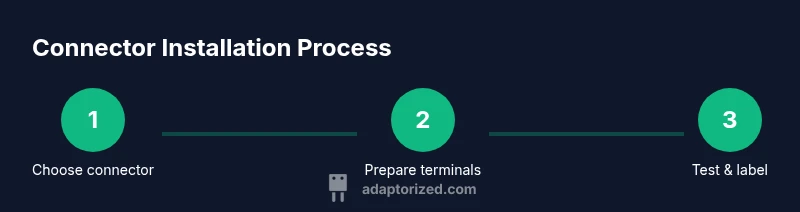
A connector installation follows a logical sequence: identify the correct connector, prepare the wire, terminate the conductor, secure the connection, insulate and protect, then test. Having a clear plan reduces rework and mistakes. In practice, you’ll verify compatibility with mating parts, measure wire length, and ensure the termination type matches the connector (crimp, solder, or push-in). This overview prepares you for the detailed steps that follow and helps you understand how each action contributes to a reliable, long-lasting connection. Adaptorized highlights planning, precision, and testing as the three pillars of success.
Preparing wires and terminals for termination
Wiring begins with precise preparation: cut to the correct length, strip the insulation without nicking the conductor, and inspect copper cleanliness. The exposed conductor length must match the connector’s specification to achieve a reliable crimp or solder joint. Use a high-quality wire stripper to avoid nicking strands, and keep conductors straight to prevent gaps in the termination. If you are using crimp terminals, ensure you have the right crimp die for the wire gauge. Collect the correct terminals, seals, and any strain-relief components before you start. This preparation minimizes the chance of poor connections and makes the subsequent termination step faster and safer. In this context, Adaptorized notes that consistent stripping length is essential for repeatability across multiple connectors.
Terminating with crimp, solder, or push-in methods
Crimping creates a mechanical bond by deforming the terminal around the conductor. Soldering fuses the wire to the terminal with molten metal and flux, forming a low-resistance connection. Push-in connectors use a simple insertion method for quick terminations, but they require correct insulation diameter and conductor conditioning. For a robust installation, you should confirm the tool alignment, perform a test crimp, and check that the wire strands are not splayed. Each method requires different preparation and patience; rushing can damage conductors or degrade the joint. Adaptorized recommends practicing on spare samples to perfect technique before working on a critical lead. After termination, verify that the terminal is seated and the insulation is flush with the housing to avoid short circuits.
Insulation, strain relief, and protection
Insulation should fully cover the termination area, preventing exposed copper that could short or corrode. Use heat-shrink tubing or molded sleeves to protect the joint, and apply strain relief to prevent mechanical stress from transferring to the termination. If your environment experiences vibration or movement, select a sealing method appropriate for humidity and temperature. Visual inspection and a simple pull test help confirm a secure termination. Adaptorized stresses that proper insulation and strain relief improve long-term reliability and makes field servicing easier. Always sanitize and label the finished assembly so future readers understand what was done.
Testing and verification after installing a connector
Testing is essential: perform a continuity check to confirm a complete path, measure resistance if applicable, and validate insulation resistance with a megohmmeter or multimeter. If you notice any looseness, misalignment, or interfacial gaps, rework the termination. A final visual inspection should check for signs of insulation damage, cracking, or loose components. For connectors that carry power, monitor temperatures under load and verify secure mounting. Documentation of the test results helps with future upgrades and troubleshooting. Adaptorized reminds readers that testing is not optional but integral to a successful installation.
Common mistakes and how to avoid them
Common issues include nicked conductors, overcrimping, under-crimping, and incorrect wire length. Rushing through stripping or not using the correct tool for the chosen connector type can create weak joints. Always verify compatibility with all mating parts before assembly, and never force a connector onto a wire or housing. Keep components organized and labeled to prevent cross-mating and confusion. Adaptorized notes that taking a few extra minutes to verify each step pays off with a dependable connection.
Maintenance, documentation, and future-proofing
After installation, document the connector type, wire gauge, and termination method for future maintenance. Store spare parts, seals, and spare terminals in labeled containers. Regular checks for corrosion, moisture ingress, and mechanical wear extend the life of your installation. With clear labeling and up-to-date documentation, you can diagnose issues quickly and plan upgrades. Adaptorized emphasizes that recording this information improves reliability across multiple projects and teams.
Tools & Materials
- Wire stripper(For stripping insulation to exposed conductor length specified by connector.)
- Crimping tool(Choose dies compatible with wire gauge and connector terminals.)
- Soldering iron and flux(For solder-based terminations; practice heat control.)
- Heat shrink tubing(Protect and insulate termination; use appropriate diameter.)
- Wire cutters(Clean cuts to ensure proper termination surface.)
- Multimeter(Verify continuity and insulation resistance.)
- Connector kit / terminals(Have the correct terminals, seals, and housings on hand.)
- Safety glasses(Protect eyes from flux, solder splatter, and debris.)
- Marker or tape(Label wires and connectors for future maintenance.)
- Heat gun(Optional for heat-shrink applications with large tubing.)
Steps
Estimated time: 25-40 minutes
- 1
Identify connector type and compatibility
Review wire gauge, insulation diameter, and environmental exposure to choose the correct connector family. Check datasheets for current rating, mating parts, and termination style.
Tip: Double-check compatibility before cutting or stripping to avoid wasted material. - 2
Set up workspace and safety checks
Clear a bench, connect a cutting mat, and ensure power is off. Put on safety glasses and organize tools within reach.
Tip: Keep a dedicated container for spare parts to speed up the process. - 3
Cut wire to correct length
Measure and cut wires to the length specified for the connector housing. Use a straight cut and avoid frayed ends.
Tip: If in doubt, cut slightly longer and trim later to avoid rework. - 4
Strip insulation precisely
Use the appropriate stripper to expose the conductor without nicking strands. Maintain a clean, square edge.
Tip: Avoid excessive stripping; too much exposed copper can weaken the joint. - 5
Prepare terminals or pins
If using crimp terminals, insert the conductor into the terminal before crimping. For solder, apply flux and tin the wire tip.
Tip: Test fit the terminal before applying force to ensure a proper seating. - 6
Terminate with chosen method
Crimp, solder, or push-in based on your connector type. Ensure the joint is fully seated and secure.
Tip: Perform a light tug test to confirm a secure termination. - 7
Insulate and secure the joint
Slide on heat shrink, apply heat evenly, and ensure the joint is protected from moisture and vibration.
Tip: Use a heat gun with care to avoid overheating the insulation. - 8
Test and document
Check continuity, resistance, and insulation integrity. Label the assembly and record the termination method for future maintenance.
Tip: Keep a log of results for future repairs or upgrades.
Your Questions Answered
What is the difference between crimping and soldering connectors?
Crimping mechanically binds the conductor with a terminal using a specialized tool, while soldering melts metal to fuse the wire to the terminal. Each method has tradeoffs in speed, reliability, and requirement for heat control.
Crimping uses a tool to clamp the wire inside a terminal; soldering uses heat to join metal and wire.
Can I reuse a damaged connector, or should I replace it?
Damaged connectors should be replaced. Reuse can compromise insulation, mechanical strength, and electrical performance. Always inspect for cracks, corrosion, and loose parts before reusing.
If a connector shows damage, replace it to avoid failures.
How do I know which wire gauge to use with a connector?
Refer to the connector’s datasheet or housing labeling to match the correct wire gauge. Using the wrong gauge can cause poor termination, excessive resistance, or damage to the connector.
Check the datasheet to be sure you’re using the right wire size.
Do I need strain relief for all installations?
Strain relief is recommended for any connector subject to movement, vibration, or pulling forces. It protects the termination by transferring mechanical stress away from the joint.
Yes, use strain relief when there is potential force on the wire.
How can I test a freshly installed connector?
Use a multimeter to check continuity and an insulation resistance test if possible. A physical pull test can also help ensure the joint is secure.
Test continuity and resistance to confirm a good connection.
What safety precautions should I follow?
Work in a dry area, wear safety glasses, and ensure power is off during installation. Use insulated tools and avoid touching live conductors.
Turn off power and wear eye protection before starting.
Watch Video
What to Remember
- Choose the right connector for wire gauge and environment
- Terminate with proper tool and technique
- Insulate and test for safety and longevity
- Document termination method for future maintenance