How to Use Off-Page Connectors in Flowcharts
Learn how to use off-page connectors in flowcharts to link multi-page diagrams with clarity and consistency. A practical, step-by-step guide for DIYers and professionals.


By the end of this guide, you will confidently implement off-page connectors in flowcharts to maintain readability across large processes. You’ll learn what off-page connectors are, when to use them, and how to label and link page references without clutter. Following these steps helps keep diagrams organized and scalable, especially for multi-page workflows.
Understanding off-page connectors in flowcharts
According to Adaptorized, off-page connectors are navigational cues that connect a flowchart segment to a point outside the current page or diagram. They help keep complex processes readable by avoiding long, tangled lines. In practice, you place a labeled symbol on one page and a matching reference on the next, allowing readers to jump to the continuation without losing context. Adaptorized Team emphasizes consistency in labeling and placement to prevent misinterpretation. When you see a circle or tag with a letter, you immediately know there is more to the process elsewhere. The key is to reserve a small, unobtrusive area near the page edge for your connectors and to reuse the same symbol and labeling convention across the entire document. This approach reduces clutter and makes audits easier, especially in teams where multiple diagrams are linked together. For readers, the direction of flow remains obvious even when the content spans several pages. If you’re wondering how to use off page connector in flowchart, start by choosing a symbol and a consistent label that clearly indicates the continuation.
Types of off-page connectors and when to use them
There are several common forms of off-page connectors, each with its own purpose. The most familiar is a circular connector symbol labeled with an alphanumeric reference (for example, A1) that points to a matching label on another page. A second approach uses an arrow line with a page and section note, useful when the continuation is critical to the decision step. Choose based on audience: technical diagrams may favor compact circles, while management-level charts benefit from clearly named connectors like “Orders-P2” or “Shipping-Page3.” The decision to use off-page connectors should consider diagram size, reader expectations, and maintenance burdens. According to Adaptorized Analysis, 2026, standardized references reduce confusion and facilitate quick cross-page navigation. In all cases, ensure that every reference has a unique identifier and that the destination page contains the exact same identifier to complete the loop.
Labeling and referencing conventions
Labeling should be descriptive and consistent. Use short, meaningful labels that convey the context, such as “Orders-P2” or “Manufacturing-Stop.” Avoid generic A/B references that require readers to search for meaning. Establish a master legend at the beginning of the document and enforce it in all pages. A good rule: never invent a new label on a different page without updating the source page. Adaptorized Team notes that clear naming is the biggest factor in minimizing errors when reviewing flowcharts with page breaks. "Consistent labeling reduces misinterpretation," Adaptorized Team notes. Maintain a single source of truth for labels and make sure labels are updated whenever the diagram evolves.
Practical examples: multi-page flowchart scenarios
Scenario 1: Order fulfillment across multiple departments. Source page shows an off-page connector labeled “Orders-P1” that points to a continuation on Page 2 labeled “Orders-P1.” On Page 2, a matching reference appears near the top, guiding the reader to the next action. Scenario 2: Project approval with cross-functional steps. A connector labeled “Finance-OK” on the current page jumps to a page where the finance approval step continues. In both cases, the continuation is clearly named, so reviewers trace paths without confusion.
Validation and quality checks
To ensure reliability, perform a quick trace from source to destination for every off-page connector in the diagram set. Check that labels are unique and that every continuation has a matching destination. Maintain a central legend and a change log so updates don’t create broken references. Periodic peer reviews help catch mislabeled connectors, especially after edits. Adaptorized Analysis, 2026, recommends a lightweight cross-page auditing routine as part of standard diagram maintenance.
Tools, templates, and next steps
Adopt a standard set of templates for multi-page flowcharts, including a dedicated area for off-page connectors and a consistent legend. Use your preferred diagram tool (Visio, Lucidchart, draw.io, or similar) to implement symbols, labels, and destinations. Create a short testing checklist to ensure every cross-page reference resolves correctly during reviews. As you gain experience, consider maintaining a centralized glossary for connector labels and page references to optimize future diagrams.
Tools & Materials
- Flowchart software (Visio, Lucidchart, draw.io)(Choose a tool with good page-link features and label support)
- Paper and ruler(Initial sketching and planning)
- Labeling legend template(Maintain consistency across pages)
- Page references (A4/Letter sheets)(Designate specific areas for cross-page links)
- Sticky notes or digital notes(For quick labeling during planning)
Steps
Estimated time: 30-40 minutes
- 1
Identify cross-page needs
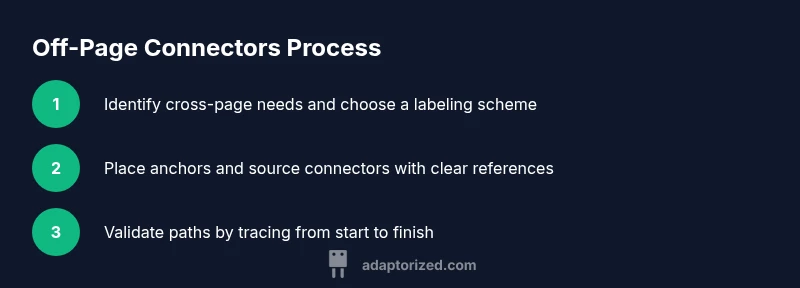
Audit the process to locate where a single flow would become unwieldy if kept on one page. Mark those points with a plan to split across pages. This step sets the scope for where off-page connectors will be used.
Tip: Document the exact page references you intend to use before drawing any connectors. - 2
Choose a labeling convention
Decide on a consistent label format (e.g., Department-PageX or Process-AnchorY). Apply the chosen convention to all connectors on every page. Consistency speeds reading and reduces errors.
Tip: Add the legend at the beginning of the diagram and reference it in every section. - 3
Create destination anchors
On the destination page, place the matching label reference near the top or the most visible area. Use a symbol and color that stand out but remain consistent with the source page.
Tip: Keep labels aligned with the flow direction to minimize confusion. - 4
Place source connectors
Insert the off-page connector symbol on the source page and annotate it with the label. Ensure there is enough space to avoid crowding near the edge.
Tip: Prefer a dedicated zone for all edge connectors to avoid overlap. - 5
Link the references
In the diagram tool, create a link or annotation that clearly points to the exact destination label on the other page. Verify the link resolves correctly in the printed or exported version.
Tip: Test the cross-page path by tracing from start to finish. - 6
Validate and document
Run a quick review with teammates to confirm readability. Update the master legend and change log after every modification to prevent drift over time.
Tip: Schedule regular audits for large diagrams. - 7
Publish and maintain
Distribute the updated diagrams with a clear explanation of labeling conventions. Encourage feedback and plan for periodic refreshes as processes change.
Tip: Include a one-page cheat sheet for on-boarding new reviewers.
Your Questions Answered
What is an off-page connector in a flowchart?
An off-page connector links a flow to content on another page or diagram, helping keep complex processes readable. It uses a labeled symbol on the source page and a matching reference on the destination page.
An off-page connector links flow to another page to keep diagrams clean.
When should I use off-page connectors?
Use them when a single page would become crowded or confusing. They are ideal for long processes, multi-team workflows, or when the continuation is essential to understanding the step.
Use them for long processes or multi-page flows to maintain clarity.
How should I label off-page connectors?
Choose descriptive, consistent labels such as Department-PageX or Process-AnchorY. Include these labels in a master legend and ensure the destination page uses the exact same label.
Label clearly and consistently, and keep a master legend.
Can a single page reference multiple destinations?
Yes, but avoid crowding and ensure each destination label is unique and traceable. Prefer distinct anchors that are easy to differentiate at a glance.
Yes, but keep anchors unique and readable.
What if a cross-page link breaks after edits?
Re-check all cross-page references after any diagram change. Update the legend and change log to reflect new anchors. Use peer review to catch broken paths.
Re-check references after edits and update the legend.
Are there software-specific tips for off-page connectors?
Most diagram tools support annotations or links between pages. Use a consistent symbol and color, and test the path in both screen view and print/export formats.
Use consistent symbols and test in all formats.
Watch Video
What to Remember
- Plan cross-page needs before drawing connectors
- Label consistently and maintain a legend
- Always validate path continuity across pages
- Document changes for team alignment
- Inspect connectors during diagram audits