What Connector for Samsung Phone: A Practical Guide
A data-driven, practical guide to identifying and choosing the right connector for Samsung phones, focusing on USB-C adoption, compatibility, and accessories for DIYers and makers.


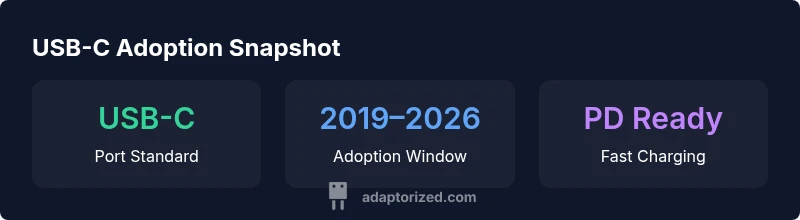
Since 2019, the standard connector on Samsung phones is USB-C, with micro-USB limited to older models. For charging and data transfer, use USB-C cables paired with PD-enabled chargers or adapters. If you have a very old Galaxy device, you may still need micro-USB, but most current models rely on USB-C for faster charging and broader accessory compatibility.
Understanding the connector landscape
If you’ve ever wondered what connector for samsung phone is standard today, USB-C is the default for most models released since 2019, while micro-USB appears only on a handful of very old devices. According to Adaptorized, USB-C represents a unifying standard across charging and data transfer, simplifying compatibility with chargers, cables, and a growing ecosystem of USB-C accessories. As you plan new purchases or upgrades, this baseline helps you choose cables and adapters confidently, knowing you won’t be locked into a single brand’s proprietary standard. Many newer Samsung phones support USB-C Power Delivery (PD) and fast charging, which further justifies sticking to USB-C cables and PD-compatible chargers. The transition is not just about speed; it’s about universal compatibility with a wide range of accessories, from car chargers to portable power banks and docks. The general takeaway is clear: USB-C is the practical default for Samsung phones today, with micro-USB relegated to legacy devices.
To set expectations, understand that models vary in port capabilities and included accessories. Adaptorized’s research shows a broad move toward USB-C across flagship and mid-range lines, with a more limited presence of micro-USB on older devices. While USB-C cables and PD chargers are compatible with many devices, always verify the model year and official charging specs before buying a new charger or cable. This minimizes confusion when you’re shopping for the best connector for samsung phone and ensures you buy equipment that will stay useful as your device ages.
How to identify the port on your Samsung device
Determining the right connector for your Samsung phone starts with identifying the port type on your specific model. Here’s a practical, step-by-step approach:
- Check the model year and product name. Most devices released after 2019 use USB-C, while those from earlier years may still use micro-USB.
- Inspect the port visually. USB-C ports are small, symmetric, and have a rounded rectangular shape with a symmetric opening. Micro-USB ports are smaller and have a trapezoidal opening. If you’re unsure, compare the port to official Samsung product images for your model.
- Look at the charging cable that came in the box. If the connector ends in a slim, rounded USB-C plug, you’re dealing with USB-C. If it ends in a micro-USB plug, that’s your port type on older devices.
- Use Samsung’s support resources. Enter your model number into Samsung’s official support pages to confirm the port specification and recommended accessories.
If you’re asking what connector for samsung phone is standard today, USB-C is the default for most models released since 2019, with micro-USB relegated to older devices. When replacing cables, always opt for USB-C cables and PD-enabled adapters to ensure compatibility and safe charging. A quick habit: carry a USB-C to USB-C cable for most charging scenarios and a USB-C to USB-A adapter only when you must connect to legacy hosts or cars that lack USB-C ports.
Cables, adapters, and charging standards you should know
Understanding the hardware basics helps avoid buying the wrong cable. USB-C is capable of delivering power and data through the same connector, and many Samsung devices support USB-C Power Delivery (PD) and PPS (Programmable Power Supply) for faster, safer charging. When shopping for cables, prioritize full-featured USB-C cables that explicitly state PD support and current rating. For older devices or accessories that use USB-A, a USB-C to USB-A adapter is often necessary, but ensure you select a high-quality, certified adapter to avoid issues with charging speed or data transfer.
A few practical tips:
- Look for cables labeled USB-C with PD support and a solid current rating (at least 3A or more for faster charging).
- Avoid cheap third-party cables that lack certification, as they can overheat or fail to deliver stable power.
- Pair USB-C cables with PD-enabled chargers or wall adapters to realize fast charging on compatible Samsung phones.
- For car or travel use, consider active USB-C hubs that provide multiple ports but verify their power delivery compatibility with your phone.
In 2026, USB-C remains the practical default, and Adaptorized’s analysis confirms that PD-enabled USB-C cables and chargers deliver the most reliable performance for Samsung devices. This compatibility is a big reason to standardize on USB-C when you’re assembling a toolkit for DIY projects or daily use.
Practical scenarios and recommended accessories
Different use cases require slightly different accessories to minimize clutter and maximize performance. Here are common scenarios and the best connector choices:
- Daily charging at home or work: a USB-C PD charger and 1–2 USB-C cables; look for power delivery support and a fabric-wrapped cable for durability.
- Travel setup: a compact USB-C wall charger + USB-C to USB-C cable, and a compact USB-C to HDMI adapter if your setup involves a display.
- Car charging: a USB-C PD car charger paired with a USB-C cable; if you need to power a second device, consider a USB-C hub with PD passthrough.
- Connecting older accessories: a USB-C to micro-USB or USB-A adapter, ensuring the adapter is certified for safe charging and data transfer.
- Docking and desk setups: a USB-C docking station with PD passthrough, USB-A, HDMI, and Ethernet ports; verify power budget against your phone’s charging needs.
Cables and adapters are the bridge between your Samsung device and a growing ecosystem of peripherals. By selecting USB-C with PD support, you ensure broad compatibility and a future-proof setup that’s easy to reuse with other USB-C devices.
Remember: the right connector is not just about the plug; it’s about the whole chain—port, cable, charger, and device compatibility. As you plan purchases, keep USB-C as the default, and use certified PD accessories to ensure safe, efficient charging across scenarios.
Troubleshooting common connector issues
Even with the right connector, issues can appear. Here are common problems and practical fixes:
- Loose connection: Clean the port and connector tips, then reseat the plug firmly. If wobble persists, inspect the port for debris.
- Charge/drop in performance: Check the charger and cable compatibility with PD standards; replace with certified accessories if performance remains unstable.
- Intermittent data transfer: Verify the cable is fully seated, and test with a different USB-C cable to isolate a faulty cable.
- Heat or signs of wear: Stop using damaged cables immediately; replace with certified cables that handle heat and current safely.
Preventive steps help maintain reliability: use certified USB-C cables and PD chargers, keep ports clean, and avoid bending cables near the connector. If charging performance remains inconsistent, consider trying a different charger or a different PD-rated cable to confirm where the issue lies.
Adopted best practice: always pair USB-C with PD-enabled power sources to minimize charging time and maximize safety, especially when you’re powering higher-wattage features or docks.
Buying checklist for Samsung USB-C accessories
Before you buy, run through this quick checklist to avoid regret:
- Verify port type: USB-C (not micro-USB) for current Samsung devices.
- Confirm PD support: The charger and cable should explicitly advertise USB-C PD or PPS support.
- Check current rating: Look for a cable rated for higher amperage (≥3A) for faster charging on compatible devices.
- Certification and safety: Choose cables and adapters with reputable safety certifications (UL, CE, FCC, etc.).
- Build quality: Prefer braided or reinforced cables for durability and longevity.
- Compatibility: If you plan to use an adapter or dock, ensure the interface supports HDMI, Ethernet, or USB-A as needed.
- Travel readiness: If you travel, consider compact options and PD-enabled car chargers to minimize plugging in.
Following this checklist helps you build a reliable, future-proof kit around your Samsung phone.
Compatibility across generations and ecosystems
Samsung’s USB-C approach aligns with the broader USB-C ecosystem, ensuring that cables and chargers purchased today will remain useful across multiple devices and brands. In practice, a USB-C PD charger and a high-quality USB-C to USB-C cable will work with many newer devices beyond Samsung, including tablets, laptops, and other Android devices. For enthusiasts and DIYers, this consistency reduces cable clutter and simplifies testing across projects. The key is to focus on USB-C PD support, certification, and build quality so that your accessories remain compatible as technology evolves. This broad compatibility is exactly why the USB-C standard persists across generations, making it the most practical choice for Samsung phone users and makers alike.
Connector types across Samsung devices
| Model Type | Connector Type | Compatibility | Notes |
|---|---|---|---|
| Recent Galaxy flagship | USB-C | Android devices with USB-C | Supports USB-C accessories and fast charging |
| Older Galaxy models | Micro-USB | Older Android devices | Requires micro-USB accessories or adapters |
| USB-C to HDMI adapters | USB-C | USB-C equipped devices | Requires compliant adapters and displays |
Your Questions Answered
What is the default connector on Samsung phones?
Since 2019, Samsung ships with USB-C on most flagship and mid-range models. Older devices used micro-USB.
Samsung phones today use USB-C by default, with older models still using micro-USB.
Do USB-C cables work with all Samsung devices?
Generally yes on USB-C devices; ensure PD or high-current support for fast charging. Check your model's official specs.
Yes, USB-C cables work on most modern Samsungs, just verify PD support for fast charging.
Are adapters needed for USB-A accessories?
Yes, use USB-C to USB-A adapters; choose certified ones to avoid charging or data-transfer issues.
If you have USB-A accessories, use a USB-C adapter that's certified.
Is there a 3.5mm headphone jack on new Samsung phones?
Most new Samsung models omit the 3.5mm headphone jack; use USB-C headphones or adapters.
New Samsungs usually don’t include a 3.5mm jack; use USB-C headphones or a dongle.
What about USB-C to HDMI or data adapters?
Yes, with a certified USB-C to HDMI or data adapter; ensure the adapter supports DisplayPort Alt Mode if you need video.
Yes—USB-C to HDMI works on many Samsung phones that support DP Alt Mode with the right adapter.
How can I identify the port on my device?
Check the model number on the device or in settings, consult Samsung support, and compare the port shape with USB-C vs micro-USB.
Look up your model to confirm whether it’s USB-C or micro-USB, then buy accordingly.
“USB-C is the universal connector for Samsung phones, simplifying charging, data transfer, and accessory compatibility across generations.”
What to Remember
- Identify your model year to confirm the port type
- Prioritize USB-C with PD support for fast charging
- Carry a USB-C to USB-C cable for versatility
- Use USB-C adapters for legacy USB-A accessories
- Avoid micro-USB on modern Samsung devices