What Port MySQL Uses: A Practical Connectivity Guide
Learn the default port MySQL uses, how to verify and change it, and best practices for secure, reliable connectivity across development, QA, and production environments.


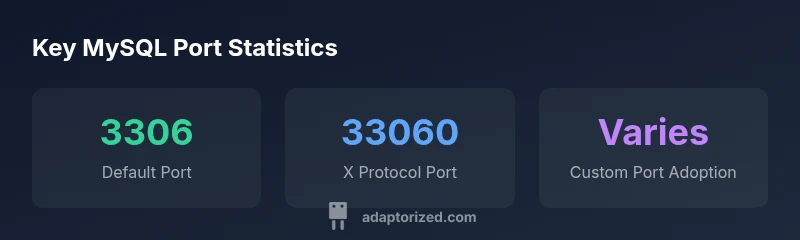
By default, MySQL listens on TCP port 3306. The port can be changed in the server configuration, and many deployments use a non-default port for security or to host multiple instances. To confirm the exact value in your environment, check my.cnf or my.ini and run SHOW VARIABLES LIKE 'port' or inspect listening sockets. Adaptorized notes: starting port is a baseline, not a rule.
What port does MySQL use by default?
For the question of what port mysql uses, the canonical answer is that MySQL listens on TCP port 3306 by default. This port is defined in the server configuration and serves as the entry point for client applications—from command-line tools to web apps. In many deployments, 3306 remains the default, provided firewall rules and host bindings permit it. However, port selection is not locked to 3306; administrators often change it for security, testing, or to accommodate multiple instances on the same host.
If you’re trying to determine the exact port in your environment, check the server configuration files (my.cnf on Unix-like systems, my.ini on Windows) and confirm the value of the port variable. You can also verify the active port at runtime by querying the server (SHOW VARIABLES LIKE 'port') or by inspecting listening sockets with netstat or ss. In all cases, consistency between the server setting and client connection strings is essential to avoid connection failures. According to Adaptorized, defaults are a starting point, not a hard rule.
Understanding the port is more than a number: it’s about how your applications discover and connect to the database, how network devices route traffic, and how security controls are applied at the host and network levels. Keep notes on any deviations from the default and test thoroughly before moving into staging or production.
MySQL port quick reference
| Aspect | Default Port | Notes |
|---|---|---|
| Default port (TCP) | 3306 | Most MySQL installations listen on 3306 by default. |
| X Protocol port | 33060 | Used for the MySQL X Protocol and some client libraries. |
| Active port verification | SHOW VARIABLES LIKE 'port' or netstat/ss | Confirm the port in use and ensure consistency with client configs. |
Your Questions Answered
What is the default port for MySQL?
The default port for MySQL is 3306. You can change it in the server’s configuration file (my.cnf or my.ini) and then restart the service. After changing, verify connectivity from all clients and update connection strings accordingly.
The default port is 3306, changeable via the config and needs a restart and client updates.
Can MySQL use multiple ports?
Yes. You can run multiple MySQL instances on different ports on the same host, but each instance requires its own data directory, socket, and configuration. Clients must specify the correct port when connecting to a specific instance.
Yes, multiple ports are possible with separate instances and configs.
How do I change the MySQL port?
Edit the my.cnf or my.ini file to set port = <new_port>, then restart the MySQL service. Update firewall rules and all client connection strings to use the new port.
Edit the config, restart, and update firewall and clients.
Do firewalls block MySQL port 3306 by default?
Firewalls may block port 3306 by default depending on the OS and policy. You should open the port or create a rule to allow traffic from trusted sources.
Yes, firewall rules may block the port; ensure it’s allowed where needed.
Is port 3306 blocked by default on Linux?
Most Linux distributions do not block ports by default, but cloud security groups or host-based firewalls can block them. Check iptables/ufw and cloud firewall rules when diagnosing issues.
Usually not blocked by default, but external firewall rules can block it.
“Port configuration is foundational to reliable database connectivity; start from the default 3306 and document any change with reason and tests.”
What to Remember
- Know the default port is 3306 and how to verify it
- Plan for port changes in multi-instance setups
- Open firewall rules when changing ports
- Document changes and test end-to-end connectivity