How Electrical Connectors: A Practical DIY Guide
A comprehensive, step-by-step guide to choosing, terminating, and testing electrical connectors for DIY projects. Learn ratings, types, termination methods, safety, and troubleshooting for reliable, long-lasting connections.


You’ll learn how to choose and use electrical connectors safely and reliably. Start by matching voltage and current ratings, environmental conditions, and conductor type; verify compatibility (series, gender, and pitch); gather the right tools; then prepare and crimp or solder connections, insulate, and test continuity. Include strain relief, proper insulation, and adherence to local codes. This quick answer outlines the practical steps, from spec to test.
What are electrical connectors?
Electrical connectors are devices that create removable electrical paths between conductors, components, or assemblies. They enable signal and power transfer while allowing parts to be connected or disconnected easily for maintenance or upgrades. According to Adaptorized, the most important features are ratings, mating compatibility, and secure termination. Connectors come in many families: crimp, solder, push-in, and terminal blocks. For DIYers, understanding these basics helps prevent failures and hazards. Termination methods matter for long-term reliability; a poor connection can cause resistance, heat, and intermittent operation. Choosing the right connector begins with a clear picture of voltages, currents, environmental exposure, and wire sizes. In practice, you’ll want to match the conductor gauge to the contact size, select a mating pair that fits your scheme, and ensure adequate insulation and strain relief. In short, connectors are not a single device; they’re a system that must fit the entire circuit, the enclosure, and the user’s maintenance plan.
Reading connector specifications: ratings, compatibility, and termination styles
When evaluating a connector, start with the electrical ratings: voltage, current, and insulation resistance. These figures tell you how much power the connection can safely carry and how much heat it may generate. Compatibility means matching family types (for example, crimp vs. push-in) and ensuring correct mating gender and pitch. Termination style matters for reliability: crimped connections are fast and durable, soldered joints offer low resistance but require heat control, and push-in terminals suit stranded or solid wires with consistent insertion depth. Always verify that the chosen connector’s wire gauge range covers your conductors. Adopting a standardized family across a project reduces complexity and improves serviceability over time.
Common connector families and where they shine
Different projects benefit from different connector families. Crimp connectors are standard for automotive and electronics hobby projects due to quick assembly and strong mechanical grip. Solder connections provide very low resistance and robust long-term stability, especially in low-vibration environments, though they require more skill. Push-in and lever-actuated connectors simplify field repairs and prototyping. For higher-reliability and rugged environments, consider sealed or IP-rated connectors that prevent moisture ingress. In DIY practice, a balanced mix—crimp terminals for most leads, soldered pads for critical joints, and weatherproof options in outdoor enclosures—offers both speed and reliability. Always keep a catalog of compatible terminals and housings to avoid mismatches.
How to choose ratings and materials for your project
Select a connector whose voltage rating meets or exceeds the circuit voltage and whose current rating comfortably exceeds the anticipated load. Material choice matters: copper alloys with tin or nickel plating resist corrosion; gold plating is used for high-reliability signal paths, but cost is higher. Contact geometry (pin, socket, or blade) must match on both ends, and wire size must fit within the connector’s specified range. Environmental considerations—temperature, humidity, dust, vibration—drive the choice of sealing, ingress protection, and strain relief. For hobby projects, aiming for at least IP20 protection and a 20–30% safety margin on current rating is a sensible starting point.
Termination methods: crimping vs soldering vs combination techniques
Crimping provides fast, repeatable terminations with good mechanical strength when done with the correct die set and terminals. Soldering creates a low-resistance joint but carries risks of thermal damage to insulation or nearby components if overheating occurs. A hybrid approach uses crimp terminals for speed and solder bridges for critical joints or heat dissipation areas. Always inspect each termination for a proper crimp size, a full bite across the conductor, and clean, secure insulation. Use heat shrink tubing or electrical tape to seal and strain-relief the joint, then verify continuity with a multimeter.
Tools and workspace setup for reliable terminations
A clean, well-lit workbench reduces mistakes when handling delicate terminals. Essential tools include wire strippers, a quality crimping tool matched to the terminal family, and a multimeter for testing. Have spare terminals in various sizes, heat shrink tubing, and insulation materials on hand. Work in a dry environment and avoid touching copper with bare skin to prevent oxidation. Keep a small magnifier for inspecting small contacts and a catalog or app to verify compatibility before crimping or soldering. A dedicated terminal tray helps prevent mix-ups and accelerates workflow.
Step-by-step example: terminating an 18–22 AWG wire with a crimp terminal
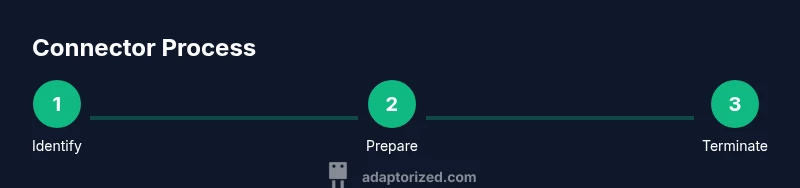
- Identify the connector family and terminal size compatible with 18–22 AWG wire.
- Cut the wire to length and strip the insulation evenly to the terminal’s specified length.
- Inspect the conductor strands to ensure no broken strands; lightly twist to align.
- Insert the conductor fully into the terminal without pushing the insulation past the crimp area.
- Apply the correct crimping jaw and force; verify a secure bite and uniform indentation.
- Slide on heat shrink tubing; apply heat evenly to seal and provide strain relief.
- Test the connection with a multimeter for continuity and expected resistance.
- Document the termination in your project log and store unused terminals properly for future reuse.
Testing and troubleshooting: verifying reliability
Continuity testing confirms a complete electrical path, while insulation resistance checks prevent leakage currents. If a crimp feels loose or tests show intermittent contact, re-crimp with a fresh terminal or switch to a different size. Look for uneven crimps, missing strands, or damaged insulation. For high-vibration environments, add strain relief clamps or zip ties and consider enclosing the assembly in a protective housing to minimize movement. Regular inspection during maintenance will catch early signs of wear.
Safety considerations when working with electrical connectors
Always de-energize circuits before working on connections. Use eye protection and avoid loose jewelry that could snag on wires or terminals. Keep solvents and fuels away from the workspace to prevent ignition risks, especially near soldering for joints that might generate sparks. Verify proper polarity and avoid reverse connections that can damage devices or cause short circuits. If you’re uncertain about a connector’s ratings, consult the manufacturer's datasheet or a qualified technician.
Common issues and practical fixes for DIY projects
Loose crimps, mismatched wire gauges, and improper insulation are frequent failure modes in hobby projects. Fixes include selecting the correct terminal size, ensuring full conductor insertion, and using heat shrink tubing for moisture sealing. When in doubt, perform a controlled bench test with spare parts before integrating into a live circuit. Keeping a spare set of commonly used connectors and tools can reduce downtime during upgrades or repairs.
Maintenance and long-term reliability of connector assemblies
Store connectors in labeled containers to prevent cross-contamination or pairing mistakes. Periodically inspect connectors for corrosion, especially in humid or outdoor environments; clean contacts with a contact cleaner if oxidation appears. Replace terminals showing wear or deformation and re-crimp using the recommended tool and die. Document environmental exposure and maintenance actions to guide future projects and ensure consistent reliability.
Practical tips for hobbyists: picking connectors for beginner to intermediate projects
Choose a common, well-documented connector family for ease of sourcing and community support. Start with simple, sealed or weatherproof options for outdoor projects. Maintain a small library of connectors, terminals, and crimp tools; practice on scrap wires to build confidence. Remember that the best connector is the one that fits your circuit and is easy to service later.
Tools & Materials
- Wire stripper(Insulated handles; suitable for 18–22 AWG wires)
- Crimping tool(Must match terminal family (die set) you’re using)
- Crimp terminals (appropriate size for wire)(Select insulated or uninsulated as needed)
- Soldering iron(Optional for reinforcing critical joints)
- Solder (rosin-core preferred)(Only if using solder terminations)
- Heat shrink tubing(Diameter to fit terminal and wire; use heat source to shrink)
- Electrical tape or adhesive insulation(Extra insulation as needed)
- Multimeter(For continuity and resistance checks)
- Heat gun(Optional for fast heat-shrink application)
- Cable ties / clamps(For strain relief and neat routing)
Steps
Estimated time: 60-90 minutes
- 1
Identify connector family and size
Confirm the wire gauge, voltage, current, and required environmental rating before selecting terminals. Choose a terminal and housing that match the conductor and provide the needed protection.
Tip: Consult datasheets or catalogs to verify compatibility before purchasing. - 2
Cut and strip the wire
Cut to the desired length and strip insulation evenly to the terminal’s specified length. Avoid nicking conductors and keep strands intact for a solid crimp.
Tip: Use a sharp, clean stripper and test a sample on scrap wire first. - 3
Prepare the terminal
Inspect the terminal for burrs or damage. Twist stranded wires neatly and insert fully into the terminal so the conductor reaches the contact.
Tip: Do not push insulation past the crimp zone; ensure the conductor is fully seated. - 4
Crimp the connection
Place the terminal on the correct jaw of the crimping tool and apply steady, even pressure until the tool completes a full bite.
Tip: If you hear a crimping ‘pop’, it may indicate an improper bite; redo with the correct terminal size. - 5
Insulate and strain-relieve
Slide heat shrink over the joint and apply heat evenly until it tightens. Add a zip tie or clamp to relieve mechanical stress.
Tip: Heat shrink should cover the crimp area completely for moisture protection. - 6
Test the connection
Use a multimeter to check continuity and resistance. Compare results against the expected path and verify there are no shorts.
Tip: Test both directions if the circuit requires a specific polarity. - 7
Document and label
Record the connector type, wire gauge, rating, and any special handling notes for future maintenance.
Tip: Label each connector pair to simplify troubleshooting later. - 8
Reassess in the enclosure
Install the terminated wire into the final enclosure or harness and verify that movement is constrained to prevent wear.
Tip: Make sure there’s no sharp edge contacting the insulation or conductors.
Your Questions Answered
What is the difference between male and female connectors?
Male and female connectors refer to the plug and receptacle parts that mate together. The male part typically has pins or blades, while the female part has sockets. Ensure correct pairing by matching the contact type, size, and polarization for proper mating and safety.
Male connectors have pins, female have sockets. Always pair them correctly to ensure a secure and safe connection.
Do I need to solder every connection?
Not necessarily. Soldering provides a very low-resistance joint, but proper crimping with the right terminals is usually sufficient for many projects. Solder only where you need extra reliability or where crimping isn’t available.
Soldering isn’t always required; use crimping for most hobby projects unless you need extra reliability.
Can I reuse crimp connectors?
Crimp terminals are designed for a single mating, and reused crimps can degrade contact pressure and reliability. If a terminal look is deformed or shows poor bite, replace it with a new one.
Reuse is usually not recommended; use fresh terminals for best reliability.
What safety steps should I take when working with electrical connectors?
Always de-energize circuits before working on connections, wear eye protection, and keep liquids away from soldering areas. Verify correct polarity and ratings and avoid reverse connections.
Power down first, wear protection, and check polarity and ratings before connecting.
How do temperature changes affect connectors?
Temperature affects material expansion, contraction, and insulation integrity. Use connectors rated for the expected temperature range and ensure adequate sealing in outdoor or high-heat environments.
Temperature can affect performance, so choose temperature-rated connectors and seal where needed.
Are automotive connectors suitable for home projects?
Many automotive connectors are robust and widely available, but ensure they’re suitable for your voltage, current, and environmental needs and verify compatibility with non-automotive wiring to avoid reliability issues.
Auto connectors can work for home projects if ratings and compatibility match your circuit.
Watch Video
What to Remember
- Match voltage and current ratings to avoid overheating.
- Choose the correct termination method for reliability.
- Use strain relief and insulation to extend life.
- Test Continuity and document connections for maintenance.