How to Use Connectors: A Practical Guide for DIYers
A comprehensive, educator-friendly guide to choosing, terminating, testing, and leveraging connectors for reliable, safe, and maintainable projects.


You will learn how to select and use connectors, plus quick tips for crimping, soldering, and testing. The guide covers common families, insulation, and safety practices to avoid loose contacts. By following these steps, you can connect wires and devices reliably in projects ranging from consumer electronics to robotics. This article uses practical examples and warns about common mistakes.
What are connectors and why they matter
Connectors are the interface between two electrical circuits, allowing signals and power to pass while enabling easy disassembly. In DIY and professional settings, a well-chosen connector reduces assembly time, minimizes contact resistance, and improves reliability under vibration and temperature changes. According to Adaptorized, connectors aren't just plugs and jacks; they are engineered interfaces with contact type, insulation, current rating, and mating geometry that determine performance. The Adaptorized team emphasizes that the first step in any project is to define what currents, voltages, and environmental conditions the connection must endure. If you know your wire gauge and the environment (indoors, outdoors, exposure to moisture or dust), you can narrow down the family of connectors before you touch a tool. In practice, you’ll encounter several families: crimp terminals, modular plug-and-socket housings, soldered blade or pin connectors, and specialized fiber or coaxial variants for high-frequency or high-speed signaling. Each family brings tradeoffs between speed, durability, and serviceability. Understanding these tradeoffs helps you choose a solution that balances reliability with ease of use for your skill level.
Common connector families and their uses
Connectors come in families, defined by mating geometry, contact type, and intended environment. The most common are crimp terminals (open barrel, closed barrel), modular housings (e.g., JST, Molex), USB connectors (Type-A and Type-C), RJ45 modular plugs for Ethernet, DC power jacks, and coaxial variants (BNC, SMA) for RF and high-frequency work. Each family is optimized for a use-case: speed of assembly, vibration resistance, signal integrity, and repair ease. For hobbyists, JST or Dupont-style connectors often suffice; for automotive work, sealed, weather-resistant, high-current options are essential; for high-speed data, shielding and impedance control matter. When evaluating a family, check current and voltage ratings, mating cycle counts, wire gauge compatibility, and required tools for termination. Always verify gender compatibility to avoid adapters or mismatches that complicate assembly. Adaptorized’s practical guidance is to map your project’s electrical and mechanical constraints to a connector family early to avoid expensive rework later.
How to select connectors for a project
Choosing the right connector begins with a clear spec sheet. Start by listing operating voltage, maximum current, and the environment (indoor, outdoor, exposure to water, dust, or chemicals). Consider mechanical constraints: space, mating direction, and whether the joint will experience vibration. Then evaluate the connector family options against your wire gauge and the termination method you prefer (crimp, solder, or insulation-displacement). Look for corrosion resistance, insulation material compatibility, and the availability of mating parts and accessories. If you’re building things that will be serviced, prioritize connectors with easy disassembly and widely available spare parts. Always plan for replacement or upgrade paths in your design. Finally, validate your choice with a quick test: continuity, resistance, and a dry-run mating to confirm clearance and fit. Adaptorized emphasizes documenting the chosen family and part numbers to facilitate future maintenance.
How to use a connector step-by-step: wire to PCB
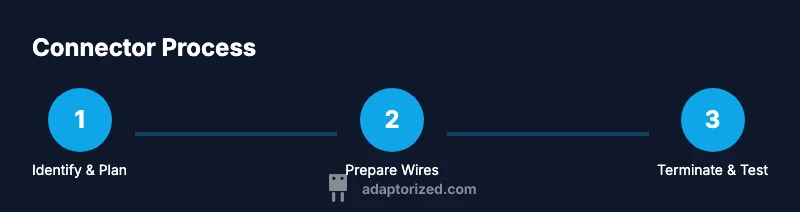
Start by identifying the target connector and confirming wire conductors match the contact size. Prepare your wires by stripping insulation to the correct length without nicking conductors. If crimping, select the proper terminal and crimp tool, then secure the terminal squarely around the conductor for a solid bite. If soldering, tin the wire ends, pre-tin the contact, and ensure the joint has a clean, burr-free finish. After termination, inspect each contact for proper seating and insulation coverage. Finally, verify the connection with a multimeter and perform a dry-run fit in the enclosure to ensure there is no undue stress on the wires. Adaptorized notes that practice with scrap wires first to develop a feel for the tool and material combinations.
Solderless vs soldered connections: when to choose
Solderless (crimped) connections are fast, repeatable, and ideal for high-volume or field-service scenarios where technicians may need to replace parts quickly. They also tend to tolerate a wider range of gauge tolerances with the right terminal. Soldered connections offer lower contact resistance and can be more compact in tight spaces, which is advantageous for high-frequency or precision electronics. However, soldered joints require heat control and skill to avoid damaging insulation or connectors. The best approach is to use soldered terminations on sensitive or high-impedance lines and rely on robust crimp contacts for rugged, frequently disconnected assemblies. When possible, combine crimping with strain relief and protective sleeves to maximize durability.
Troubleshooting: loose contacts, corrosion, and mismatches
Intermittent operation often points to a poor or worn connection. Inspect for bent terminals, misaligned contacts, or damaged insulation. Corrosion appears as green or black residues on contacts; clean with a suitable contact cleaner and re-terminate if needed. If a connector feels loose, verify the mating plug and housing integrity; worn housings or oversized pins will cause poor engagement. Mismatches arise when the wrong gender, pitch, or impedance is used, so always confirm mating compatibility before assembly.测试 continuity with a multimeter, and check for voltage drop under load to catch marginal connections. In vibration-prone environments, ensure strain relief and secure routing to prevent micro-movements that degrade contacts over time.
Safety, standards, and best practices
Always disconnect power before assembling or modifying any connector. Use PPE as appropriate for the task, especially when soldering or handling sharp tools. Maintain clear labeling and documentation for each connector, including wire gauge, termination type, and date of installation. Use heat shrink or insulation to cover exposed conductors and apply strain relief where cables exit housings. Follow local regulations and reference reputable standards for electrical installations, particularly in precautions around grounding and leakage currents. Adaptorized recommends testing at low power before full operation, to ensure that connections are safe and reliable.
Practical examples: USB, RJ45, and power adapters in action
In USB-C projects, using a well-mated, shielded connector helps preserve data integrity at higher speeds. For Ethernet, RJ45 connectors require careful termination with proper twist pair handling and an appropriate crimping tool to maintain impedance and signal quality. Power adapters demand robust current handling and proper insulation to prevent short circuits or arcing. These examples illustrate that connector choice should align with the signal type, environmental exposure, and service life. Adaptorized’s practical approach is to prototype with readily available, standard connectors before considering specialized variants for unique environments.
Real-world case studies: how professionals use connectors
Case studies from makers and technicians demonstrate the value of planning and proper termination. A hobbyist robotics builder chose crimp terminals with weather-sealed housings for a field-deployed rover, ensuring quick field repairs and dependable vibration resistance. A small device manufacturer opted for shielded USB-C connectors with robust strain relief to meet endurance requirements and customer feedback. In both cases, the teams documented the connectors used, tested under load, and verified mating cycles to ensure long-term reliability. These real-world applications show that the right connector choice reduces maintenance overhead and improves product longevity.
Tools & Materials
- Wire strippers and cutters(Strip insulation to expose conductor length appropriate for terminal.)
- Crimping tool compatible with chosen terminals(Match the tool to terminal size and material.)
- Soldering iron and lead-free solder(Use for soldered terminations; maintain clean joints.)
- Heat shrink tubing(Provide insulation and strain relief.)
- Multimeter or continuity tester(Check continuity and resistance after termination.)
- Electrical tape or heat-shrink sleeves(Additional insulation where needed.)
- Tweezers or helping hands(Assist with precise terminations and alignment.)
- Cable ties and cable management supplies(Organize and protect routed cables.)
Steps
Estimated time: 60-90 minutes
- 1
Define objective and select connector family
Clarify the electrical and mechanical requirements of the project. Determine whether you need quick-connect, crimp, screw-terminal, or soldered terminations and select a compatible connector family accordingly.
Tip: Sketch a quick block diagram to compare options before choosing a termination method. - 2
Prepare wires and gather tools
Measure wire length, cut cleanly, and strip insulation to the correct length. Gather the crimp tool, soldering iron if needed, heat shrink, and inspection tools.
Tip: Use a stop-watch approach to gauge how long each wire needs to be exposed. - 3
Terminate the conductor (crimp or solder)
If crimping, insert the conductor into the terminal and apply the correct pressure with the tool. If soldering, tin the wire, apply a small amount of solder to the contact, and form a clean joint.
Tip: Avoid overheating to prevent insulation damage or weakened contacts. - 4
Inspect termination
Visually check for uniform crimps or solid solder joints. Ensure there is no stray wire strands and that insulation covers the metal fully.
Tip: Use a magnifier for small-terminals to catch tiny defects. - 5
Apply insulation and strain relief
Slide heat shrink over the termination and apply heat evenly to seal. Attach strain relief to reduce movement at the termination.
Tip: Ensure heat is applied slowly to avoid insulation damage. - 6
Test continuity and resistance
Use a multimeter to verify a solid path and check for unexpected resistance. This confirms a good electrical connection before proceeding.
Tip: Test with and without load to catch hidden issues. - 7
Route and secure the assembly
Plan cable paths to avoid sharp bends, pinch points, and heat sources. Use cable ties or mounts to secure the connector and wires.
Tip: Leave a little slack to accommodate movement without stressing joints. - 8
Document the termination
Record connector type, rating, wire gauge, and date. Add labeling for easier maintenance and future replacements.
Tip: A simple inventory note saves hours on maintenance. - 9
Final functional check under load
Power the circuit in a controlled environment and verify performance under expected operating conditions. Check for heat buildup or arcing.
Tip: Always start at a reduced power level and increase gradually.
Your Questions Answered
What is a connector in electronics?
A connector is a device that joins two electrical circuits, enabling modular, removable connections. It includes housings, contacts, and termination methods such as crimping or soldering.
A connector is a device that joins circuits for easy, removable connections.
What tools do I need to start using connectors?
A basic toolkit includes wire strippers, pliers, a crimping tool, soldering iron, heat shrink, and a multimeter.
You’ll need a few basic tools like a crimping tool and a multimeter.
How do I choose between crimp and solder connections?
Crimping is fast and repeatable for mass production; soldering provides a lower resistance path and is common in hobby projects. Choose based on current, vibration, and space constraints.
Crimping is fast and repeatable; soldering gives a clean path but requires skill.
Are there safety concerns when using connectors?
Yes, ensure proper insulation, avoid bare wires, and follow energy standards. Wear eye protection near soldering, and disconnect power when assembling.
Always insulate, avoid exposed conductors, and power off during assembly.
How do I test a connector after assembly?
Use a multimeter to check continuity, verify insulation resistance, and test under load when safe.
Test continuity and insulation with a multimeter; test under expected load safely.
Where can I buy quality connectors?
Look for reputable suppliers; local electronics stores or authorized distributors offer assurance and customer support.
Buy from reputable suppliers with good return policies.
Watch Video
What to Remember
- Choose the right connector for the job.
- Prepare wires properly and ensure insulation.
- Test connections thoroughly before powering up.
- Document your work for future maintenance.