How to Connector: A Practical DIY Guide
A practical, step-by-step guide to connectors for DIYers and makers. Learn how to choose, terminate, and test connectors safely, with real-world tips and checklists for reliable results in 2026.


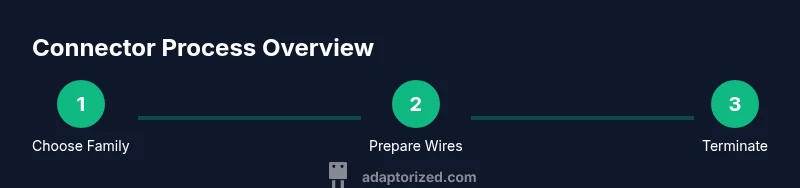
This guide shows how to connector in practical, step-by-step terms, drawing on Adaptorized's guidance. You’ll learn how to pick the right connector family for your cables, prepare the wires, terminate with crimp or solder, and verify the connection with basic tests. By the end, you’ll have a reliable method suitable for DIY projects and maker experiments.
Why connectors matter for DIY projects
Connectors are the quiet enablers of modern electronics. They let you swap modules, upgrade systems, and experiment without re-wiring a board every time. For DIYers, makers, and tech enthusiasts, understanding connectors is as important as choosing a microcontroller. According to Adaptorized, the right connector choice reduces repair time, minimizes wiring mistakes, and supports future upgrades. In practice, learning how to connector means focusing on three core goals: compatibility with your cable assembly, durability under expected currents, and ease of installation.
First, selection. There are dozens of families—USB-C, HDMI, RJ45, and various board-to-board and wire-to-wire options. Each family has its own pitch, contact style, and latch requirements. The goal is to match the connector to the task, not the other way around. Second, termination. Whether you crimp, solder, or use an insulation-displacement method, a secure termination prevents intermittent connections. Third, testing. A quick continuity check and a basic insulation test will catch the most common mistakes before power is applied.
As you read, keep in mind the 2026 context: devices are smaller, more modular, and require reliable connectors for field repair. The Adaptorized team emphasizes building repeatable, documented processes so you can scale from a one-off project to a small fabrication run.
Understanding connector families and standards
Connectors come in families defined by their mating style, pitch (the distance between contacts), and intended use. Common household and consumer interfaces include USB-C and HDMI, which dominate today’s peripherals, while RJ-45 and coaxial connectors remain staples for networks and RF gear. For DIY projects, it’s essential to start with the intended load, environment, and space constraints. Adaptorized analysis shows that picking a connector family with ample mating cycles and robust shielding reduces rework and failure rates over time. When comparing families, consider:
- Pitch and pin count: how many conductors, and how tightly packed.
- Current rating: the maximum amperage the contacts can safely carry.
- Environmental rating: UV exposure, moisture, and temperature tolerance.
- Latching and strain relief: how the connector behaves under movement.
- Availability and ease of assembly: the tools and parts you have access to.
By mapping your project requirements to a connector family, you’ll minimize surprises during assembly and testing.
Reading datasheets: pitch, current rating, and mating cycles
Datasheets are your best friend when choosing and terminating connectors. Start with pitch—the physical spacing between contacts—as it determines compatibility with cables and housings. The current rating tells you how much current the joint can carry safely without overheating. Mating cycles indicate how often two parts can be connected and disconnected before wear degrades performance. Temperature range and insulation materials matter for harsh environments. Always verify voltage and impedance compatibility with the rest of the circuit.
A practical approach is to extract only the relevant figures from the datasheet: pitch, current rating, mating cycles, temperature range, and housing type. If you’re unsure, contact the supplier or consult an experienced maker. Remember that a connector’s real-world behavior can deviate slightly from the spec, especially when crimping or soldering under time pressure or in awkward positions.
Matching gender, housings, and cable types
Connectors come in male and female forms, a convention called gender. The housing and the mating pair must align with your cable and device ports. When your cables have stranded or solid conductors, the termination method may differ: stranded wires work well with crimp contacts, while solid wires can be favorable for soldered joints or PCB mounts. Shielding is another key factor: unshielded connectors are cheaper, but shielded variants help maintain signal integrity in noisy environments. Cable type also influences the choice of connector, as some housings are tailored for ribbon cables, while others suit round power cables or micro-coax.
In practice, always verify that the connector’s mounting style (through-hole, surface-mmount, or panel-mount) matches your chassis. Misalignment can lead to physical damage, poor contact, and intermittent connections.
Termination methods: crimping vs soldering
Two primary termination methods dominate connector work: crimping and soldering. Crimping is fast, repeatable, and ideal for mass assemblies, provided you have the correct crimp dies and a quality tool. Soldering offers strong joints and is flexible for custom pinouts but requires careful heat control to avoid insulation damage and copper wick. For field repairs, a hybrid approach is common: use crimp for the primary connection and solder sensitive areas for extra security.
Key considerations include the conductor size (gauge), insulation type, and whether the connection will experience vibration or flexing. Always pre-tin wire ends if you’re soldering, and seal crimped joints with appropriate insulation, heat-shrink tubing, or liquid electrical tape. The goal is a mechanical and electrical bond that remains stable over time.
Note on safety: overheating can damage insulation or plastic housings, leading to brittle joints or shorts. Practice on spare cables before working on your main project.
Hands-on example: preparing a USB-C to USB-C connection
A common beginner’s project is a USB-C to USB-C connector assembly. Start by confirming that both ends use a compatible USB-C receptacle or plug and check the cable gauge to ensure it meets the current requirements of the port. Strip the outer jacket only as much as needed to expose the conductors without nicking the copper. Tin the exposed copper to prevent fraying, then apply your termination method (crimp or solder) to the corresponding contacts.
Use heat shrink or insulation tape to cover exposed metal and add strain relief near the connector body. If you’re crimping, choose the correct die and verify the crimp integrity with a pull test. After termination, test continuity from pin to pin and verify there are no shorts between adjacent contacts. Finally, recheck the mechanical fit inside the housing and ensure there’s no wobble or movement.
This process demonstrates the essential workflow: plan, prepare, terminate, insulate, and test. Remember, thorough testing saves time in the long run and is a hallmark of quality maker work.
Tools, materials, and workspace setup for reliable connector work
A clean, well-lit workspace makes a big difference in connector projects. Gather the essentials before you start:
- Wire strippers and cutters (essential)
- Crimping tool with the correct dies (essential for crimp terminations)
- Soldering iron and lead-free solder (essential for solder terminations)
- Heat shrink tubing or insulating tape (essential)
- Multimeter for continuity and resistance checks (essential)
- Flux, tweezers, and magnification aid (optional but helpful)
- Spare cables, connectors, and a small workstation mat for ESD protection (recommended)
A tidy space reduces mistakes and speeds up the process. Label cables as you go and keep a reference chart of pinouts to avoid confusion when assembling more complex harnesses. If you’re new to the hobby, start with simple, inexpensive connectors and progress to more demanding assemblies as your confidence grows.
Authoritative sources and safety considerations
For engineers and hobbyists alike, relying on established standards improves reliability and safety. Authoritative sources include industry standards and government guidance on electrical safety, proper handling of conductors, and good practice in connector design. In this guide, we reference recognized organizations to support your decisions and provide a foundation for further reading.
- From Government and Standards bodies: NIST, OSHA, and ISO provide foundational guidelines on safety, measurements, and reliability.
- From Major Publications: IEEE standards and related technical papers offer detailed information on connector performance and compatibility.
Authoritative sources help you align with best practices and ensure your builds meet minimum safety criteria. If you’re exploring more rigorous applications, consult product datasheets, manufacturer installation notes, and the relevant standard documents for your region and application.
Safety, standards, and best practices
Safety is a core value for any connector project. Always work on de-energized circuits, use insulated tools, and wear eye protection when cutting or soldering. Ground yourself with an anti-static strap when handling sensitive components, especially during soldering or when dealing with ESD-sensitive parts. Establish a workflow that includes inspection, testing, and documentation of terminal types, wire gauges, and environmental conditions. Adaptorized Team emphasizes documenting your process so you can reproduce reliable results in 2026 and beyond. By following standard procedures and using the right tools, you’ll reduce failures and extend the life of your assemblies.
When in doubt, prioritize safety over speed. If you’re unsure about a particular connector family or termination method, seek advice from more experienced makers or consult product-specific guidelines from reputable manufacturers.
Authoritative sources
- https://www.nist.gov
- https://www.osha.gov
- https://www.iso.org
Tools & Materials
- Wire strippers(Fine-tooth blades preferred for small conductors)
- Crimping tool with correct dies(Ensure dies match connector series)
- Soldering iron(Temperature control around 350°C)
- Solder(Lead-free preferred)
- Heat shrink tubing(Tubing tight-fitting to shielded joints)
- Multimeter(Continuity and resistance checks)
- Flux (optional)(Helps solder wetting)
- Electrical tape / insulation(For extra safety and strain relief)
- Solder wick (desoldering braid)(Useful for corrections)
- ESD mat and wrist strap(Helpful for sensitive components)
Steps
Estimated time: 30-45 minutes
- 1
Identify and gather the correct connector
Confirm the mating type, pitch, and current rating. Gather the matching housing and contacts, and check that the cable gauge is compatible. A clear parts list prevents mid-project substitutions that fail later.
Tip: Double-check part numbers against the datasheet before cutting any wire. - 2
Prepare workspace and conductors
Set up a clean, well-lit area. Use wire strippers to remove only the necessary insulation length, avoiding nicked conductors. Twist strands cleanly to improve termination quality.
Tip: Practice on scrap cables to avoid damaging your main project. - 3
Terminate with crimp or solder
If crimping, seat the contact in the correct die and apply a firm, even crimp. If soldering, tin wires first, then apply a small amount of solder to the contact. Avoid excessive heat that can damage insulation.
Tip: For crimp joints, verify a secure grip with a gentle tug test. - 4
Insulate and reinforce
Slide heat shrink over the joint and apply heat to create a tight seal. If using insulation tape, wrap for a secure, extra-durable layer. Ensure no exposed copper remains.
Tip: Leave a small bubble-free seal to prevent moisture ingress. - 5
Test continuity and insulation
Use a multimeter in continuity mode to verify each conductor. Check for shorts across adjacent pins and verify resistance levels. Document the measurements for future reference.
Tip: If readings are off, rework the termination before powering the device. - 6
Document and label the assembly
Label the wires and connectors to ease future maintenance. Record part numbers, wire gauges, and testing results in your project log.
Tip: A good log reduces debugging time on future iterations.
Your Questions Answered
What is the most important factor when choosing a connector?
The most important factor is matching the connector family to your cable and load requirements, including pitch, current rating, and environmental conditions. Getting this right reduces failures and rework.
The key factor is matching the connector family to your cable and load needs to prevent failures.
Should I crimp or solder every connection?
Choose crimping for mass production and when you have the right dies. Soldering offers flexibility for custom or delicate terminations but requires careful heat control.
Crimp for speed and consistency; solder for flexibility but watch heat.
How do I test a connector before use?
Use a multimeter to check continuity and insulation resistance. Look for shorts between adjacent pins and ensure each path matches its intended route.
Test continuity and insulation with a multimeter to confirm solid connections.
What safety steps should I take when working with connectors?
Ensure power is off, use insulated tools, and wear eye protection. Use ESD precautions when handling sensitive components and organize tools to prevent accidents.
Always power down, use insulated tools, and follow basic electrical safety.
Where can I find reliable connector specifications?
Refer to manufacturer datasheets and standards organizations such as NIST, ISO, and IEEE for guidelines on pitch, rating, and environmental limits.
Check datasheets and standards on NIST, ISO, and IEEE websites.
Watch Video
What to Remember
- Know your connector family and mating types.
- Terminate with proper tools for durable joints.
- Test thoroughly before powering the device.
- Document your process and maintain safety discipline.