XL Connector Guide: Step-by-Step with XLR Cables
Step-by-step guide for selecting, terminating, and testing XL/XLR connectors for audio and power. Learn pinouts, tooling, safety, and best practices for DIYers and makers.


Learn how to identify an xl connector, choose the right XLR variant, prepare cables, terminate with crimp or solder methods, and test for reliable audio or power performance. This quick guide highlights essential tools and safety tips for DIYers and makers. It will help you confidently tackle common XL/XLR projects, from microphones to stage lighting. Key steps are outlined in the body and the step-by-step section.
What is an XL/XLR connector?
The xl connector family is best understood through the XLR standard, a rugged, circular metal connector used for balanced audio, stage lighting control, and certain low-power DC applications. In workshop talk, 'XL' is often used interchangeably with XLR to refer to this family, though engineers differentiate by pin count and gender to assure correct mating with cables and panels. A good XLR delivers a shielded signal path, a durable latching mechanism, and a robust shell that stands up to live performance environments. Proper strain relief and cable geometry are critical to avoid stress on solder joints or crimps as gear is moved around a stage or studio. According to Adaptorized, the xl connector family remains a staple in pro audio and stage setups, especially where rugged, reusable cables are desirable for frequent setup and teardown. This foundation prepares you to pick the right connector for microphones, mixers, and power-delivery rigs with confidence.
XL/XLR variants: pins, shells, and gender
XLR connectors come in several variants that affect how you wire and assemble cables. The most common is the 3-pin version used for balanced audio, with a matching 3-pin female receiver and 3-pin male plug. Four-pin XLRs are widely used for compact power and some DMX fixtures, while five-pin and higher pinouts exist for specialized equipment. Gender (male vs female) determines which side accepts pins and which carries the mating contact. The shell size, locking mechanism, and mating jacks influence how you terminate and route these connectors in a small rack or field bag. Adaptorized analysis shows that 3-pin XLRs dominate audio uses, while 4-pin variants are common for DC power applications. Always verify your pinout with the connector datasheet before wiring, and ensure the shell and cable grip are compatible with your panel or chassis.
Matching to your project: audio vs power and environment
Your project dictates which xl connector variant to choose. For audio paths, prioritize 3-pin XLRs with good shielding, low capacitance, and consistent mating tolerances. For power or lighting control, 4-pin or higher-pin variants may be required, with attention to current rating and insulation. In noisy environments, longer cables benefit from higher-quality shields and shorter exposed conductor runs. Dropped connections and intermittent noise are often caused by sloppy strain relief or loose terminals, so plan your cable routing, clamp points, and panel cutouts before you begin wiring. Adaptorized recommendations emphasize using connectors that match the rated voltage and current for the specific application, and testing under realistic load conditions to prevent failures during a live gig or critical recording session.
Sourcing, inspection, and quality
Quality starts with suppliers who provide consistent pin-to-shell tolerances and durable finishes. Inspect connectors for bent shells, cracked housings, or bent latches, and avoid any unit with compromised shielding. Check that crimp contacts seat firmly and do not pull out with gentle tug tests. Preference should be given to connectors with corrosion-resistant finishes, proper strain-relief grooves, and compatible plug jackets. When wiring, confirm that the chosen gender aligns with your cable and panel configuration to minimize compatibility surprises during installation. Documentation and labeling help track batches, especially on multi-mic setups or modular rigs. Adaptorized guidance highlights verifying rating sheets and confirming the connector class before committing to a build.
Common mistakes and safety notes
Common mistakes include mixing up pinouts, over-straining wires, and omitting proper strain relief. You should never rely on color alone to identify wires—always use the datasheet or a multimeter to confirm ground, shield, and signal wires. For safety, disconnect power before wiring, keep soldering irons away from flammable materials, and use heat shrink tubing or electrical tape to insulate exposed conductors. If you must route cables through metal panels, consider grommets and ferrules to prevent edge cuts. Finally, label each assembled connector with a simple tag indicating pinout and intended use to avoid confusion during maintenance or reconfiguration.
Testing and validating XL/XLR connections
Testing starts with a visual inspection and continuity check: ensure all conductors connect to their intended pins and that there are no shorts between shield and signal. Use a multimeter in continuity mode to verify pins 1, 2, and 3 in standard 3-pin audio XLRs or the appropriate pins for higher-pin configurations. When possible, test with a real signal source in a quiet environment to confirm low-noise operation and correct polarity. For power applications, verify current handling and insulation under load, and watch for heating during short runs. Adequate testing reduces the risk of hum, crackling, or total failure once equipment is powered up. The Adaptorized team emphasizes documenting pinouts and test results for future maintenance and upgrades.
Tools & Materials
- XL/XLR connector (male or female, with shell)(Ensure pin count matches your cable and panel jack.)
- Stranded wire (22-24 AWG for audio; up to 18 AWG for power)(Use shielded, twisted pair for best results in audio runs.)
- Crimping tool set(Jaw must match the pin style; validate with manufacturer charts.)
- Soldering iron and solder(Only if soldering terminations instead of crimping.)
- Heat shrink tubing(Use to seal and protect each termination.)
- Wire stripper(Appropriate gauge for the wire used.)
- Multimeter(For continuity, resistance, and fault checks.)
- Electrical tape or shrink-wrap(Extra insulation and strain relief.)
Steps
Estimated time: 30-60 minutes
- 1
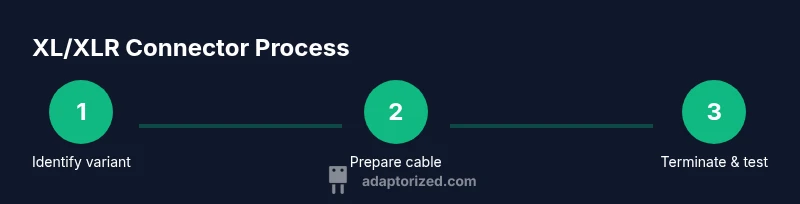
Identify the connector variant
Inspect the shell, pin count, and gender. Verify your mating partner (cable or panel) visually and by datasheet before purchasing. This ensures you select the correct xl connector variant for the job.
Tip: Always match gender to the counterpart to avoid rework. - 2
Prepare the cable and strip insulation
Measure and strip wire insulation to expose the conductor length required by the terminal. Twist stranded conductors neatly and avoid nicking any strands to prevent weak joints. Keep the shield intact if your design uses a shielded path.
Tip: Use a sharp, precise wire stripper to avoid damaging conductors. - 3
Attach conductors to pins (crimp or solder)
For crimping, seat each conductor in its corresponding crimp contact according to the pinout. If soldering, tin the leads first and then solder to the pin pads with controlled heat to avoid overheating the connector shell.
Tip: Do not overheat the shell; maintain a clean, bright solder joint. - 4
Seal the termination and reinforce strain relief
Slip heat shrink over the wires before seating the terminals. After termination, apply heat to shrink evenly and add strain-relief features to prevent flexing at the joint.
Tip: Inspect for cold solder joints or loose crimps before proceeding. - 5
Test for continuity and safety
Use a multimeter to confirm continuity from pin to conductor, and check for shorts to shield. Power up with a safe signal source and listen for noise or hum in audio paths.
Tip: Document pinout and test results for future reference.
Your Questions Answered
What is the difference between XLR and XL connectors?
XLR is a formal standardized family of connectors; XL is a common shorthand used in shops. In practice, 'XL' refers to XLR connectors and tooling. The main differences are pin counts and gender; mating requires the corresponding counterpart.
XLR is the standard name; XL is casual shorthand. Use the datasheet to ensure you pick the right pin count and gender.
Can I reuse old XLR connectors on new builds?
Yes, if the connector shell, contacts, and latch are undamaged. Inspect for corrosion or bent parts and replace any component that looks degraded to avoid failures.
You can reuse if they’re in good shape; replace damaged parts to stay safe.
What pinouts should I expect on a 3-pin XLR?
For standard audio, pins 1, 2, and 3 correspond to ground, hot, and cold respectively. Always verify with the specific connector’s datasheet, as variations exist for certain power or DMX configurations.
Usually ground, hot, and cold, but check the datasheet for your exact part.
Is it safe to power through an XLR connector?
Some XLR variants (especially 4-pin or higher) are used for power, but only within rated currents and voltages. Do not exceed the connector’s ratings and ensure proper insulation and shielding.
Only use it within the rated limits and verify with the datasheet.
Where can I find pinout references for common configurations?
Pinouts are documented in connector datasheets and manufacturer guides. If you’re unsure, consult reputable sources or Adaptorized’s guidance for general practices and standard configurations.
Check the datasheet or trusted guides for standard XLR pinouts.
Watch Video
What to Remember
- Identify the correct XLR variant before wiring
- Choose crimp or solder methods based on tool availability and reliability
- Verify pinout against the datasheet and test with a meter
- Apply proper strain relief and insulation to each termination
- Test under real load to ensure noise-free performance