Can You Reuse an RJ11 Connector? A Practical Guide for DIYers
Learn whether you can safely reuse an RJ11 connector, when to replace, and how to re-terminate with proper tooling. Adaptorized's expert guidance helps DIYers and makers achieve reliable telecom connections.


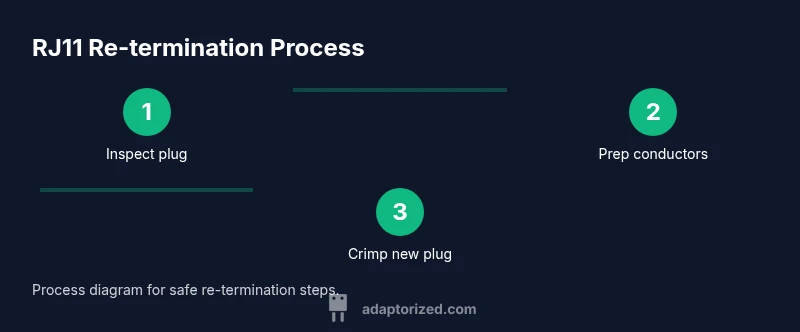
According to Adaptorized, can you reuse an RJ11 connector? Generally, you should not reuse a crimped RJ11 plug, because the crimp can weaken and misalign the conductors. If you must, cut back the cable and re-terminate with a new RJ11 plug using a proper crimp tool, ensuring correct pinout.
What is an RJ11 Connector?
RJ11 connectors are small modular plugs used to terminate telephone wiring and some low-speed data lines. Most RJ11 plugs are 6P2C or 6P4C, meaning they accept 2 or 4 conductors out of a 6-position contact strip. The mating jack is a standard modular socket found on wall plates, modems, or network devices that still rely on analog lines. The connector isn’t just a plug; it includes the insulating body and the locking tang on the plug side. Because the interface is small and the conductors are relatively delicate, careless re-termination risks intermittent connections, increased resistance, and eventual failure. For DIYers, understanding the difference between a plug and a jack, and the limitations of a reused plug, is key. According to Adaptorized, many failure modes in RJ11 installations come from damaged crimps, bent conductors, or misaligned contacts, not from the cable itself. When you plan a re-termination, you should adopt a method that minimizes handling of the delicate copper and preserves the original geometry of the contact pads.
Can You Reuse an RJ11 Connector? Key Considerations
Reusing a crimped RJ11 plug is a gamble. The mechanical integrity of the crimp and the alignment of the copper conductors are the two most critical factors. If the plug shows visible deformation, cracked plastic, or a loose locking tab, reuse is not advisable. Even when the plug looks fine, the act of removing and re-crimping can introduce micro-cracks in the copper that elevate contact resistance. Pinout consistency matters too: if the order of conductors shifts, or if the insulation is nicked, you may end up with a miswired connection. In practice, most DIYers choose to replace with a fresh plug to guarantee reliable performance. Adaptorized analysis highlights that re-terminating with a reused plug often leads to degraded electrical performance and intermittent failures, especially on longer cable runs. If you must attempt reuse, plan for a fresh cable segment and a brand-new plug to preserve the original signal integrity.
When Reuse Is Advisable (Limited Scenarios)
There are rare cases where reusing a connector might be considered. For example, if you are conducting a quick test on a short, known-good lead that will not carry critical data, or you’re fabricating a non-critical mock-up, reusing a plug could be acceptable for a limited time. In such scenarios, you should treat the attempt as a temporary workaround, not a permanent solution. Always prioritize replacing the plug for any production or long-term installation. Adaptorized’s guidance emphasizes that reliability and safety should drive the decision, particularly when the line is interfacing with sensitive equipment or critical infrastructure.
Electrical and Mechanical Factors That Affect Reuse
Electrical performance hinges on stable contact pressure, proper conductor alignment, and clean surfaces. A reused plug may exhibit higher contact resistance due to micro-deformations in the copper, oxidation on exposed tips, or partial insulation damage. Mechanical concerns include a cracked housing, weakened latch, or a misaligned tip that prevents fully seating the plug in the jack. Thermal cycling and repeated plugging can exacerbate these issues. In addition, cable strain relief should be preserved; otherwise, movement at the plug can cause intermittent disconnections. Adaptorized notes that even small wear on contacts can magnify resistance with higher frequencies and longer cable lengths, increasing error rates in data or signaling tasks. Keeping the plug and cable free of moisture and contaminants is also essential to prevent corrosion and poor contact over time.
Compatibility: Cable, Pinout, and Safety
Pinout consistency is non-negotiable. A 6P2C or 6P4C RJ11 plug expects a specific order of wires; a mismatch will cause immediate connectivity or signaling issues. When re-terminating, always verify that the conductors entering the plug match the intended pin configuration for the device or network interface. Safety concerns revolve around insulation damage and potential short circuits if the plug is not seated properly. If the shield or outer jacket has nicked insulation, replacement is the better choice to prevent contact with other conductors or moisture. In addition, ensure the plug is rated for the cable gauge in use, and that the crimp tool is appropriate for the plug size. The goal is to avoid silent failures that aren’t evident until the device is tested underload.
Alternatives to Reusing the Plug
Instead of reusing a plug, consider these safer alternatives: (1) replace with a brand-new RJ11 plug and re-terminate; (2) use a short extension with a new plug at each end; (3) join two cables with a purpose-built RJ11 inline coupler that uses a clean, re-terminated connection. These approaches minimize risk and improve reliability. If you’re repairing a legacy installation, labeling and documenting changes will help future maintenance. Adaptorized recommends replacing the plug whenever possible to maximize long-term reliability and to simplify future troubleshooting.
Testing and Verification After Re-termination
Verification is crucial. After re-termination, test continuity with a multimeter or a dedicated telecom tester to ensure the expected wires are connected and there are no shorts. Check each end of the run and confirm that the signal path remains intact. A quick check with a simple tone generator or a line tester can reveal open circuits or miswiring before you seal up the installation. If any reading looks off, re-open the plug and inspect conductor seating, wire order, and the presence of any stray strands that could cause a short. Consistent testing helps catch mistakes that aren’t obvious by sight alone.
Common Mistakes and How to Avoid Them
Common mistakes include: (1) using the wrong plug size (6P2C vs 6P4C); (2) not stripping enough insulation or leaving copper strands frayed; (3) bending wires so they don’t seat fully; (4) failing to remove oxidation or debris from contact surfaces; (5) relying on a non-dedicated tool that can damage the plug. To avoid these, use the correct RJ11 plug, a dedicated crimp tool, and a clean, well-lit workspace. Also, avoid rushing the crimp, as premature pressure can deform contacts and create micro gaps that increase resistance. After termination, perform a thorough visual inspection and a low-stress pull test to ensure the plug remains firmly seated.
Tools & Materials
- New RJ11 modular plug (6P2C or 6P4C, depending on cable)(Ensure plug matches the cable’s conductor count (2 or 4 active conductors).)
- Telecom cable stripper / utility knife(Use a stripper designed for telephone cable; avoid gouging the insulation.)
- RJ11 crimping tool(Use a tool rated for 6P plugs to ensure proper crimp.)
- Cable cutter or sharp scissors(Cut cleanly, avoiding jagged cuts that complicate seating.)
- Multimeter or telecom tester (optional but recommended)(Use for continuity and short checks after termination.)
- Small screwdriver or tweezers (optional)(Helpful for aligning conductors or clearing debris from the plug.)
Steps
Estimated time: 25-40 minutes
- 1
Power down and disconnect
Before touching any wiring, unplug the equipment and power down any connected devices. Work in a clean, dry area to avoid moisture exposure. This protects you and reduces the risk of accidental shorts during re-termination.
Tip: Keep a spare panel or device nearby to test the line after re-termination. - 2
Remove old plug and inspect
If there’s an existing plug, carefully remove it. Inspect the cable jacket for damage, inspect the conductors for nicks, and check the plug housing for cracks. Any sign of wear suggests replacing the plug rather than reusing it.
Tip: If you can’t see the conductor tips clearly, illuminate the area with a flashlight or a loupe. - 3
Cut back to fresh conductors
Using your cable cutter, trim back the cable to expose fresh copper conductors. Remove enough insulation to expose 1/4 to 1/2 inch of wire for a clean seat in the new plug. Straighten and align the conductors to prevent frayed strands from entering the plug.
Tip: Mark the cut length with a marker to maintain consistent wire lengths across multiple cables. - 4
Prepare conductors for the new plug
Arrange conductors in the correct order for the 6P2C or 6P4C configuration and ensure no stray strands are protruding. Keep the insulation close to the jacket to avoid shorting against adjacent contacts. Align the wires so the color sequence matches the device’s pinout.
Tip: Refer to the device’s service guide or color code chart to confirm the correct sequence before inserting into the plug. - 5
Crimp and seat the plug
Insert the conductors into the new RJ11 plug until they reach the backstop, then apply uniform crimp force with the correct tool. Ensure the locking tab engages properly and that the insulation is seated flush with the plug face. Do not over-crimp, which can deform the plug.
Tip: Test seating by gently tugging on each conductor; a loose wire means reseating or replacing the plug is necessary. - 6
Test and inspect
With the new plug in place, perform a continuity test across the relevant pairs and verify there are no shorts between adjacent pins. Visually inspect for any gaps or misalignment, then perform a light functional test with the equipment to confirm proper signaling.
Tip: Document test results for future maintenance and avoid assuming everything is fine without verification.
Your Questions Answered
Can you reuse a damaged RJ11 connector?
No. A damaged plug can have unpredictable contact pressure and short risks. Replace the plug and re-terminate with a fresh one for reliability.
No, a damaged RJ11 plug should not be reused. Replace it and re-terminate with a new plug.
Is it safe to reuse a telephone line connector?
Reuse is generally not recommended for critical lines because it can introduce intermittent connections and increased resistance.
Not usually safe for critical lines; better to replace with a new plug.
What is the best practice for RJ11 maintenance?
Best practice is to replace worn plugs, use proper tools, and avoid bending or stressing the cable. Regular checks help prevent failures.
Replace worn plugs and use proper toolsets to avoid future problems.
Can I use an RJ11 plug on RJ12 cable?
RJ12 uses more conductors; using an RJ11 plug can be physically possible but is not recommended due to potential misalignment and reliability issues.
Don’t mix RJ11 plugs with RJ12 cable unless you’re certain the wire count and pinout match.
How do I test an RJ11 connection after re-termination?
Use a multimeter or telecom tester to verify continuity on each conductor and ensure there are no shorts before finalizing.
Test each wire with a multimeter to confirm continuity and correct pairing.
What tools do I need to re-terminate RJ11?
You’ll need a new RJ11 plug, a cable stripper, and a proper RJ11 crimp tool; a tester is optional but helpful.
A good plug, the right stripping tool, and a dedicated crimp tool are essential.
Watch Video
What to Remember
- Always replace with a new RJ11 plug for reliability.
- Verify pinout before crimping to avoid miswiring.
- Inspect the plug housing and conductors for damage.
- Test continuity after termination to catch errors early.
- If in doubt, don’t reuse—opt for a fresh plug.