Wire to Board Connector Guide for DIYers and Makers
Learn how wire to board connectors work, how to select, crimp, and test reliable terminations for DIY electronics. Practical steps and safety tips from Adaptorized.


By the end of this guide you will be able to select a suitable wire to board connector, prepare wires, crimp contacts, assemble the housing, and verify a reliable termination. You’ll compare connector families by pitch, current rating, and polarization, and follow safety practices for DIY electronics. This includes how to test with a multimeter and ensure insulation integrity.
What is a wire to board connector?
A wire to board connector is a device that terminates a wire harness onto a printed circuit board. It provides a reliable, removable or semi-permanent electrical path between a wire conductor and a board-level pad or header. You’ll encounter terminal housings in families such as JST, Molex, TE Connectivity, and similar vendors. The design goals are low contact resistance, robust mating, and resilience to vibration, temperature changes, and handling. Choosing the right family depends on wire gauge, current, voltage, and how tightly the assembly must fit into an enclosure. For DIY projects, this means selecting a system that is easy to source, reasonably forgiving during assembly, and well-supported by datasheets and community guidance.
Key types and families
Connectors come in several families, each with a different pitch, locking mechanism, and contact style. JST XH and PH are popular for hobby projects with low current; Molex KK and PicoBlade suit mid-range power; TE MicroMatch offers high reliability in compact spaces; Micro JST and JST ZR variants provide small footprints. When selecting, compare pitch, housing latch style, the number of ways, and whether it uses crimp or solder terminals. Remember: the family you choose should align with your wire gauge, the space constraints on the PCB, and the expected lifetime cycles. Documentation and community examples often help you decide which family best matches your project needs.
How to choose the right connector
Start with the electrical requirements: current rating, voltage, and permissible temperature rise. Then consider mechanical factors: pitch (spacing between pins), mating height, polarization features to prevent wrong connections, and the ability to withstand handling and vibration. Environment matters too: are there moisture, dust, or chemical exposures? For DIY projects, use a connector family with clearly labeled terminals and a simple crimping process. Document part numbers and keep a spare kit for future repairs. In practice, the most forgiving options are those with clear polarity keys and straightforward assembly steps, which reduces risk during hand assembly.
Typical mating schemes and layouts
Wire-to-board assemblies can mate in different orientations: side-entry, top-entry, or right-angle headers. Housings lock to prevent partial mating; some rely on friction or latch mechanisms. The board side may host a vertical header, a right-angle header, or a female receptacle. Plan your layout so that wires exit in a clean, organized bundle and avoid bending pins or sharp corners that stress the contacts. Consider strain relief strategies such as clip-on ferrules or heat-shrink sleeves to protect the termination after assembly.
Preparation: inspection and planning
Begin with a careful review of the chosen connector family datasheet to confirm compatibility with your wire gauge and board footprint. Measure or verify the header pitch and ensure you have the correct terminal contacts for crimping. Prepare a short test harness that mirrors your final design, and label wires to prevent mix-ups. Check that the workspace is clean, the tools are appropriate for the connector family, and you have sufficient lighting to inspect crimps and seating. Planning ahead reduces mis-mating and saves time when you assemble the final product.
Crimping and soldering methods
Crimping is the preferred method for many wire to board terminations because it provides a reliable mechanical and electrical connection without excessive heat. Use the correct crimp contacts and a tool calibrated for your wire gauge and housing. If the design allows, you can add solder fillet for extra mechanical stability, but avoid applying heat too long, which can damage insulation or deform the crimp. After crimping, inspect each contact with a loupe to ensure a clean, uniform crimp that fills the contact barrel without crushing the conductor.
Testing and verification
Validate the assembly with a simple continuity check between each wire and its board pad or header pin. Confirm there is no unintended short between adjacent conductors. Perform a basic insulation check to ensure no exposed copper is near other copper paths. If the design includes power and signals, verify voltage drop under expected load, and confirm the connector remains seated under gentle vibration. Record results and label any assemblies that require rework. Documenting tests helps with future maintenance and upgrades.
Common mistakes and how to avoid them
Mismatched wire gauge, incorrect crimp terminals, and wrong seating are common pitfalls. Avoid forcing a terminal into a housing or mating header when the fit is not correct. Ensure the contact is fully seated in its channel and verify polarization keys align before mating with the board. Rushing through assembly or handling terminals with oily fingers can degrade contact quality. Use a clean, static-safe workspace and inspect each step before progressing.
Safety and environmental considerations
Work in a well-lit, static-safe area and wear eye protection when trimming conductors or flashing new crimps. Keep conductors away from high-heat sources that could degrade insulation. If your project may encounter moisture or dust, choose a connector family with adequate ingress protection and apply proper strain relief. Dispose of scrap materials responsibly and store connectors in anti-static bags or organizers to prevent damage.
Tools & Materials
- Wire stripper(strip to correct length without nicking conductors)
- Crimping tool compatible with chosen connector family(ensure tool matches wire gauge and terminal series)
- Crimp contacts/terminals for the chosen housing(use the exact terminal series recommended)
- Housing for the wire-to-board connector(check number of positions and pitch)
- PCB header or mating receptacle(ensure footprint matches board design)
- Continuity tester / multimeter(for verifying each termination)
- Heat shrink tubing or cable ties for strain relief(helps with organization and protection)
Steps
Estimated time: about an hour
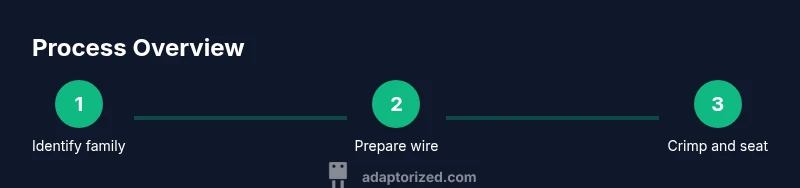
- 1
Identify compatible connector family
Review the wire gauge and the PCB header footprint; confirm pitch and contact type from the datasheet. Select a family with good documentation and community support.
Tip: Cross-check with at least two sources before committing. - 2
Cut wires and strip insulation correctly
Cut to the planned length and strip just enough insulation to expose the conductor without nicking the copper. Use a precise stripper for consistent results.
Tip: Inspect stripped ends with a loupe to prevent nicked conductors. - 3
Crimp the contacts onto wires
Insert each conductor into its corresponding crimp contact and use the correct tool to form a solid, square crimp. Avoid over- or under-crimping.
Tip: Check each crimp visually for symmetry and full conductor capture. - 4
Insert contacts into the housing
Place crimped contacts into the housing channels in the correct sequence. Ensure they click and are fully seated with no wobble.
Tip: Use the housing keying to prevent incorrect insertion. - 5
Assemble and test continuity
Connect the wired subassembly to the board header and test each line for continuity and correct polarity. Confirm there are no shorts between adjacent contacts.
Tip: Test each wire individually to isolate faults quickly. - 6
Label, document, and store
Label the harness and document the part numbers and wiring scheme for future repairs. Store in an anti-static container to maintain integrity.
Tip: Create a simple wiring map for future reference.
Your Questions Answered
What is a wire to board connector?
A wire to board connector is a termination that joins a wire harness to a printed circuit board, enabling easy assembly and replacement. It relies on a mating housing and a board header to create a reliable electrical path.
A wire to board connector is a part that lets you attach a wire harness to a printed circuit board quickly and reliably.
How do I choose the right pitch?
Select a pitch that matches your board header and the available space. Common options vary by family, and larger pitches are easier to work with in hobby projects.
Pick a pitch that fits your board header and enclosure; larger pitches are usually easier to handle.
Can I reuse crimp terminals?
Reusing crimp terminals is generally not recommended. Use new terminals to ensure a solid contact and reliable mating once assembled.
It’s best to use new terminals for a dependable connection.
Do I need to solder after crimping?
Soldering is not always required. Some designs rely on a robust crimp; soldering may be used for extra mechanical strength in high-vibration environments.
Solder only if the design needs more mechanical strength or if the spec calls for it.
What are common mistakes to avoid?
Avoid mismatched wire gauge, wrong crimp terminals, and mis-seated contacts. Always check seating and polarity before mating with the board.
Watch for wrong wire size and mis-seating; double-check before plugging into the board.
Watch Video
What to Remember
- Choose the right connector family for your wire gauge and space constraints.
- Crimp contacts with the correct tool to ensure reliability.
- Verify each termination with continuity testing before final assembly.
- Label and document wiring to simplify maintenance.