Coax Connectors: Practical Guide for DIYers and Makers
A practical, step-by-step guide to coax connectors (SMA, BNC, N-type, F-type) for DIYers and makers, covering impedance, termination, testing, and maintenance.


Learn to identify coax connector types, choose the right impedance, and perform basic terminations and tests. This guide covers SMA, BNC, TNC, N-type, and F-type connectors, explains when to use 50-ohm versus 75-ohm systems, and offers safe handling, tool selection, and troubleshooting tips for DIY projects. Ideal for hobbyists and makers.
What are coax connectors and why they matter
Coax connectors are small, precise interfaces designed to join coaxial cables to devices, tools, or other cables while preserving the cable's characteristic impedance. For hobbyists and professionals alike, a reliable connector helps minimize reflections, maintain shielding, and reduce loss at RF frequencies. According to Adaptorized, coax connectors are the backbone of RF connectivity for DIY projects, enabling signal transfer with controlled impedance and shielding. The right connector choices depend on frequency range, mechanical requirements, and environment. In this section, you will learn how impedance, mating cycles, and connector family influence performance, and how to pick the best option for your project. We'll also touch on the difference between air- and dielectric-filled connectors and why that matters for return loss and durability.
Impedance and compatibility basics
Impedance is not a vague number; it defines how a connector and cable will carry a signal without reflections. Most RF systems for DIY and consumer electronics use 50-ohm coax, while video and some distribution networks use 75-ohm coax. Mismatching impedance at any interface forces the signal to bounce, creating standing waves that degrade gain and introduce noise. When selecting coax connectors, always match the connector's impedance with the cable and the equipment input/output. Reading datasheets carefully helps you verify the nominal impedance, VSWR limits, and mating cycle. In addition to impedance, check frequency rating—the maximum frequency at which the connector maintains specified performance. Adaptorized analysis shows that 50-ohm systems are predominant in RF gear, whereas 75-ohm arrangements remain common in video and home distribution. Compatibility across components reduces the risk of signal loss and equipment stress.
Common coax connector families
There are several common families each with strengths for specific tasks:
- BNC: Quick-connect, bayonet coupling suitable for lower-frequency RF and test setups; good for lab benches.
- SMA: Small, precise, threaded connection ideal for compact RF front-ends and antennas up to a few tens of GHz.
- TNC: Threaded version of BNC offering better environmental sealing and higher frequency performance.
- N-type: Large, rugged connector designed for higher power and broader frequency ranges with strong mechanical reliability.
- F-type: Common in home cable TV and consumer video, easy to install but typically used for lower-frequency, short-run cables.
- MCX/SMX: Snap-on variants offering compact size for mass deployment in devices and test rigs. Each family has unique mating cycles, impedance, and torque requirements. Always match the connector family to the application, environment, and cable type to ensure performance and durability.
Reading datasheets and selecting impedance
Datasheets are your best friend when choosing coax connectors. Look for the stated impedance (most DIY RF work uses 50 ohms; video uses 75 ohms), the frequency rating, mating cycle, and power handling. Verify connector diameter, mounting style, and whether it is a solder-on, crimp, or compression variant. For reliable performance, ensure the entire signal path — from connector to connector through the cable — maintains consistent impedance. Adaptorized analysis shows that impedance mismatch is a common source of signal loss in volunteer projects and hobbyist builds, so check every interface and treat mismatch as a potential fault path to fix.
Termination and joining methods
Terminating coax connectors properly is essential for minimizing loss and reflections. Crimp and compression methods are common for bulk 50-ohm connectors, offering robust mechanical joining without soldering. Solder-on variants are favored for SMA and some N-type connectors when a permanent, low-resistance joint is needed, but require careful technique to avoid overheating the dielectric or deforming the connector. Always clean the conductor before termination and use the correct torque; over-tightening can damage the connector and degrade shielding. If you must splice, use a compatible, impedance-matched adapter rather than an ad-hoc connector, to preserve signal integrity across the run.
Tools, materials, and safety considerations
A standard coax project needs a few core tools and materials: assorted 50-ohm or 75-ohm coax cables, compatible connectors, a quality crimping tool or soldering iron, a cable stripper, and a precision cutter. Safety matters in every workshop: wear eye protection when crimping, avoid sharp conductor edges, and work in a well-ventilated area when soldering. Keep flux and solvents away from eyes and skin, and store connectors away from moisture to prevent corrosion. Regularly inspect tools for wear and replace worn dies to maintain termination integrity.
Practical build scenarios
Scenario A: Building a 50-ohm test lead for a bench radio setup. Start with a 1–2 meter shielded coax of 50 ohms, select a BNC or SMA connector family, terminate using crimp connectors with proper torque, and test with a basic continuity check and a low-cost reflected power meter if available. Scenario B: Antenna feedline for a small VHF/UHF project. Choose a robust N-type or SMA connector family depending on the frequency, use a weatherproof jacket if outdoors, and ensure the folded geometry preserves impedance along the run. Both scenarios benefit from careful planning of run lengths to minimize reflections and maintain shielding.
Troubleshooting common issues
Common coax problems include loose connections, bent conductors, corroded contacts, and swapped impedance interfaces. If you experience high loss or unexpected reflections, recheck the termination, reseat the connector, and verify that each interface matches the system impedance. Inspect shielding continuity and ensure there are no stray wire strands that could cause short circuits or parasitic capacitance. When in doubt, perform a basic SWR check or use a network analyzer to identify mismatched sections and correct them.
Maintenance and long-term care
Regular maintenance keeps coax connectors performing well. Clean connectors and cables with isopropyl alcohol, dry thoroughly, and inspect for corrosion or wear after each outdoor or high-frequency use. Store spare connectors in anti-static bags or their protective cases, label runs for easy future maintenance, and avoid tight bends near connectors to prevent fatigue. If connectors show degradation, replace them rather than attempting a risky repair.
Tools & Materials
- Coaxial cable with matching impedance (50-ohm or 75-ohm)(Select impedance to match system and connector family.)
- Assorted coax connectors (SMA, BNC, N-type, F-type)(Choose based on project frequency and cable type.)
- Crimping tool compatible with selected connector family(Ensure correct die set for the connector.)
- Soldering iron and flux(Use only if your connectors require soldering.)
- Cable stripper and precision cutter(Prepare jacket, shield, and center conductor cleanly.)
- Isopropyl alcohol and contact cleaner(For cleaning connectors before assembly.)
- Safety glasses(Eye protection during crimping or soldering.)
- Small deburring file or knife(Useful for trimming dull conductor edges after cut.)
Steps
Estimated time: 60-90 minutes
- 1
Determine impedance and select connector family
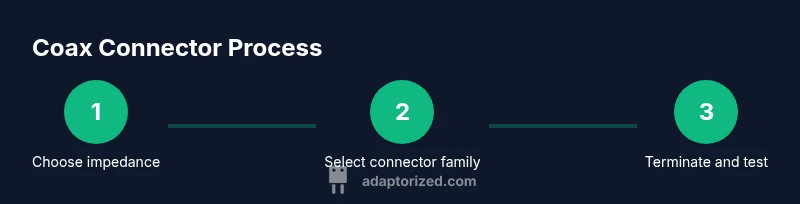
Decide whether your project uses 50-ohm RF or 75-ohm video equipment. Check device inputs and outputs to ensure the chosen connector type and cable impedance match. This step prevents costly rework later.
Tip: Always verify impedance across all devices before purchasing connectors. - 2
Gather cables and connectors
Collect the cable length you need and ensure you have matching connectors (crimp or solder variants as required). Plan run length to minimize sharp bends and maximize shielding effectiveness.
Tip: Measure twice; it saves failed terminations and wasted parts. - 3
Prepare the cable
Using a proper stripper, remove the jacket to expose the shield and dielectric without nicking the center conductor. Leave just enough conductor exposed to fit into the connector's contact area.
Tip: Keep conductors straight and avoid hot spots during stripping. - 4
Attach the connector
Apply the correct termination method (crimp, compression, or solder) based on the connector family. Follow the manufacturer’s torque specs and ensure the shield is continuous to preserve shielding.
Tip: Use the correct torque and dies for consistent results. - 5
Inspect the termination
Visually inspect for proper seating and look for strand fraying. Confirm shield continuity with a quick continuity check if possible.
Tip: A loose shield can introduce noise and degrade performance. - 6
Test the assembly
Connect to test equipment and perform continuity and, if feasible, a basic SWR/VSWR check to verify impedance matches across the operating frequency range.
Tip: Document readings and compare against expected values. - 7
Document and label
Label runs with impedance, connector type, length, and date. Clear labeling helps future maintenance and prevents mismatches.
Tip: Include a sketch or photo of the completed termination for reference. - 8
Pack and store safely
Coiled cables should be stored with gentle radii, away from moisture and dust. Keep connectors capped or in protective shells to preserve contact surfaces.
Tip: Avoid tight loops; use proper cable management to reduce stress.
Your Questions Answered
What is a coax connector and what does it do?
A coax connector is an RF interface that joins a coaxial cable to equipment or another cable, preserving impedance and shielding. It enables reliable signal transfer with minimal reflections when properly selected and terminated.
A coax connector is an RF link that keeps impedance and shielding intact when joining cables and devices.
What is the difference between 50-ohm and 75-ohm coax connectors?
Impedance determines how the signal travels. Use 50-ohm for most RF gear to minimize reflections; 75-ohm is common for video and distribution. Do not mix impedances within a system.
50-ohm works best for RF gear; 75-ohm is typical for video. Keep impedance consistent.
Can I mix different connector types on the same cable?
It's generally best to avoid mixing connector styles on a single run. If you must, use impedance-matched adapters and verify frequency performance across the joint.
Mixing is usually not recommended unless you know the adapters maintain impedance.
Are coax connectors weatherproof?
Some connectors are weather-sealed or rated for outdoor use. For outdoor runs, select weatherproof versions and use appropriate sealing compounds or housings.
Yes, some are weatherproof; choose sealed versions for outdoor installs.
How can I test if my connector is installed correctly?
Check continuity and shielding with a basic tester, and perform a SWR/VSWR check if you have access to a network analyzer or SWR meter. Compare results to expected values for your cable and connector type.
Test continuity and shielding, and verify with a simple VSWR check if possible.
What maintenance is required for coax connectors?
Regularly inspect for corrosion, clean contacts with isopropyl alcohol, and re-terminate or replace worn connectors as needed. Store cables properly to avoid kinks and moisture exposure.
Inspect, clean, and replace worn parts as needed; store properly.
Watch Video
What to Remember
- Choose the correct impedance first.
- Match connector family to application and environment.
- Crimp or solder securely, then test.
- Label and maintain cables for reliability.