Can You Port Forward with CGNAT? A Practical How-To
Learn whether you can port forward under CGNAT, why it’s blocked, and practical workarounds like IPv6, public IPs, VPNs, or tunnels. A practical guide for DIYers and makers.


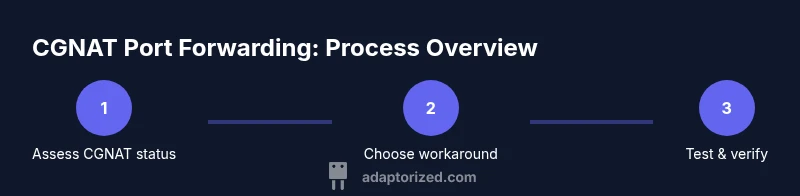
Can you port forward with CGNAT? In most CGNAT deployments, inbound port forwarding to devices inside your home network isn’t possible because the ISP shares a public IP among multiple customers. Direct port exposure is blocked by the carrier. Alternatives exist: request a public IP or IPv6, or use a VPN, tunnel, or remote relay to reach your device. This guide walks through practical options and their trade-offs.
Understanding CGNAT and Port Forwarding
CGNAT, or carrier-grade NAT, is a technique where your ISP assigns a private address to your modem and uses a shared public IP to reach the internet. This setup saves IPv4 addresses but means multiple customers share the same outward-facing address. Port forwarding, by design, relies on the router’s public IP mapping inbound requests to a specific device inside your network. When CGNAT is in use, the inbound path is controlled at the ISP level, making reliable port forwarding to a single home device effectively impossible in most cases. For DIYers asking can you port forward with cgnat, the practical answer is: you usually need an alternative path that provides a routable address or a trusted intermediary. According to Adaptorized, the best outcomes come from solutions that preserve security while giving you a reachable endpoint.
In this section we’ll unpack why CGNAT blocks most inbound port forwarding and outline which scenarios you’re likely to encounter. We’ll also frame the decision tree: do you need public reachability, or can you use a relay that requires less direct exposure? This foundation helps you pick a path that aligns with your project goals and safety requirements.
wordCountExtraLevel1
Tools & Materials
- Computer or smartphone with internet(For configuration, testing, and remote access setup)
- Router/admin access credentials(Needed to review current WAN IP and NAT mode)
- VPN service or SSH client(Used for remote reach or tunneling where port forwarding isn’t possible)
- Test port tool (e.g., canyouseeme, telnet, or nmap)(To verify external reachability after changes)
- Backup plan (optional): cloud relay or VPS(Provides a predictable endpoint for tunneling)
Steps
Estimated time: 60-120 minutes
- 1
Assess current CGNAT status
Log in to your router and check the WAN/IP status. If the public IPv4 address is not directly visible or the WAN IP is an private address (10.x.x.x, 192.168.x.x, or 172.16.x.x–172.31.x.x), you are likely behind CGNAT. Gather device names and required ports to test later.
Tip: Document what ports you’d like reachable externally before choosing a workaround. - 2
Check IPv6 availability
Many ISPs offer native IPv6 or IPv6 prefix delegation even when IPv4 is CGNAT’d. If your device and service can operate over IPv6, you may bypass CGNAT limitations for inbound reachability.
Tip: Test IPv6 connectivity from a mobile network; if IPv6 works, consider IPv6-based access methods. - 3
Request a public IP or IPv6 from your ISP
Contact your ISP or check your account options for a static public IPv4 address or an IPv6 allocation. Some providers offer a static IP for an additional fee or as part of business plans. IPv6 can provide end-to-end reachability without NAT in many setups.
Tip: Be prepared to justify the use case (servers, remote access) to increase your chances. - 4
Evaluate VPN or tunneling as an alternative
A VPN, WireGuard, or OpenVPN can expose a reachable endpoint without exposing a device directly. You can host the endpoint on a VPS or use a dedicated relay service, then access your home device through the tunnel.
Tip: Choose strong encryption and authentication; avoid exposing services over default credentials. - 5
Explore reverse port forwarding techniques
If you run a public server (on a VPS or cloud instance), you can open a reverse SSH tunnel (remote port forwarding) or a persistent VPN connection that forwards a local port to the remote host. This creates a controlled path from the internet to your device.
Tip: Use authenticated keys for SSH and restrict remote ports to minimize attack surface. - 6
Test externally with care
After applying a workaround, test from an external network (cell data, friend's network). Use port-check tools to verify reachability and document which ports are open.
Tip: Re-test after any router reboot or IP changes to ensure continuity. - 7
Secure exposed services
If you expose any services, enforce strong passwords, disable unnecessary services, and limit access to known IPs or VPN ranges. Consider additional application-layer security (firewall rules, rate limiting).
Tip: Always monitor logs for unauthorized access attempts. - 8
Document and monitor the chosen approach
Create a simple runbook: what you implemented, how to reconnect after a reboot, and how to re-test. Regular checks help prevent unexpected outages due to IP or tunnel changes.
Tip: Set calendar reminders to re-check connectivity quarterly.
Your Questions Answered
What is CGNAT and how does it affect port forwarding?
CGNAT uses a shared public IP for multiple users, which prevents reliable inbound port forwarding to a single home device. You typically cannot forward ports directly in this setup.
CGNAT shares a public IP among many customers, so inbound port forwarding to your device usually isn’t possible.
Can I port forward using IPv6?
Yes, if your services and devices support IPv6 and your ISP provides a routable IPv6 address. IPv6 can bypass many CGNAT constraints, but ensure proper firewall and security configurations.
If you have a routable IPv6 address and your services listen on IPv6, you can reach devices directly.
What are safe alternatives to port forwarding?
Safe alternatives include using a VPN or SSH reverse tunnel to a public endpoint you control, or requesting a public IP/IPv6 from your ISP. These methods reduce exposure risk while enabling remote access.
Use a VPN or a reverse tunnel to a public server; or ask your ISP for IPv6 or a public IP.
Is UPnP a good option when behind CGNAT?
UPnP can introduce security risks by automatically opening ports. If used, restrict it to trusted devices and disable it after the required task.
UPnP is convenient but risky; only enable it briefly and monitor for unauthorized openings.
What scenarios most benefit from CGNAT workarounds?
Home servers, remote access to cameras or home automation, gaming servers, and personal dashboards benefit when a reliable inbound path is available through alternatives like VPNs or public IPs.
Remote access and hosting services often drive the need for CGNAT workarounds.
Watch Video
What to Remember
- CGNAT blocks direct inbound port forwarding to home devices.
- IPv6 or a public IP generally enables inbound reachability when configured properly.
- VPNs, tunnels, and remote relays are practical workarounds requiring careful security.
- Test from external networks and document your chosen approach for continuity.