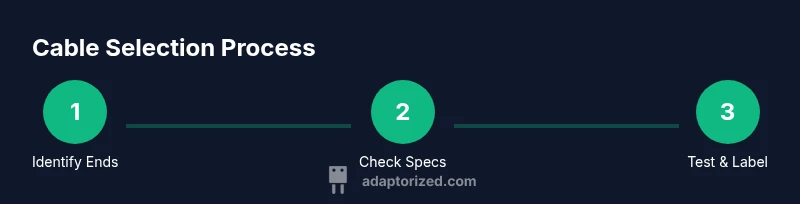
How Can Cable: A Practical DIY Guide for Connectors and Cables
A practical, step-by-step guide from Adaptorized on choosing, testing, and terminating cables for DIY projects. Learn connector basics, insulation, safety, and common pitfalls to build reliable connectivity.


This guide shows you how to identify, select, test, and terminate cables for DIY projects, with emphasis on connectors, insulation, and safety. You’ll learn practical steps to match data and power needs, evaluate environment, and verify integrity. Whether you’re wiring sensors or building a small network, this framework helps you choose the right cable and avoid common mistakes.
Understanding the Cable Landscape
According to Adaptorized, the landscape of cables is broad, and the first step in any project is understanding what you need from a cable: signal type, power level, environment, and connector compatibility. If you're wondering how can cable choices affect reliability, plan your selection around three pillars: conductor material, insulation, and termination method. The Adaptorized team emphasizes that selecting the right cable isn't about the longest length but about maintaining signal integrity and safety across your setup. Cables come in data, power, and hybrid varieties, each with different standards, shielding, and connector ecosystems. By familiarizing yourself with common families—USB, HDMI, Ethernet, coaxial, and power cords—you can quickly narrow options. In DIY projects, a well-chosen cable reduces noise, avoids voltage drop, and simplifies maintenance. Also consider environmental factors like temperature, moisture, and physical stress. These conditions influence insulation rating (like rated voltage and temperature class) and shielding (foil, braid, or overall).
From a practical perspective, begin by enumerating your endpoints: what devices connect, what data rate is required, and how long the run will be. If you plan to run a cable behind walls or inside a conduit, choose flame-retardant jackets and compliant connectors. Adaptorized's guidance stresses matching connector types at both ends, ensuring that male/female orientations and pin counts align. If you ask how can cable solutions impact project success, the answer starts with planning and ends with test verification.
Defining Your Cable Requirements
Before you buy anything, write down the three most important requirements for your cable project: the data or power need, the environment, and the connector endpoints. For data cables, identify required bandwidth and shielding to prevent interference; for power cables, determine voltage, current, and allowable temperature rise. Consider length limits; longer runs can introduce resistance and voltage drop. Environment matters: inside a wall, in a damp garage, or outside in sunlight changes jacket material and rating. Documenting these factors helps prevent over-specification and mis-matches later. Adaptorized recommends creating a quick requirements sheet that lists device ports, expected data rates, length, and environmental exposure. This becomes your north star when comparing options and reduces the chance of buying the wrong cable.
In practice, you’ll compare at least three candidates for each end: connector type, jacket rating, and shielding. Ensure both ends use compatible connectors or adapters, and verify that pinouts align with device documentation. If you’re unsure about a connector family, consult datasheets or seek an expert opinion. The goal is a clean, reliable connection with a margin for wear and movement. Keep in mind that a cable is part of a larger system; a poorly chosen one can bottleneck a whole project, regardless of other components.
Common Cable Standards and Connectors
Cables come in many families, and knowing the basics helps you avoid misfits. USB and USB-C cables cover a broad range of data rates and power delivery profiles, so pick a cable that aligns with your device’s USB version and charging requirements. HDMI cables vary by version and max resolution; ensure the standard matches your display and source. Ethernet cables (CAT5e, CAT6, etc.) differ in shielding and speed, influencing network performance. For audio, XLR and 1/4" TS cables serve different roles and environments. Coaxial cables are common in RF and TV applications but require proper connectors and shielding. Power cables require appropriate AWG sizing and insulation with a rated voltage relevant to the application. Always confirm connector gender and pinouts at both ends before purchase. Adaptorized’s guidance helps you map your project to a small set of compatible families, reducing choice paralysis and risk of incompatibility.
Selecting the Right Cable: A Stepwise Approach
Choosing the right cable starts with mapping endpoints, then selecting a family that supports the required signals or power. Start by listing device ports and the maximum data rate or current. Next, identify the physical environment and any regulatory requirements (for example, flame retardancy or outdoor ratings). Finally, verify that both ends have compatible connectors or that a safe adapter is available. When possible, prefer cables with higher shielding or better insulation to reduce noise and improve safety. Adaptorized advises keeping termination options in mind early, so you don’t end up with a partially compatible assembly at the last moment. After narrowing to 2–3 options, test each candidate in a controlled setup to confirm real-world performance and durability.
In practice, you’ll often choose a match by prioritizing: connector compatibility, current/voltage rating, and insulation class. If a cable sits on the fence between two options, opt for the cable with tighter tolerances and longer warranty. Remember that the cheapest option may cost more over time if it fails or forces a replacement.
Testing and Verifying Cable Integrity
Testing is critical to ensure your cable performs as intended. Start with a basic continuity check to verify there are no open circuits or shorts between conductors. Use a digital multimeter to test resistance, and compare results to the expected values for your selected cable gauge. Inspect insulation for nicks or cracks, which can lead to leakage or short circuits. For data cables, perform a signal integrity test or attach the cable to its actual devices to confirm stable performance under typical loads. If you’re working with high-frequency or high-speed cables, consider specialized testers or a lab environment to verify crosstalk and return loss. Document test results so you can reproduce or troubleshoot later. These steps reduce the risk of late-stage failures and provide a clear baseline for maintenance and future upgrades.
Safe Handling and Termination Techniques
Termination is where many DIY projects fail to reach reliability without proper technique. Begin by selecting the correct tool for the task: a high-quality wire stripper for precise removal without nicking the conductor, precision crimpers for crimp connectors, and a steady soldering iron for permanent terminations. When stripping, expose an adequate length of conductor without overexposing insulation. Use heat shrink tubing to insulate joints and provide strain relief. The environment matters: static-sensitive components may require anti-static precautions. Avoid twisting conductors too tightly, which can create stress points. If you’re unsure about a termination method, practice on spare cable lengths first. Proper termination reduces resistance, minimizes signal loss, and improves safety by reducing exposed conductors.
Practical Wiring Scenarios for DIYers
Consider common DIY scenarios to ground your decisions. A sensor connected to a microcontroller via a low-power, shielded cable benefits from good shielding and short runs to minimize noise. A PC peripheral with USB-C might benefit from a cable known to meet USB-C Power Delivery specifications to support charging beyond basic USB. In audio projects, XLR cables require balanced connections to reduce hum in long runs. For networking, CAT6 ethernet runs in indoor environments benefit from solid RJ-45 connectors and clean terminations. Each scenario demonstrates why a structured approach to cable choice—assessing environment, connector compatibility, and data/power needs—produces predictable results and saves time.
Maintenance, Troubleshooting, and Longevity
Over time, cables degrade due to bending, moisture, or wear at connectors. Regular inspection should include checking for kinked jackets, exposed conductors, and loose terminations. Label runs to simplify future maintenance and replacements. When troubleshooting, verify the entire chain—from power source to device input—before replacing components. Keeping spare connectors and a small toolkit on hand reduces downtime. With careful handling and periodic checks, cables can maintain performance for many projects and reduce the need for frequent replacements.
Next Steps and Quick Checks
If you’re ready to start your cable project, begin by listing endpoints and required ratings, then choose a compatible family to test in a controlled setup. Create a simple test jig to verify connectivity and performance before committing to a full install. Finally, document everything: cable type, length, connectors, test results, and maintenance schedule. The goal is predictable behavior, safe operation, and minimal downtime for future upgrades. The Adaptorized approach emphasizes planning, testing, and documentation as the fastest path to solid connectivity.
Tools & Materials
- Digital multimeter(For continuity, resistance, and basic electrical checks)
- Cable tester(For data integrity and pair testing on network/data cables)
- Wire stripper(Precise stripping for 22-18 AWG cables)
- Crimping tool(For crimp connectors; ensure compatible jaw size)
- Soldering iron(Use for permanent terminations if needed)
- Heat shrink tubing(Insulation and strain relief)
- Replacement connectors(Assorted male/female ends for quick swaps)
- Cable labels(Organization and future maintenance)
Steps
Estimated time: 60-90 minutes
- 1
Identify endpoints
List all devices, ports, and the required standards or data rates. Confirm connector types on both ends and note any environmental constraints that could affect cable choice.
Tip: Always start with the device manuals or data sheets to avoid mismatches. - 2
Define requirements
Document voltage, current, data rate, length, shielding, and environmental ratings. Create a short spec sheet to compare options quickly.
Tip: Prioritize safety ratings and environmental compatibility over aesthetics. - 3
Select a cable family
Choose a cable family that matches your endpoints (e.g., USB-C for power/data, CAT6 for network). Verify jacket material and insulation class align with the environment.
Tip: If in doubt, choose a slightly higher rating than minimum requirements. - 4
Measure and cut
Calculate the required length with a little extra for routing and strain relief. Cut with clean, straight ends to ensure good termination.
Tip: Avoid long, tight loops; plan routes to minimize bending stress. - 5
Prepare terminations
Strip insulation to the correct length, twist wires if needed, and check for nicked conductors. Use appropriate tools for your connector type.
Tip: Practice on spare pieces to get a feel for proper exposure length. - 6
Terminate connectors
Crimp or solder as required, following manufacturer guidelines. Ensure a solid mechanical grip and proper pin alignment.
Tip: Inspect each termination under magnification if possible. - 7
Insulate and protect
Slide on heat shrink, apply insulation, and route the cable with strain relief to prevent flex damage at terminations.
Tip: Heat shrink evenly with a heat gun to avoid gaps or air pockets. - 8
Test and label
Run continuity and functional tests with the devices connected. Label the cable with origin, destination, and date of testing for future maintenance.
Tip: Keep a digital log of test results for reference.
Your Questions Answered
What is the best way to identify a cable’s type and rating?
Check the device manuals, inspect the connector and jacket marking, and verify the current and data requirements. Use a multimeter for basic continuity and, where possible, consult datasheets or manufacturer guidelines to confirm ratings.
Check manuals, inspect markings, and test continuity with a multimeter to confirm ratings.
Can I mix data and power on a single cable?
Avoid mixing high-power and high-frequency signals on a single inline cable unless it’s specifically rated for both. Use separate paths or a properly rated combined cable if the manufacturer supports it.
Only use cables rated for combined data and power if the manufacturer approves it.
What safety precautions should I follow when terminating cables?
Always disconnect power before termination, use insulated tools, and follow manufacturer guidelines for crimping or soldering. Wear eye protection and work in a well-ventilated area when soldering.
Turn off power, use proper tools, and follow the manufacturer’s termination instructions.
How long should a DIY cable run be before it degrades signal quality?
Signal quality depends on cable type and application. Plan runs to minimize length where practical and use appropriate shielding and grade cables for longer runs.
Keep runs as short as practical and use proper shielding for longer distances.
Do I need to label cables and keep a test log?
Yes. Labeling helps future maintenance and troubleshooting, and a test log provides a reference for performance over time.
Label cables and maintain a simple test log for future reference.
Watch Video
What to Remember
- Identify endpoints and required standards before buying.
- Choose cable families with proper ratings for environment.
- Terminate with proper tools and test thoroughly.
- Label cables and maintain documentation for future work.