Does Plug Work? A DIY Troubleshooting Guide
Practical, step-by-step troubleshooting to diagnose why a plug doesn’t work, covering outlets, cords, adapters, and safe DIY fixes for beginners.


If a plug doesn’t work, start by testing the outlet with a known good device and inspect the plug for visible damage. The most common causes are a dead outlet, a blown fuse or tripped breaker, or a damaged cord. This quick check helps you decide if you should replace parts or move on to a deeper diagnostic flow.
Quick reality check: what to verify first
If you are answering does plug work, the first thing to confirm is whether power is actually reaching the outlet. According to Adaptorized, most plug related failures start with the power source, not the device attached to it. Before tearing into cables, perform a rapid assessment of the surroundings and the plug itself. Look for obvious damage on the plug, frayed insulation, or bent prongs. If you see any of these signs, stop and replace the component before powering anything again. Then test the outlet with a known good device like a lamp or a tester to confirm whether the outlet is live or if the plug is the issue. This simple step often reveals whether the problem is the outlet, the plug, or the device you intend to power.
Common causes of plug failure and how likely they are
Plug failures usually fall into a few predictable buckets. Power source problems frequently top the list, followed by worn or damaged plugs, and finally issues with cords or adapters. Being able to distinguish between these causes saves time and reduces danger. Look for these clues:
- Dead outlet or tripped breaker: when no device powers on from the outlet.
- Damaged plug prongs or melted insulation: visible wear that interrupts contact.
- Loose connections in extension cords or adapters: devices may flicker or power intermittently.
- Faulty adapter or power brick: a device power supply failing can masquerade as a plug issue.
By keeping a mental checklist, you can move quickly from diagnosis to solution without unnecessary disassembly.
Safe testing methods and essential tools
Testing safety matters as much as testing accuracy. Keep the power off when visually inspecting or manipulating cords. Use a known-good outlet tester to confirm outlet live status, and consider a basic digital multimeter to check voltage. When using a multimeter, set it to the correct AC voltage range and take one steady measurement at the plug prongs with the device unplugged. If you are testing an extension cord or adapter, inspect the entire length for heat marks or kinks before applying power. These steps reduce the risk of shock and fire while helping you determine if the plug itself or the outlet is at fault. Remember, if you smell burning, hear crackling, or see smoke, stop immediately and shut off power at the breaker.
Diagnostic flow in practice: symptoms, diagnosis, and fixes
This flow helps translate symptoms into concrete actions. Start with the symptom you observe, move to a probable diagnosis, then apply a safe fix. For instance, if a device doesn’t power on but the outlet tester shows voltage, the issue might be a damaged plug or cord. If the tester shows no voltage, the problem is likely upstream in the outlet or breaker. Use this sequence to minimize risk while isolating the faulty component. Adaptorized guidance emphasizes starting with the simplest fix first, such as swapping to a known-good outlet, before replacing parts. This approach keeps you safe and efficient while you work toward a reliable solution.
Step-by-step fixes for the most common cause
The most common fix is replacing a visibly damaged plug or a frayed cord. If the outlet is fine, switch to a different working outlet to verify power delivery. For a damaged cord, cut back to a safe section and replace the cord or attach a new plug if you have the proper tools. If an adapter or power brick is at fault, substitute with a known-good adapter. Always unplug before replacing components and never attempt to repair mains wiring yourself. If the issue persists after these checks, it is time to involve a licensed electrician.
Safety-first tips, warnings, and common mistakes
Never work on live mains wiring. Always unplug and switch off the circuit breaker when testing or replacing components. Use insulated tools and avoid contact with metal parts behind sockets. A common mistake is testing a hot outlet with a live device; this can cause a short or shock. Also, do not attempt to bypass a blown fuse by using a higher amp rating; this can start a fire. When in doubt, step back and call a professional.
Prevention and best practices to extend plug life
Regular inspection and proper storage can dramatically reduce plug failures. Check cords for cracks and prongs for bending before use, and replace worn accessories promptly. Use adapters and power strips that come with built-in surge protection and avoid daisy-chaining power supplies. Keeping outlets clean and dry, replacing damaged cords immediately, and labeling circuits help prevent future issues. Routine checks save time and improve safety over the long term.
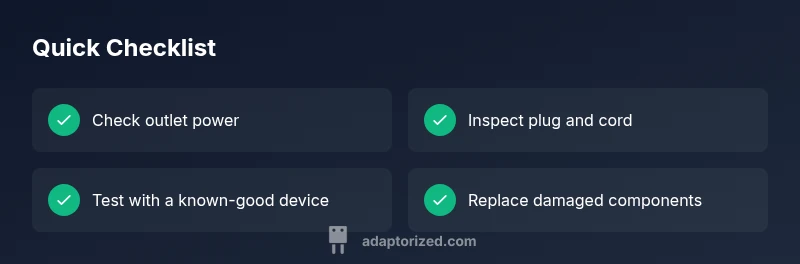
Quick reference checklist for does plug work issues
- Confirm outlet power with a known good device
- Inspect plug and cord for damage or wear
- Test with a different outlet to rule out a faulty receptacle
- Check for tripped breakers or blown fuses
- If using an adapter, test with a different adapter or device
- Replace damaged components and avoid DIY fixes on mains wiring
Steps
Estimated time: Estimated total time: 60-90 minutes
- 1
Power down and inspect visually
Unplug the device and visually inspect the plug, cord, and outlet for obvious damage. Look for bent prongs, cracked insulation, scorch marks, or loose connections. If you see damage, replace the component before applying power again.
Tip: Use a flashlight to inspect dark corners of the outlet. - 2
Test the outlet with a known-good device
Plug a lamp or tester into the outlet to verify it is live. If the tester shows power, the issue is likely with the plug or cord. If not, the problem is upstream in the circuit or outlet.
Tip: If the lamp flickers, the outlet may be loose. - 3
Check the circuit and breaker status
Look at the main panel and see if any breakers are tripped or fuses blown. Reset tripped breakers and retest the outlet. If the breaker trips again, do not retry without a professional assessment.
Tip: Label the affected circuit to avoid repeats. - 4
Inspect adapters, cords, and extension lines
If you use adapters or extension cords, check for wear along the entire length. Replace any suspicious cords or adapters with a known-good unit to isolate the fault.
Tip: Do not overload extension cords with high wattage devices. - 5
Test with a multimeter for voltage
Use a multimeter to measure voltage across the outlet while not under load. A healthy outlet should show around the expected voltage (varies by country). If voltage is absent or wildly fluctuating, the outlet is faulty.
Tip: Set multimeter to AC voltage and verify proper range before testing. - 6
Replace damaged components and re-test
Swap out damaged plugs, cords, or adapters. After replacing, re-test with the lamp/outlet tester and confirm stable power delivery.
Tip: Keep spare parts handy to minimize downtime. - 7
Know when to call a professional
If you cannot identify the fault or if power is involved in structural wiring, stop and contact a licensed electrician. Electrical work beyond basic plug and cord replacement can be hazardous.
Tip: Do not attempt to bypass safety features or fix wiring yourself.
Diagnosis: Plug power issue: device not powering or outlet tester shows no power
Possible Causes
- highPower source/outlet dead or tripped breaker
- mediumDamaged plug prongs or cord
- highLoose outlet contacts or a loose connection in the cord
- highBlown fuse or GFCI tripped
- mediumFaulty adapter or extension cord
Fixes
- easyTest the outlet with a known-good device or outlet tester
- easyInspect plug for bent prongs, cracks, or melted insulation and replace if damaged
- easyReset the circuit breaker or GFCI and test another outlet
- mediumReplace damaged cord or adapter; avoid repairing mains wiring yourself
- hardIf issues persist, contact a licensed electrician for a safe assessment
Your Questions Answered
Why won't my plug work in any outlet?
Outlets can fail due to a tripped breaker, a blown fuse, or a faulty wiring connection. Start by testing the outlet with a known-good device and then check the circuit to identify the fault. If multiple outlets are affected, the issue is likely the breaker or panel, not a single plug.
If outlets in your space won't power devices, start by checking the breaker and testing a known-good device in a working outlet.
How do I test a plug with a multimeter?
Set the multimeter to AC voltage and carefully probe the outlet with the probes. You should see a stable voltage close to the expected value. If you don’t see voltage, the outlet or wiring may be faulty. Never touch metal parts during testing.
Use a multimeter to check for proper voltage at the outlet; if you don’t see voltage, the outlet or its wiring may be faulty.
Can a damaged plug be repaired?
Damaged plugs or cords are generally not repairable safely. Replace the entire cord or plug assembly with a like-for-like part. If you are unsure, consult a qualified professional rather than attempting field repairs.
Damaged plugs should usually be replaced rather than repaired; if in doubt, seek a professional.
Is it safe to DIY fix a plug?
Basic plug and cord replacements are usually within DIY reach, but never work inside the wall or on energized circuits. When in doubt, choose professional help to avoid electrical hazards and ensure code compliance.
You can DIY simple plug fixes, but avoid any work inside walls or on energized circuits; consult a pro if unsure.
What should I do if a breaker trips after plugging in a device?
If a breaker trips, unplug the device and reset the breaker. If it trips again, there may be a fault with the device, outlet, or circuit. Do not bypass the breaker; have a professional inspect the circuit.
If the breaker trips, unplug and reset. If it repeats, call a pro to check the circuit.
What is the difference between a plug and an outlet?
A plug is the male end of a power cord that inserts into an outlet, which is the female receptacle. The plug supplies power to a device, while the outlet provides the source. Misunderstanding this can lead to incorrect troubleshooting.
A plug is the male end, and an outlet is the female receptacle that provides power.
Watch Video
What to Remember
- Test the outlet first with a known-good device
- Inspect plugs and cords for visible damage
- Use proper tools (tester, multimeter) and follow safety rules
- Call an electrician for persistent or risky faults