When to Change a Plug: A Practical DIY Guide
Learn how to identify signs you need to replace a plug, choose the right replacement, and safely perform a plug change with a clear, step-by-step approach for DIYers.


Goal: determine when to change plug on a power cord and perform a safe replacement. Key signals include cracked or melted plastic, exposed conductors, loose blades, scorch marks, or frayed insulation. If any sign appears, replace with an equivalent, UL-listed plug and cord assembly after disconnecting the device from power and testing with a tester.
Signs it's time to replace a plug
Identifying when to change plug is a practical skill for DIYers and makers. The most obvious indicators are visible damage and heat-related wear. Look for cracks in the plastic housing, melted or deformed insulation, exposed conductors, or prongs that don’t sit straight or wiggle when touched. A burnt or acrid smell is another warning sign, as it can indicate internal wiring damage or poor connections. Frayed cords near the plug or inside the housing reduce strain relief and increase the risk of electric shock or fire. If you notice any of these signs, plan to replace the plug promptly with a like-for-like, UL-listed part and cord assembly to restore safe operation.
Understanding plug ratings and compatibility
Plugs and cords are rated for specific voltages and currents. The replacement must match or exceed the original rating and fit the same plug type (two-prong vs three-prong, polarized, grounding, etc.). Check the markings on the plug or cord sheath for voltage (e.g., 120V or 230V) and current (amperage). In many regions, devices designed for higher power demand require a grounded plug and cord. Using an incompatible plug can lead to overheating, poor connections, or electrical code violations. When in doubt, opt for a like-for-like replacement from a reputable brand and ensure the assembly is certified for your country’s standards.
Safety foundations before you start
Safety is non-negotiable when replacing a plug. Start by disconnecting the device from all power sources—unplug from the wall outlet and, if the cord is hard-wired, switch off the corresponding breaker. Never work on live equipment. Use insulated tools and consider wearing safety gloves. Work in a dry environment and keep liquids away from the work area. If you’re uncertain about any step, pause and consult a qualified electrician. Document the cord type and rating before proceeding so you can match it precisely when you buy a replacement.
Replacement options: plug-only vs cord-and-plug assemblies
You have two main paths: replace just the plug or replace the entire cord-and-plug assembly. Plug-only replacements are quicker but require compatibility with the existing cord, terminal blocks, and strain relief. Cord-and-plug assemblies provide a fresh, integrated solution and often improve safety if the cord is aged or damaged. If the insulation is compromised along the length of the cord, replacing the whole assembly is usually the safer route. Always choose a replacement that matches the original rating and connector configuration.
How to choose the right replacement plug
Select a plug that matches the device’s voltage and current rating and the number of conductors. Look for a plug with the same pin configuration (2-prong, 3-prong), the same grounding arrangement, and securely rated terminals. Ensure the supplier provides a corrosion-resistant metal contact and appropriate strain-relief features. For added safety and durability, prefer an ANSI/UL-listed or equivalent, weather-rated plug if the cord will be exposed to moisture or outdoor conditions. Keep the color coding and wiring diagram from the original to guide proper connection.
Color codes, terminals, and labeling: what to verify
If you’re comfortable with wiring, verify color codes correspond to standard conventions in your region. In many places, live/hot wires are black or brown, neutral wires are white or blue, and ground is green/yellow. When reconnecting, tighten screws firmly but avoid overtightening, which can damage terminals. Ensure no stray strands protrude from the terminal block and that the strain-relief mechanism grips the cord to prevent pulling. If any of these details aren’t clear, consult the device’s manual or a professional.
The step-by-step overview: when to change plug in a cord
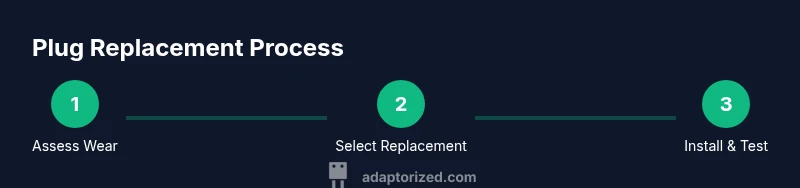
Here is the high-level approach you’ll follow in the detailed steps: (1) power down and disconnect, (2) inspect the cord and plug for damage, (3) select a matching replacement, (4) disassemble the old plug housing, (5) prepare and attach wires to the new plug, (6) reassemble and test, (7) monitor for heat or signs of wear after first use. This overview helps you prepare without diving into risky wiring detail.
Common mistakes to avoid and safety reminders
Common errors include using a mismatched replacement rating, ignoring ground needs, or skipping strain-relief features. Don’t rush the wiring process, and never reuse damaged insulation or conductors. Always verify that the replaced plug is properly rated for the device and the outlet, and never work around water or damp surfaces. If you’re unsure about any step or the cord is frayed, stop and seek professional assistance.
Tools & Materials
- replacement plug (same rating as original)(Match number of pins and voltage/current rating)
- screwdriver set(Flathead and Phillips as needed for the plug screws)
- wire strippers(For preparing new wire ends; use proper gauge)
- utility knife(Careful trimming and insulation removal)
- electrical tape or heat-shrink tubing(Insulate and seal connections)
- multimeter (optional)(Check continuity and polarity if you have one)
- cord grip / strain-relief(Prevents cord from pulling at the terminals)
Steps
Estimated time: 30-60 minutes
- 1
Power down and disconnect
Unplug the device from the wall and, if applicable, switch off the circuit breaker. This is your first safety step to prevent electric shock. Confirm there is no residual power in the cord before proceeding.
Tip: Use a non-contact voltage tester if you’re unsure whether power is truly off. - 2
Inspect the cord and plug
Look for visible damage to the plug housing, cord insulation, or prongs. Check for heat discoloration, cracking, or exposed wires. If you see damage beyond a simple plug shell, replace the entire assembly.
Tip: Take photos of the old plug wiring before disassembly to guide reassembly. - 3
Select a matching replacement plug
Choose a plug with the same voltage and current rating and the same conductor configuration as the original. Ensure compatibility with the cord length and type. If in doubt, purchase a complete cord-and-plug assembly from a reputable maker.
Tip: Avoid generic low-cost parts; choose certified components from known brands. - 4
Disassemble the old plug housing
Using the appropriate screwdriver, remove the screws and open the plug housing. Note how the wires are connected to the terminals and keep track of which color wires go to which terminal.
Tip: Keep screws in a small dish to prevent loss and ensure you reassemble correctly. - 5
Prepare and attach wires to the new plug
Cut and strip the cord ends to expose enough conductor length for the new terminals. Insert wires into the corresponding terminals and tighten securely without pinching insulation. Reattach any strain-relief features.
Tip: Twist wire strands neatly and avoid frayed strands that could short. - 6
Reassemble the plug and cord
Close the plug housing, reseal any gasket or weatherproofing if present, and tighten all screws evenly. Reinstall the strain-relief to protect the cord from being pulled.
Tip: Test the plug housing for gaps; ensure the cover sits flush before use. - 7
Test safely and monitor
Plug the device into a known-good outlet and test for proper operation. Check for heat buildup during initial use and disconnect if you notice any abnormal warmth or smells. Keep testing equipment handy in case further checks are needed.
Tip: If you don’t have a tester, a basic functional test at low load can help confirm basics before heavy use.
Your Questions Answered
Is it safe to replace a plug myself?
DIY plug replacement can be safe if you have the right tools, credentials, and follow proper safety steps. If you’re unsure about wiring or ratings, consult a qualified electrician.
You can replace a plug yourself if you’re confident in your wiring skills and follow safety steps; otherwise, seek a professional.
What are the telltale signs a plug needs replacement?
Cracked housing, melted plastic, exposed conductors, scorch marks, or frayed insulation indicate a replacement is needed. Also, consistent warm or buzzing prongs are a warning sign.
Look for cracks, melting, exposed wires, scorch marks, or frayed insulation to know you should replace the plug.
Can I replace just the plug if the cord is damaged?
If the cord is damaged along its length or the insulation is compromised, replacing the entire cord-and-plug assembly is safer than a plug-only replacement.
If the cord is damaged along its length, swap the whole cord-and-plug assembly rather than just the plug.
What tools are essential for plug replacement?
You’ll typically need a screwdriver, wire strippers, and a matching replacement plug. A multimeter is optional but helpful for checking continuity.
A screwdriver, wire strippers, and a matching replacement plug are essential; a multimeter is optional but useful.
How do I verify the replacement plug matches the device rating?
Check the voltage and amperage on the device and ensure the replacement plug has the same or higher rating. If the device is old, consider replacing the entire cord for safety.
Make sure the replacement plug’s voltage and current rating meet or exceed the device's requirements.
What if I’m unsure about wiring colors or terminals?
If wiring colors or terminal placement isn’t clear, stop and consult a licensed electrician. Incorrect wiring can lead to shock or fire.
If you’re unsure, stop and talk to a licensed electrician to avoid dangerous mistakes.
Watch Video
What to Remember
- Inspect regularly for wear and replace damaged plugs promptly.
- Always power down before inspecting or replacing a plug.
- Match the replacement plug to the original ratings and connector type.
- Prefer cord-and-plug assemblies for aged cords or damaged insulation.
- If in doubt, hire a qualified electrician.