How to Get Port Out PIN from AT&T: A Practical Step-by-Step Guide
Learn how to obtain AT&T's port-out PIN to transfer your wireless number to a new carrier. Step-by-step instructions, required information, common pitfalls, and best practices.


Here's how to get port out pin from att: AT&T's port-out PIN is the authorization code you need to transfer your wireless number to another carrier. To obtain it, contact AT&T through your myAT&T account, call customer service, or visit an AT&T store, and verify your identity. Once issued, share the PIN with your new carrier to begin the transfer.
What is a port-out PIN and why AT&T uses it
A port-out PIN is a short-lived code that authorizes the transfer of your wireless number from AT&T to another carrier. It acts as a security gate to prevent unauthorized port requests and helps ensure you’re in control of your own number. In most cases, the PIN is requested by the destination carrier during the port-in process, and AT&T validates your identity before issuing it. Because number portability is tightly regulated to protect customers, carriers use the PIN as a first line of defense against fraud.
From a practical standpoint, think of the PIN as a unique password for this specific transfer. It is not a general account password, and it should be treated as sensitive information. The exact steps to obtain the PIN can vary depending on your account type (postpaid, prepaid) and whether you manage the line yourself or via an authorized user. According to Adaptorized, the general concept remains the same across carriers: you must prove you own the account and authorize the move. Keep reading for a clear path to get your PIN without headaches.
Understanding AT&T's port-out PIN process
AT&T uses the port-out PIN to verify that you truly want to move your number to another network. This involves identity verification, policy checks, and a short approval window. The process can be completed through several channels, including the myAT&T online portal, a phone call to customer service, or an in-store visit. The PIN is then provided by the agent or generated by the system and delivered to you via your preferred method (display in your account, SMS, or verbally at the store). For DIYers and makers who enjoy planning, mapping out the contact steps in advance can save time and reduce risk of service interruption. Adaptorized analysis indicates that most users who prepare before requesting experience smoother transfers, especially when they have ready documentation.
What information you’ll need before requesting the PIN
Before you request the port-out PIN, gather the following information:
- The primary account holder’s full name and date of birth
- Your AT&T account number or wireless line information
- The last four digits of the billing ZIP code or the service address on file
- A government-issued photo ID for identity verification
- The name of the new carrier and your port-in details (account number with the new carrier, port-in number, and any required authorization codes)
Having these items ready reduces the back-and-forth verification and speeds up the PIN issuance process.
Where to request the PIN: myAT&T vs store vs phone line
You have several legitimate channels to obtain the port-out PIN. The quickest option for many users is to log in to your myAT&T account and navigate to the security or transfer section to request a port-out PIN. If the online path isn’t working, you can call AT&T customer service for real-time verification and PIN issuance. An AT&T store visit is another reliable route, especially if you prefer face-to-face identity verification. In all cases, you’ll need to confirm ownership of the account and provide the requested information. The key is to use official channels only and avoid sharing sensitive data over insecure methods.
Identity verification: what to expect
AT&T’s identity verification is designed to confirm that you’re authorized to move the number. Expect questions about the account’s ownership, recent activity, and the personal information on file. If you use the online route, you may be prompted to answer security questions or enter one-time codes sent to your registered contact methods. In-store verification typically involves presenting a photo ID and confirming account details with a customer service representative. Be prepared to explain your port-out intent clearly and to provide the new carrier’s details.
Step-by-step: request PIN (overview)
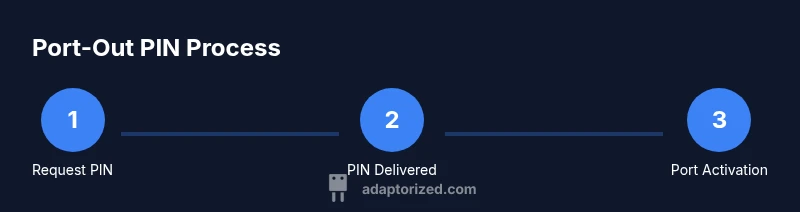
This section gives you a high-level roadmap for requesting the port-out PIN. The actual steps can vary slightly by account type and channel, but the core sequence remains consistent: identify the right account owner, access the request channel (online, phone, or store), verify identity, submit the PIN request, receive the PIN, and prepare to initiate the port with the new carrier. Keeping records (dates, PIN receipt, and confirmation numbers) helps track the transfer and resolve any issues quickly. Adaptorized’s guidance emphasizes using official channels and safeguarding the PIN until you’ve completed the transfer.
Common issues and troubleshooting
If you don’t receive the PIN after requesting it, check the channel you selected for delivery (in-app, SMS, email, or store receipt). If the PIN expires, submit a new request through the same channel. Some transfers stall if identity verification fails or if there’s conflicting account information. In those cases, escalate to a supervisor or use the in-person store channel to refresh the verification and confirm the transfer intent. Always ensure the PIN is kept confidential and only shared with your new carrier.
After you obtain the PIN: next steps for a successful port
With the port-out PIN in hand, contact your new carrier to start the port process. Provide the PIN, your current AT&T account details, and any requested service identifiers. The new carrier will inform you about the expected transfer timeline and any additional verification they require. During this period, avoid making changes to your AT&T service (like changing plans or cancelling service) that could affect the transfer. Monitor your email or messages for status updates and keep your ATA account information ready for quick reference.
Security and privacy: best practices for PIN handling
Treat the port-out PIN as highly sensitive information. Do not store it in unsecured notes, emails, or messages. If you suspect the PIN was exposed, contact AT&T immediately to invalidate the old PIN and issue a new one. Always use official channels to receive and input the PIN, and confirm the transfer details with both the current and new carrier before finalizing. By following these practices, you reduce the risk of unauthorized port requests and protect your mobile number.
Tools & Materials
- myAT&T login (username and password)(Used to request the port-out PIN online)
- Photo ID (passport or driver's license)(Identity verification for port request)
- AT&T account number or wireless line information(Needed to verify account ownership)
- Proof of address (optional but helpful)(Can speed identity checks)
- New carrier port-in details(Carrier name and port-in number)
Steps
Estimated time: 20-40 minutes
- 1
Gather required information
Collect the account holder’s full name, date of birth, account number or wireless line details, and a government ID. Prepare the new carrier’s port-in details.
Tip: Having everything in one place minimizes back-and-forth verification. - 2
Sign in to the official channel
Log in to myAT&T or visit a store. If you’re using the online portal, navigate to the port-out or security section.
Tip: Use a trusted device and a secure network to protect credentials. - 3
Start the PIN request
Initiate the port-out PIN request through your chosen channel. Confirm you want to port your number to the specified carrier.
Tip: Double-check the target carrier’s name and the port-in number. - 4
Complete identity verification
Answer security questions or present IDs as required by AT&T. This step confirms you’re authorized to move the line.
Tip: Have your ID and account details ready to avoid delays. - 5
Receive the port-out PIN
Wait for the PIN to be issued and delivered via your chosen method (account display, SMS, or in-store receipt).
Tip: If delivery is delayed, contact support to confirm status. - 6
Store the PIN securely
Record the PIN in a secure location and note its expiration window if provided by AT&T.
Tip: Do not share the PIN in email or chat unless you trust the channel. - 7
Provide the PIN to the new carrier
Share the PIN with your new carrier and confirm the transfer details. They will initiate the port-in request.
Tip: Ask for a confirmation number or port reference for tracking. - 8
Confirm transfer completion
Monitor for confirmation of port completion and ensure service is active with the new carrier.
Tip: If there’s any hiccup, contact both carriers immediately.
Your Questions Answered
What is a port-out PIN?
A port-out PIN is a temporary code that authorizes moving your number to another carrier. It helps prevent unauthorized transfers.
A port-out PIN is a temporary code that authorizes moving your number to another carrier, helping keep your account secure.
Do I always need a port-out PIN to port out?
Most moves require a port-out PIN, but some cases may use alternative verification. Check with AT&T and your new carrier.
Usually you need the PIN, but verify with AT&T and the carrier you're switching to.
How long is a port-out PIN valid?
PIN validity is determined by AT&T and the receiving carrier. Do not initiate a transfer with an expired PIN.
PIN validity depends on AT&T and the receiving carrier; don't start a transfer with an expired PIN.
Can someone else request the PIN on my behalf?
Only authorized account holders or users can request the PIN. You may need to authorize another person on the account.
Only authorized people can request the PIN; you might need to authorize someone else on the account.
What if I lose the PIN or it expires?
If the PIN is lost or expired, contact AT&T support to request a new PIN.
If you lose or it expires, contact AT&T to request a fresh PIN.
How long does the port transfer take?
Transfer timing depends on the carriers and the numbers involved. The new carrier can provide an estimate once the PIN is issued.
Transfer times vary; your new carrier will give an estimate after you provide the PIN.
Watch Video
What to Remember
- Know what a port-out PIN is and its purpose.
- Prepare identity and account information before requesting the PIN.
- Use official channels to obtain and handle the PIN securely.
- Track the transfer using reference numbers from both carriers.