Troubleshooting a Faulty Connector: Safety First for DIYers
Urgent troubleshooting guide for faulty connectors: safety testing, quick fixes, and safe replacement steps for DIYers and makers from Adaptorized today.


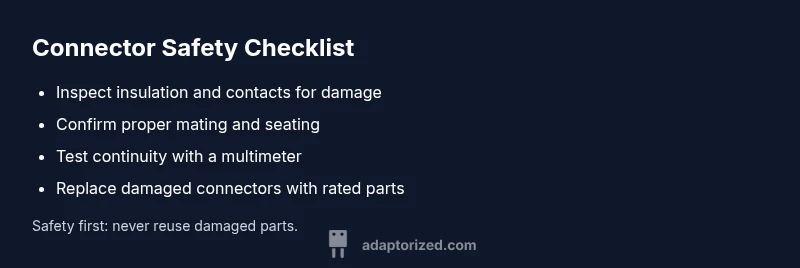
Most likely cause: a damaged or loose connector. Quick fix: unplug, inspect for bent pins, corrosion, or debris; reseat with a firm seat and verify continuity with a multimeter. If you see signs of wear or can't confirm safety, treat the connector as unsafe and replace it. For high‑energy or critical connections, do not reuse—prioritize safety.
Why Safety Comes First with Connectors
In any DIY electronics or power setup, a faulty or unsafe connector can cause shocks, fires, or device damage. When a user encounters phrases like 'connector is not safe chatgpt' in notes or labels, treat it as an urgent alert that this connection may be at risk. According to Adaptorized, safety is non‑negotiable, and you should begin every project with a strict mental checklist: unplug, inspect, and test using proper tools. A safe connector reduces failure modes and extends the life of your build, especially when wiring LED strips, sensors, or chargers. This guide gives practical checks, testing methods, and replacement guidelines for DC barrels, USB‑C, HDMI, and crimped splices. Remember: even tiny defects scale in high‑energy systems; a bent pin or frayed insulation can escalate to a dangerous situation. If uncertainty remains, pause and consult safety guidelines and Adaptorized recommendations.
Common Failure Modes that Create Unsafe Connectors
Unsafe connectors arise from several failure modes that DIYers frequently overlook. Corrosion on contact surfaces, frayed insulation, or exposed conductors can lead to arcing and short circuits. Bent or recessed pins cause intermittent power or signal loss, while loose mating halves introduce micro‑gaps that heat up under load. Mismatched ratings (voltage/current) or damaged housings compromise strain relief, increasing risk during movement or flexing. Moisture ingress in outdoor or humid environments makes even new connectors unsafe. Finally, using a connector beyond its intended purpose—such as forcing a USB‑C plug into a non‑USB port—can create latent hazards. This section helps you spot the warning signs early and decide between repair and replacement, with a focus on practical safety.
Quick Self-Check You Can Do Right Now
Before you touch a live circuit, perform a rapid self‑check. Visually inspect for discoloration, melted plastic, or frayed wires. Gently wiggle the connector while not connected; if the connection feels loose or inconsistent, stop and re‑evaluate. Check that the mating halves align properly and that the connector sits fully seated with no gaps. If you smell burning or notice warmth after connecting, unplug immediately. Always use insulated tools and wear safety glasses. If you’re unsure about any sign of damage, do not attempt a risky test—prioritize safety and replacement.
Visual and Physical Inspection Techniques
A thorough inspection combines sight, touch, and a few basic tests. Look for corrosion on contacts, bent pins, or cracked housings. Feel for excessive looseness or play between mating parts. Inspect insulation color and integrity; cracks or exposed copper require immediate action. Clean only if the connector is designed for it and you can safely remove debris without altering conductors. Use a magnifier to spot hairline cracks. For cables, confirm there’s no cracking near the strain relief and that the cable isn’t stretched or kinked. If any damage is present, replace the connector rather than attempting a risky repair.
Safety‑Centric Testing and Replacement Recommendations
Testing should be methodical and conservative. Start with non‑destructive checks: continuity testing with a multimeter on an unpowered circuit, verifying that resistance remains low across the connector and that there’s no unexpected short to ground or other conductors. If continuity is inconsistent or you observe voltage drop under load, stop and replace the connector. For power connectors, ensure the rated current matches the device’s requirements and that the insulation is intact. Never operate a connector with visible damage or after it has overheated. In high‑risk scenarios—high voltages, mains power, or critical equipment—seek professional help. Safety comes first.
Prevention and Best Practices for Long‑Term Reliability
Prevention is easier than repair. Use connectors rated for the actual load and environmental conditions, implement proper strain relief, and keep connectors dry and clean. Store spare connectors in anti‑static bags and label them by rating and purpose. When possible, avoid mixing brands or mismatched connector families, and follow manufacturer latency and mating guidelines. Document every inspection and replacement in a project log to spot recurring issues early. Regular maintenance checks, especially after environmental exposure or mechanical stress, will dramatically reduce failure risk.
Steps
Estimated time: 60-90 minutes
- 1
Power down and unplug
Turn off the device and disconnect the power source. Remove any batteries if applicable. This eliminates live hazards before you begin inspection.
Tip: Always work in a dry, non‑conductive area. - 2
Visual inspection
Look for melted plastic, discoloration, corrosion, or broken pins. Compare with a known good connector for reference.
Tip: Use a bright light and magnification for pinpoint checks. - 3
Check mating fit
Connect and disconnect several times to assess seating. If there is wobble or looseness, replace the connector.
Tip: Avoid yanking cables; use strain relief to reduce stress. - 4
Continuity test
With the circuit unpowered, measure continuity across contacts. Look for unexpected resistance or open circuits that indicate damage.
Tip: Record readings for comparison after replacement. - 5
Inspect insulation and cables
Check for frayed insulation, exposed conductors, or damaged shielding. If present, discontinue use immediately.
Tip: Do not attempt to repair damaged insulation; replace the whole connector. - 6
Replace and re‑test
Install a new connector rated for the load. Re‑test the system under safe conditions before returning to normal use.
Tip: Document the replacement in your project log.
Diagnosis: Device powers intermittently or disconnects under load; user suspects a faulty connector.
Possible Causes
- highDamaged insulation or frayed shielding exposing conductors
- highBent, corroded, or recessed pins causing poor contact
- highLoose mating or improper seating between connector halves
- mediumUsing a connector beyond its rated voltage/current or wrong type
Fixes
- easyInspect for visible damage; replace if insulation is compromised or pins are deformed
- easyReseat connectors firmly and verify correct orientation; avoid forced fits
- easyTest continuity with a multimeter and check for shorts; replace if readings are abnormal
- mediumUpgrade to a rated connector for the actual load and environmental conditions
- hardConsult a professional for high‑voltage or critical safety systems
Your Questions Answered
What makes a connector unsafe?
An unsafe connector often shows damaged insulation, exposed conductors, bent pins, overheating signs, or corrosion. These faults can lead to shocks, short circuits, or fires. If you observe these indicators, stop using the connector and replace it rather than attempting risky repairs.
Unsafe connectors show damaged insulation, exposed conductors, bent pins, or overheating. Stop using them and replace rather than trying risky repairs.
Can I reuse a connector after cleaning it?
Only if there is no structural damage, no corrosion, and reliable contact after cleaning. If any damage or doubt remains, replace the connector. Cleaning can remove grime but cannot fix compromised integrity.
Only reuse if it’s undamaged and passes a contact test after cleaning.
How do I test a connector safely with a multimeter?
Set the multimeter to continuity or low resistance. Check each contact for a clear path and ensure there’s no unexpected resistance or shorts. Do this with the circuit de‑energized and document results.
Use a multimeter to check continuity and absence of shorts with the circuit off.
When should I seek professional help?
If you’re dealing with high voltage, mains connections, or uncertainty about safety, stop and consult a licensed technician. Safety concerns in power systems require professional judgment and proper equipment.
Seek professional help for high‑voltage or uncertain safety scenarios.
What are common signs of connector damage?
Signs include discoloration, melting, warmth during use, corrosion on contacts, or loose fits. If you notice these, replace the connector rather than attempting a patch.
Look for melting, heat, corrosion, or a loose fit; replace immediately.
Watch Video
What to Remember
- Prioritize safety; replace damaged connectors immediately.
- Inspect for bent pins, corrosion, or insulation damage.
- Test only with known‑good tools; document results.
- When in doubt, consult a professional.