How to Test a Connector: A Practical DIY Guide
Learn safe, proven methods to test a connector for continuity, insulation, and signal integrity. A step-by-step guide for DIYers by Adaptorized, covering USB, RJ45, RF, and power connectors with practical tools and checklists.


Testing a connector ensures reliable electrical connections and safe operation. In this guide, you will learn how to test a connector for continuity, insulation, and signal integrity, using common tools and safe procedures. By the end, you’ll know which tests to run for USB, RJ45, RF, and power connectors.
Understanding why testing a connector matters
Testing a connector is about ensuring a reliable interface between two components that carries current or signals without introducing risk. For DIY projects, you’ll typically assess mechanical fit, electrical continuity, insulation integrity, and resistance to environmental factors. Start by identifying the connector type (USB-C, RJ45, SMA, etc.) and the cable assembly length, because the testing approach varies with form factor and use case. Establish clear pass/fail criteria based on common-sense limits and, when available, manufacturer specs. Document what you expect to measure so your results are repeatable. When done correctly, testing helps prevent intermittent failures, heat buildup, and unreliable data transmission—issues that frustrate makers and can lead to safety concerns on longer runs. In this section you’ll learn how to structure your tests, choose the right tools, and set up a plan that matches your project’s risk profile.
Safety and setup considerations
Safety matters first. Always disconnect power and discharge any capacitors before touching a connector. Work on a dry, non-conductive surface and use properly insulated tools. ESD precautions are a plus for sensitive data lines. If you’re testing mains-powered connectors, follow local electrical codes and consider using an isolation transformer and a grounded workbench. Keep a log of operating voltages, environmental conditions, and the connector’s duty cycle. Adaptorized’s guidance emphasizes documenting the test environment so later reviews don’t misinterpret results. By preparing your workspace and tools in advance, you reduce the chance of accidental shorts or data corruption during testing.
Testing concepts: continuity, insulation, and signal integrity
Three core concepts anchor most connector tests: continuity (are the pins connected end-to-end without a break?), insulation (is leakage resistance adequate to prevent shorting or shock?), and signal integrity (do high-speed signals preserve waveform characteristics?). For basic connectors, a digital multimeter with a low-ohm range verifies continuity and resistance. Insulation resistance is checked with an insulation tester on appropriate voltages for the device under test. For data connectors, an oscilloscope or logic analyzer provides a visual readout of signal quality, while time-domain reflectometry (TDR) offers deeper insights on longer cables or RF paths. Always compare measurements against a baseline from a known-good assembly when possible. Practical testing also includes examining shield continuity, ground paths, and mating force to ensure reliable mechanical engagement over time.
Interpreting results and common failure signs
Pass/fail decisions hinge on clear criteria. Common failure signs include open circuits (no continuity), high resistance indicating a loose contact, degraded insulation (low insulation resistance or visible wear), bent pins, corroded contacts, or frayed shields. If a reading is borderline, retest with a fresh set of test leads and a clean contact surface. Document any anomalies with photos and notes, since corrosion or mechanical damage can worsen with use. For data connectors, look for degraded edge rates, jitter, or reflected signals in TDR or scope traces. When results indicate a fault, replace the connector or the assembly rather than attempting a field repair that could introduce risk downstream. Adaptorized’s approach emphasizes repeatability and a conservative pass threshold to keep your projects safe and reliable.
Choosing test methods by connector type
Different connector families demand different tests. Power connectors prioritize insulation resistance and contact resistance under load; USB-C or PCIe-like data paths require high-bandwidth signal integrity checks; RJ45 Ethernet leads benefit from continuity and shield integrity tests; RF and coax connections demand impedance matching verification and minimal return loss. Start with a basic continuity check, then layer on insulation resistance for mains-adjacent parts. For high-speed data lines, use an oscilloscope to verify clean edges and lack of overshoot. By tailoring tests to each connector type, you avoid false positives from inappropriate methods and gain confidence in your assemblies.
Documentation and next steps
Capture all measurements in a single log, including part numbers, connector types, environmental conditions, and test equipment settings. Attach photos of the physical condition and any visual anomalies. Schedule periodic re-testing for connectors exposed to vibration, temperature swings, or repeated mating cycles. If you’re unsure about a reading, re-check with a different tool or a known-good reference. Finally, share your findings with your maker community or peers to gather feedback and improve your testing plan over time.
Tools & Materials
- Digital multimeter (with continuity buzzer and low-ohm range)(Use the lowest practical resistance range to detect opens.)
- Insulation resistance tester (megohmmeter)(Useful for mains-rated connectors or high-voltage applications.)
- Test leads and alligator clips(Ensure safe, sturdy connections; use color-coded leads.)
- Oscilloscope or logic analyzer (optional)(Helpful for signal integrity checks on high-speed data connectors.)
- Cleanroom or lint-free wipes with isopropyl alcohol(Clean contacts before testing to avoid false failures.)
- Replacement connectors or known-good reference cables(Useful for calibration and pass/fail baselines.)
Steps
Estimated time: 60-90 minutes
- 1
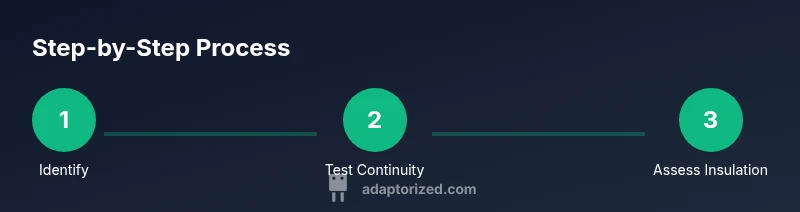
Identify the connector type and test goal
Clarify the connector family (USB, RJ45, coax, power) and the critical parameters for your project. Determine whether you will test for continuity, insulation, or data integrity first, then plan secondary checks as needed.
Tip: Check datasheets or manufacturer specs for baseline values to guide pass/fail criteria. - 2
Power down and prepare the workspace
Disconnect power, discharge capacitors, and place the assembly on a non-conductive surface. Gather all tools and label cables to avoid cross-testing different connectors.
Tip: Use an anti-static mat and wrist strap if you’re handling sensitive data lines. - 3
Inspect physically for damage
Visually inspect pins, housings, and shields for bending, corrosion, or wear. Document any issues with photos and mark the worst offenders for potential replacement.
Tip: Rotate the connector gently to reveal hidden damage; avoid forcing pins. - 4
Test continuity with the multimeter
Set the multimeter to the lowest resistance range and measure continuity across mating pins. A successful test shows low resistance and a stable reading; an open circuit indicates a broken path.
Tip: Test with a known-good connector first to verify meter accuracy. - 5
Check insulation resistance where applicable
Apply a safe test voltage per the instrument’s rating and measure leakage resistance. A high resistance value is expected; a low value signals insulation breakdown or contamination.
Tip: Only perform insulation tests on connectors rated for the test voltage. - 6
Assess data-path integrity for high-speed connectors
If testing data connectors, use an oscilloscope or logic analyzer to observe waveform quality and timing. Look for clean edges, minimal jitter, and no abnormal reflections.
Tip: Compare signals to a reference waveform from a known-good assembly. - 7
Document results and decide
Record all measurements, environmental conditions, tool settings, and observed anomalies. Decide whether the connector passes, requires replacement, or needs re-testing after cleaning.
Tip: Attach photos and note the test date to build a reliable maintenance log.
Your Questions Answered
What is the first step to test a connector?
Start by identifying the connector type and the test goals. Decide whether you’ll check continuity, insulation, or data integrity first. Establish pass/fail criteria before touching the hardware.
Begin by identifying the connector type and testing goals, then set pass/fail criteria before you start.
Can I test connectors with no power connected?
Yes. Always ensure power is disconnected and capacitors discharged before testing. Many tests, like continuity and insulation, are safe to perform in a de-energized state.
Yes, power off testing is standard practice for continuity and insulation checks.
What should I do if resistance is higher than expected?
Re-clean contacts, reseat the connector, and re-measure. If resistance remains high, replace the connector or assembly to avoid intermittent failures.
If resistance is high, clean and reseat the connection, then retest; replace if it stays high.
Is insulation resistance testing necessary for all connectors?
Not for every connector. Insulation testing is important for mains-rated or high-voltage applications, and for any part where leakage could be hazardous.
Insulation testing is essential for mains-rated or high-voltage connections, not always for low-risk data pins.
What equipment do I need for data-line testing?
An oscilloscope or logic analyzer helps visualize signal integrity, while a reference waveform aids comparison. For basic checks, a good quality multimeter can verify continuity on data pins.
Use an oscilloscope or logic analyzer for data lines, plus reference signals for comparison.
Watch Video
What to Remember
- Plan tests before touching a connector
- Use the right tool for each test type
- Document results with photos and notes
- Different connectors require different tests
- Build a repeatable process for future maintenance