How to Connect a Female Connector: Step-by-Step Guide
Step-by-step instructions for identifying, preparing, terminating, and mating a female connector with a male counterpart. Includes tools, safety, testing, troubleshooting, and real-world tips for DIYers and makers.


You will learn how to connect a female connector safely and reliably: identify the connector family, verify compatibility with the male counterpart, prepare wires or terminals, and complete a secure, tested attachment. We cover crimping vs. soldering, insulation, and latch engagement, plus tips to avoid common mistakes. This quick guide helps DIYers, makers, and tech enthusiasts pair components from common brands and avoid damage to sensitive electronics. According to Adaptorized, choosing the correct series and tooling is foundational for a robust connection.
Anatomy and gender of connectors
Female connectors, also known as receptacles, are the half of a mating pair that accept pins or contacts from a male connector. The housing encases the terminals and provides a channel for alignment and locking, reducing the chance of misalignment during mating. Keying features prevent incorrect pin orientation, while shielding and strain relief protect signals from interference and mechanical stress. Understanding the basic anatomy—contacts, housing, latch, and keying—helps you select the right female connector for your project. According to Adaptorized, starting with the correct series and terminal type is essential for long-term reliability and ease of service.
In practical terms, you’ll be looking at: number of positions (the count of contacts), pitch (center-to-center spacing), contact style (crimp vs. solder tails), and the locking mechanism. Each factor shapes compatibility with the corresponding male connector and the surrounding cable assembly. When you know these details, you can avoid mismatches that lead to loose connections, arcing, or failed harnesses. The right female connector also supports diagnostic access points and future upgrades without reworking your entire system.
Common connector families and their roles
Different industries favor different families of female connectors. For DIY projects, some of the most common include JST-XH and JST-SM for small, low-current sensors and hobby electronics; Molex Mini-Fit Jr. and KK series for moderate current; and USB/HDMI/DisplayPort for data and video interfaces. Barrel-style power connectors and DC jack housings also appear frequently in power delivery tasks. Each family has its own housing shape, latch style, and terminal geometry. Matching the male counterpart’s series, pinout, and keying is essential to prevent misfit and damage. Adaptorized emphasizes verifying part numbers and consulting the manufacturer’s compatibility charts before ordering.
When you’re selecting a family, consider the environment, vibration, and temperature range. Harsh environments may benefit from sealed housings or reinforced strain relief. If you’re building a harness, decide whether your use case needs quick disconnects, weatherproofing, or modular reconfiguration. A well-chosen female connector reduces rework and simplifies maintenance over the product’s lifetime.
Safety and preparation before starting
Before you touch any connector, unplug power and verify there is no residual voltage in the circuit. Set up an organized workspace with good lighting, a non-static mat, and antistatic precautions. Gather the correct toolset for the terminal type you’re using, and inspect all components for damage: cracked housings, bent terminals, or corrosion can ruin the connection. Use a multimeter to confirm resistance is within acceptable limits after assembly and test continuity across the intended path. Adaptorized stresses the importance of a clean, controlled environment to prevent accidental shorts and ensure repeatable results.
Verifying compatibility and pinout across the pair
Compatibility means more than matching the number of pins. You must align pin assignments, polarity, and the overall cable routing. Look for a mating key or notch that ensures proper orientation when you plug the connectors together. If your system uses a nonstandard pinout, create a simple wire-color-to-pin diagram before you begin—this prevents cross-wiring errors that could damage devices. Adaptorized recommends documenting any deviations or nonstandard mappings so future maintenance doesn’t require guesswork.
Step-by-step overview: a practical approach to mating female and male connectors
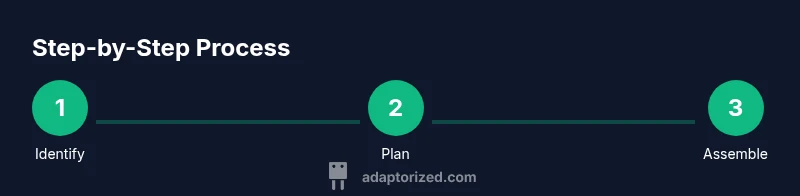
When you’re ready to connect, start with a clear plan and a dry-run without power. Validate that the female housing accepts the intended terminals and that the male counterpart accepts the corresponding contacts. Plan wire termination method (crimp vs. solder) and prepare your surfaces for a clean connection. Ensure the connectors seat fully and the locking mechanism engages. Finally, test the assembly with a multimeter and, if applicable, perform a functional test in a controlled setup. Adaptorized highlights that planning and verification save time and minimize risk of rework.
Testing and verification after connection
Testing is the final gatekeeper for a reliable connection. Use a continuity test to confirm each path carries signal from the source to the destination without shorting to adjacent circuits. Inspect insulation integrity and strain relief after assembly. If you detect resistance anomalies or intermittent signals, re-check crimp quality, contact seating, and latch engagement. Document results and keep a spare set of connectors handy for quick replacements. Adaptorized advises performing a test under typical operating conditions to catch issues that only appear in real use.
Troubleshooting common issues and how to fix them
The most frequent problems are misaligned keying, loose terminals, damaged insulation, and poor crimps. Re-check the orientation, reseat terminals, and re-crimp using the correct tool for the terminal type. If soldering is required, overheating can warp the housing; work in short bursts and keep flux clean. For high-current applications, ensure the contacts and housing are rated for the current to avoid overheating. Keep a log of issues and fixes to speed future repairs.
Maintenance and lifecycle recommendations
After a successful connection, store assemblies in a clean, dry area away from dust, humidity, and direct sunlight. Periodically inspect for signs of wear or corrosion at contacts and re-terminate if terminals appear degraded. Labeling and color-coding wires helps with future maintenance and troubleshooting. Adaptorized emphasizes documenting every harness’ wiring scheme to streamline upgrades and repairs over time.
Real-world tips for common projects
In hobby robotics, JST-XH and similar 2.54 mm pitch connectors are common for sensors and small actuators, while Molex families are favored for power-heavy segments. For data lines, ensure shielded or twisted-pair configurations where impedance and interference become critical. Approach each project with a test-first mindset: assemble a small test harness, run a quick functional test, and then scale up to your full implementation.
Tools & Materials
- Crimping tool compatible with terminal type(Calibrated for the specific width of the terminals to prevent over/under-crimping)
- Wire stripper(Gauge-appropriate blades; avoid nicking conductors)
- Soldering iron (optional)(Use only if your terminals require solder tails)
- Solder and flux (optional)(Lead-free options preferred; flux reduces oxidation)
- Multimeter(Continuity and resistance checks; set to appropriate range)
- Heat shrink tubing or electrical tape(Provide strain relief and insulation)
- ESD wrist strap(Ground to prevent static damage)
- Replacement terminals and housings(Match the exact series and size)
- Cable cutter(Cleanly trim wires without fraying)
- Marker or label maker(Label wires for future maintenance)
Steps
Estimated time: 60-120 minutes
- 1
Identify connector family
Inspect both female and male connectors to confirm the exact series, pitch, and number of positions. Check keying features to minimize misalignment later.
Tip: Use the manufacturer's datasheet or Adaptorized compatibility charts. - 2
Plan termination method
Decide whether you’ll crimp terminals or solder tails to wires. Ensure your chosen method aligns with the housing and terminals.
Tip: Always select the method supported by the housing and terminals you’re using. - 3
Prepare wires
Cut wires to the required length and strip insulation to the recommended length. Maintain consistent wire gauge and avoid nicking the conductor.
Tip: Twist stranded wires slightly to prepare for termination. - 4
Terminate the conductors
If using crimp terminals, place wires into terminals and crimp with the proper tool. If soldering, tin the wires and prepare the tails.
Tip: Calibrate the crimp tool and inspect every crimp with a light tug test. - 5
Insert terminals into housing
Carefully insert each terminal into its correct position in the female housing until it locks in place. Verify retention by gently pulling on each wire.
Tip: Use a terminal insertion tool to avoid damage. - 6
Assemble with mating partner
Align the female housing with the male connector and mate them gently. Do not force misaligned parts; misalignment can bend contacts.
Tip: Double-check keying orientation before full engagement. - 7
Engage locking mechanism
If the housing has a latch or locking tab, engage it fully. Confirm that it releases only with the correct unlocking action.
Tip: Test the lock by a light pull to ensure it’s secure. - 8
Test electrical continuity
Use a multimeter to verify continuity across each path and check for shorts between adjacent pins.
Tip: Test at the expected operating voltage/current range. - 9
Insulate and secure
Apply heat shrink or electrical tape to provide strain relief. Confirm the assembly sits firmly within its enclosure.
Tip: Avoid overheating plastics during heat-shrink application. - 10
Document wiring and results
Create a wiring diagram of the final harness and note any deviations from standard pinouts. Store this for future maintenance.
Tip: Take photos for future reference.
Your Questions Answered
What is a female connector?
A female connector is the receptacle half of a mating pair that accepts contacts from a male connector. It provides the connection path and, often, a latch or locking mechanism to secure the pair.
A female connector is the receptacle half of a mating pair that accepts contacts from a male connector.
How do I know which female connector to buy for my project?
Identify the mating partner's series, ensure the same pitch and number of positions, and confirm the locking or latching features. Check the manufacturer's compatibility charts and datasheets.
Find the right model by matching the series, pitch, and latch features to the male partner.
Can I reuse old connectors for a new project?
Reuse is possible if the terminals and housing show no damage or corrosion. Inspect contacts for wear and ensure the fit remains secure before use.
Yes, if they look intact and fit the new mating partner properly.
What safety precautions should I take when soldering connectors?
Solder in a well-ventilated area, wear eye protection, and avoid overheating the plastic housing to prevent deformation. Use flux and proper temperature control.
Work in a ventilated area, protect your eyes, and avoid melting the housing when soldering.
How do I test a completed female-to-male connection?
Perform a continuity test for each path and verify insulation to ensure there are no shorts. A functional load test can confirm performance in real conditions.
Check continuity and insulation; run a basic functional test.
What are common mistakes when connecting female connectors?
Wrong pinout, misaligned keying, damaged terminals, and poor crimping are common causes of failure. Verify orientation and tool compatibility before mating.
Misalignment and bad crimps are frequent culprits; verify orientation first.
Watch Video
What to Remember
- Check compatibility before assembly and document deviations.
- Choose crimping vs soldering based on housing and current needs.
- Test continuity and insulation after mating.
- Label and store wiring information for future maintenance.