Crimping Tool for MC4 Connector: A Practical DIY Guide
Master crimping MC4 connectors with a practical guide covering tool selection, preparation, crimping steps, testing, and safety for solar wiring projects.


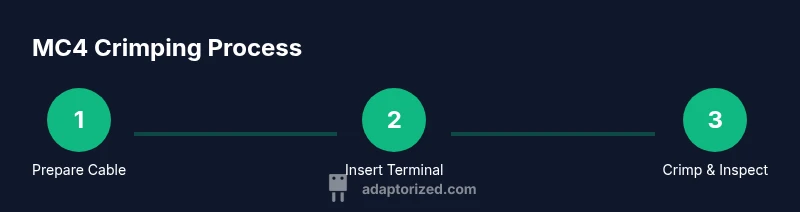
To crimp MC4 connectors correctly, use a dedicated MC4 crimping tool, compatible terminals, and the correct cable gauge. Strip the conductor to the recommended length, insert it into the terminal, and apply steady, even pressure until the crimp seats. Verify with a basic continuity check and inspect for a clean deformation, and avoid reusing damaged parts.
What MC4 connectors are and why crimping matters
According to Adaptorized, MC4 connectors are a common choice for solar wiring because they offer weather-resistant seals and a reliable, quick-connect/disconnect solution. Proper crimping is essential to preserve those benefits: a well-formed crimp creates a solid electrical path while maintaining the housing seal. When crimping MC4 terminals, your goal is a deformation that grips the conductor without cutting strands or weakening insulation. The Adaptorized team emphasizes consistent tool use and correct terminal sizing as the foundation of long-lasting connections in outdoor environments.
Understanding wire gauges and cable preparation
The conductor size and insulation thickness you choose should match the MC4 terminal's specifications. Always start with clean, undamaged cable, and segregate conductors by gauge and length to avoid cross-contamination during assembly. Stranded conductors are typically preferred for MC4 crimping due to their flexibility and better strand integrity under vibration. Keep the insulation flush with the terminal shoulder to ensure the crimp can seat evenly and the seal remains effective. Plan for strain relief where cable entries meet panels or enclosures.
Choosing the right crimping tool for MC4
Select a crimping tool that is designed for MC4 terminals and compatible with the terminal size you will use. A dedicated MC4 tool often has a fixed jaw profile, a ratchet mechanism, and dies color-coded to the terminal type. Universal crimp tools can work, but they may not reproduce the precise deformation needed for MC4 seals. Always verify tool compatibility with both the conductor size and the specific MC4 terminal family your project requires. Brand-specific tools tend to produce the most reliable crimps in outdoor conditions.
MC4 crimp terminals and compatibility
MC4 systems rely on correct terminal geometry to maintain weather resistance and electrical performance. Ensure you use the matching gender (male/female) terminal for your MC4 housing and confirm that the terminal accepts your conductor diameter. Mismatched terminals can cause loose crimps, poor seals, and intermittent connections. When in doubt, compare the terminal’s stamped specifications with the tool’s recommended jaw profile to ensure full seating and proper deformation.
Stripping and prepping the conductor
Stripping length must expose enough copper to form a solid contact without leaving extra exposed conductor beyond the terminal. Use a quality wire stripper and avoid nicking the copper strands. After stripping, twist the strands gently to prevent fraying, then prep the wire for insertion. If you’re using insulation-displacement launches, ensure the stripped end sits flush with the terminal face and does not extend into the seal area. Clean contact surfaces remove oxidation that can hinder a tight seal.
Inserting the conductor into the MC4 housing
With the conductor prepared, insert it straight into the terminal until it seats completely. Avoid forcing the wire in at an angle, which can cause uneven crimping and damage the conductor. If the conductor does not seat, re-check terminal compatibility and strip length before trying again. A correct seating is critical for both electrical contact and the integrity of the MC4 seal.
The crimping procedure: step-by-step with even pressure
Position the terminal in the crimping tool so the conductor end aligns with the jaw profile. Apply steady, even pressure through the full cycle; do not stop mid-crimp. Release and inspect the deformation—look for a uniform bite into the conductor, with no loose strands or gaps. If the tool includes a ratchet, ensure it fully cycles and locks before removing the crimp. Repeat for each connection, maintaining consistent technique across all crimps.
Inspecting the crimp for a solid, gas-tight join
A proper MC4 crimp shows a defined, uniform deformation with the copper strands securely captured. There should be no exposed copper beyond the terminal body, and the insulation should terminate cleanly at the terminal edge. A quick pull test can confirm mechanical integrity, and a basic continuity check verifies electrical reliability. If any sign of a poor crimp appears, rework the connection with a new terminal.
Common mistakes and how to fix them
Typical issues include over-stripping, under-stripping, misaligned terminals, and using incompatible tool jaws. Over-stripping can weaken the conductor; under-stripping leaves oxidation and poor contact. Misalignment causes skewed crimps that don’t seal properly. If a crimp fails inspection, replace the terminal and re-crimp with the correct tool and settings. Always use fresh terminals and avoid reusing damaged parts.
Testing the connection: continuity, resistance, and insulation
Test each MC4 connection with a basic multimeter to confirm continuity and short-circuit absence. Check for stable resistance values and inspect the insulation around the terminal for any nicks or cracks. In outdoor installations, perform a light-strength test by gently pulling on the wire near the crimp to ensure the joint remains secure before final sealing and termination.
The Adaptorized verdict
Adaptorized’s assessment is clear: invest in a dedicated MC4 crimping tool and matching terminals for reliable, weather-resistant connections. The correct tool consistently delivers the precise deformation MC4 joints require, reducing the likelihood of intermittent or failing connections over time. The Adaptorized team recommends following the manufacturer’s guidance for tool dies and conductor compatibility to maximize durability.
Safety considerations and best practices
Always work with power removed when testing or modifying electrical connections, and wear appropriate PPE such as gloves and eye protection. Keep cables organized to avoid tangling and accidental pulls on the connectors. Store tools in their protective case, calibrate them periodically if the manufacturer advises, and avoid using worn or damaged equipment in critical installations.
Tools & Materials
- MC4 crimping tool(Choose a tool designed for MC4 terminals with a proper ratchet mechanism and fixed jaw profiles.)
- MC4 crimp terminals (matching gender)(Ensure terminals are compatible with your conductor size and MC4 housing.)
- Solar cable / PV wire (matching terminal spec)(Use wire within the conductor size range specified by the terminals.)
- Wire stripper(Quality stripper that cleanly exposes copper without nicking strands.)
- Cutting tool / wire cutter(Clean cuts for straight insertion into terminals.)
- Multimeter(For continuity and resistance checks.)
- Heat shrink tubing and heat gun (optional)(For extra insulation and strain relief if needed.)
- Alcohol pads or contact cleaner(Clean contact surfaces before crimping.)
- Gloves and eye protection(Personal safety during crimping and testing.)
Steps
Estimated time: 15-25 minutes per connection
- 1
Prepare workspace and inspect tools
Clear a clean, dry workspace. Inspect the MC4 crimping tool for wear, verify dies match your terminals, and confirm you have the correct conductors. A stable setup reduces slip and ensures consistent crimps.
Tip: Check tool latch or ratchet before starting – a slipping tool compromises the crimp. - 2
Select the terminal and wire
Choose the MC4 terminal that matches your connector gender and the conductor you will use. Confirm the terminal type is rated for the wire you have and that the gauge falls within the terminal’s acceptable range.
Tip: Do not mix terminal families; mismatches degrade seal and contact quality. - 3
Strip the conductor to the correct length
Use a high-quality stripper to expose the copper without damaging strands. Maintain a clean, straight cut so the wire seats evenly in the terminal.
Tip: Avoid nicking strands—even small nicks can weaken the crimp connection. - 4
Insert conductor into the terminal
Slide the stripped wire fully into the terminal until it seats against the crimp area. A misfit here leads to partial contact.
Tip: If the wire doesn’t insert smoothly, remove and re-strip to the correct length. - 5
Position terminal in the crimp tool
Place the terminal in the jaw profile so the conductor aligns with the crimp zone. Ensure there’s no bending or offset.
Tip: Use the tool’s alignment guides if available. - 6
Crimp with even pressure
Engage the tool and complete the cycle in one smooth motion. Do not stop mid-crimp; a partial deformation can weaken the joint.
Tip: Let the tool’s mechanism finish its cycle; some models require an audible snap. - 7
Inspect the crimp visually
Look for a uniform deformation, no stray strands, and full seat of insulation at the terminal shoulder. A failed crimp should be reworked.
Tip: Run a gentle tug test on the conductor to confirm grip. - 8
Seal and secure the connection
If using heat shrink, slip it over the wire before crimping or slide it over the joint afterward and apply heat evenly. Ensure strain relief where cables meet panels.
Tip: Avoid overheating the insulation near the seal area. - 9
Test continuity and function
With the power off, measure continuity between the conductor and the opposite terminal. Check for consistent resistance and inspect for visible defects.
Tip: Document results for each connection in your project log. - 10
Label and store tools
After testing, label the completed joints and store tools in their case. Keep spare terminals dry and organized to speed future assemblies.
Tip: Establish a standard naming convention for cables and connectors.
Your Questions Answered
What is an MC4 connector and where is it used?
MC4 connectors are weather-resistant, snap-together electrical connectors commonly used for solar panels and outdoor wiring. They enable quick, secure connections and simple disconnection. Proper crimping is essential to maintain their seal and conductivity.
MC4 connectors are weatherproof solar panel connectors that snap together for easy and secure connections; proper crimps ensure they stay sealed and conduct electricity reliably.
Can I reuse MC4 terminals after crimping?
Reusing terminals is not recommended. Each crimp is designed for a single secure deformation. Reusing can compromise the seal and grip, leading to leaks or poor contact.
Don’t reuse MC4 terminals; crimps are designed for a single secure deformation to keep the seal and contact reliable.
What happens if the crimp looks good but fails a continuity test?
A visually good crimp can still fail if strands are damaged or mis-seated. Re-strip, re-terminate with a new terminal, and re-test to confirm proper electrical contact.
If the crimp looks fine but fails a test, re-strip and re-terminate with a new terminal and test again.
What tools are essential for MC4 crimping?
A dedicated MC4 crimping tool, compatible terminals, appropriate wire, a stripper, and a multimeter are essential. Optional heat shrink can improve insulation and strain relief.
You need a dedicated MC4 crimping tool, the right terminals, wire, a stripper, and a multimeter; heat shrink is optional for extra protection.
How can I verify the crimped joint in the field?
Check for a clean deformation, no exposed copper, and a firm grip. Perform a gentle tug test and a quick continuity check to ensure the path is intact.
In the field, verify with a visual check, a light tug, and a quick continuity test to confirm a solid joint.
Should I use heat shrink on MC4 crimps?
Heat shrink is optional but recommended for added insulation and strain relief in outdoor installations. Ensure it is properly sized and heated evenly.
Heat shrink is optional but helpful for outdoor reliability; use it with care and ensure proper shrinking.
Watch Video
What to Remember
- Use a dedicated MC4 crimping tool for reliable crimps
- Match terminals to conductor size and MC4 housing
- Inspect crimps for uniform deformation and complete seating
- Test continuity and inspect insulation after crimping
- Maintain tools and practice on spare cable before real installs