How to Remove Connector Pins: Safe DIY Guide for Makers
Learn practical, step-by-step methods to extract connector pins safely. Identify pin types, choose the right tools, and test after reassembly. A practical, beginner-friendly guide for DIYers and makers.


Quick Answer: You can safely remove connector pins by identifying the pin type (crimp, solder, or blade) and using the proper extraction tool or a precision small screwdriver to depress the retention tab. Work slowly, support the housing with one hand, and avoid prying with force. Always power down the system and wear safety glasses during the process.
Understanding Pin Types and How They Differ
According to Adaptorized, the first step in removing connector pins is recognizing what you’re dealing with. Pin types fall broadly into three categories: crimp pins anchored inside a plastic housing, solder pins that pass through a PCB or harness, and blade or flat pins that bite into a receptacle. Each type uses a distinct retention mechanism—crimp pins usually have a small tang or locking lance inside the housing, solder pins rely on a mechanical fit that secures the wire, and blade pins use a friction fit inside a plastic shroud. Before you touch anything, examine the connector closely with a magnifier or bright light to determine the retention method. Understanding this helps you select the right tool and reduces the risk of permanent damage to the housing or pins.
As you study the connector, note how pins are arranged. Some housings use a single row, others have interlocking rows. The pin you want to remove may be part of a locking header or a separate plug. By mapping out which wire corresponds to which circuit, you’ll reduce the chance of cross-connecting or misplacing pins during reassembly. This groundwork also informs you whether you’ll need a dedicated pin extractor, a micro flat screwdriver, or a small needle-nose plier. The Adaptorized team recommends keeping a repair log for each connector family you work on, so you build a personal reference library over time.
In practice, you’ll often deal with two common scenarios: removable pins within a harness and pins embedded in a PCB connector. For removable pins, you’ll depress a retention tab or lift a small barb; for PCB-mounted pins, you’ll work with through-hole or surface-mount terminations and possibly desoldering. Recognizing the difference early will save you from forcing a pin and bending a contact, which is a frequent cause of failure in DIY projects.
imageNoteCheckpoints:
tipOverrideNote: null
Tools & Materials
- Pin extraction tool (or micro flat-head screwdriver)(Choose a tool with a thin profile and a flat, narrow tip to depress retention tabs without damaging adjacent pins.)
- Needle-nose pliers(Optional for guiding or grabbing pins after release.)
- Fine-tipped tweezer set(Useful for maneuvering small pins in tight spaces.)
- Magnification aid or headlamp(Helps identify retention features and alignment.)
- Isopropyl alcohol and lint-free swabs(Clean contacts before and after removal to prevent corrosion.)
- Replacement pins (optional but recommended)(Have the correct pin type on hand in case a pin is damaged.)
Steps
Estimated time: 30-60 minutes
- 1
Identify pin type and housing
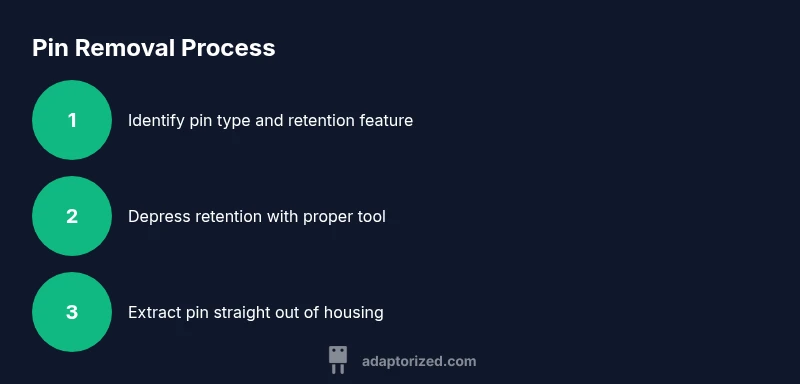
Inspect the connector under good light to classify pins as crimp, solder, or blade. Confirm the retention mechanism by looking for a small locking tab, barb, or solder junction. This step prevents wasted effort and guides tool choice.
Tip: Use a magnifier to clearly see tiny retention features and take a photo for reference. - 2
Secure the harness and prepare your workspace
Place the connector on a stable surface with the side you’ll work on facing up. If possible, clamp the housing gently to minimize movement. Keep power disconnected if the connector is part of a live circuit and lay out pins on a non-slip mat.
Tip: Always unplug or isolate power to avoid shorts or shocks. - 3
Depress retention and access the pin
Using the correct tool, depress the retention tab or barb while gently wiggling the pin to begin disengagement. Apply steady, straight pressure to avoid bending the pin or damaging the housing.
Tip: Apply only as much pressure as needed; sudden force is a common cause of bent contacts. - 4
Extract the pin carefully
Once the retention is released, slide the pin out along its original axis. If resistance remains, re-check the retention and consider using a small amount of contact cleaner on the pin tip.
Tip: Do not twist or pry; misalignment can nick the wire or the housing. - 5
Inspect, clean, and prepare for reassembly
Examine the released pin and the housing for damage or corrosion. Clean contacts with isopropyl alcohol and a lint-free swab. If the pin shows wear, replace it to ensure proper function.
Tip: Inspect both wire and pin alignment before reinsertion. - 6
Document and secure the work area
Record which pin was removed, its position, and the connector family for future repairs. Reinsert the removed pin only if you’re certain it’s intact and properly oriented; otherwise, replace with the correct pin.
Tip: Keep a spare pin set handy for ongoing projects.
Your Questions Answered
Can I remove pins from any connector using the same method?
Most connectors share a similar retention principle, but pin sizes, shapes, and locking features vary. Always consult the connector’s datasheet or manufacturer guides for the exact removal method before attempting.
Most connectors share similar retention, but always consult the datasheet for exact steps.
What if the pin won’t come out after depressor is released?
Recheck the lock, ensure you’ve depressed the correct retention tab, and try a slightly different angle. If resistance remains, stop to avoid bending or breaking the pin, and consider desoldering or seeking a replacement connector.
If it won’t budge after releasing the lock, stop and reassess the retention point—don’t force it.
Are there safety risks I should watch for?
Yes. Disconnect power, wear eye protection, and avoid exposing yourself to sharp contacts or solder. Static can damage electronics, so ground yourself and work on an anti-static mat.
Power down, protect your eyes, and avoid static; handle pins carefully.
Can I reuse pins after removal?
It’s possible if the pins show no deformation or corrosion and the housing accepts them without looseness. If you’re unsure, replace with new pins.”
Pins can be reused if undamaged; otherwise, replace them to ensure reliability.
How can I tell if a pin has been damaged after removal?
Look for bending, thinning, or discoloration. If the wire insulation is damaged near the pin, or the pin doesn’t seat cleanly, replace it and clean the housing before reuse.
Check for bending and corrosion; replace damaged pins.
Watch Video
What to Remember
- Identify pin type before attempting removal
- Use the correct tool to depress retention
- Keep power off and workspace stable during work
- Inspect pins and housing after removal and before reassembly
- Document the process for future repairs