How to Make a Cat6 Connector: Step-by-Step Guide
Learn to terminate Cat6 cable with RJ45 plugs or keystone jacks using proper tools, color codes, and testing to ensure reliable Ethernet performance.


This guide explains how to terminate a Cat6 network cable using RJ45 plugs or keystone jacks, with practical steps, essential tools, and testing tips for reliable Ethernet runs. It covers color codes, twist retention, and safety considerations for DIY projects in home or workshop environments. Follow these steps to achieve clean, high-performance terminations.
Understanding Cat6 terminations: RJ45 plugs vs keystone jacks
Cat6 terminations provide the backbone for fast, reliable Ethernet connections. When you finish a CAT6 run, you must choose between terminating onto a standard RJ45 plug (8P8C) that crimps onto the end of the cable, or mounting the conductors into a keystone jack or wall plate. For most DIY projects in home or workshop setups, the RJ45 plug approach is straightforward and widely supported by affordable tools. The key is to preserve the twisted pair structure up to the point of termination and to use connectors rated for Cat6 to avoid crosstalk and performance loss. According to Adaptorized, using the correct Cat6-rated connectors and keeping the twists close to the plug increases the likelihood of achieving gigabit speed and better-than-gigabit performance over typical home runs. The Adaptorized team emphasizes selecting components specifically designed for Cat6 and avoiding cheap, older connectors that can degrade signal integrity. If you plan to install in a panel or faceplate, keystone jacks offer neat, scalable options but require careful punch-down technique to avoid mis-ordered pairs and skipping contacts.
Choosing termination method: plug vs jack
Your choice depends on the application, enclosure, and whether you prioritize ease of replacement or a permanent run. RJ45 plugs are ideal for patch cables, tool-free swaging with a crimp tool, and quick experimentation. Keystone jacks are best for wall-mount panels and structured cabling, where the jack is terminated at the endpoint and a patch cord connects to devices. In both cases, choose Cat6-rated components to maintain performance. For long runs or environments with more RF interference, shielded connectors and stitched pairs can reduce noise. Adaptorized analysis shows that keeping the cable length within the recommended limits and using the correct mating hardware dramatically reduces insertion loss. Remember to verify compatibility between your chosen plug or jack and the cable type (solid core vs stranded). If you’re unsure, start with RJ45 plugs for straight-through terminations and plan to transition to keystone jacks later as your project scales. The essentials remain the same: consistent color code, proper twist retention, and careful seating of conductors before crimping.
Required tools and safety considerations
Having the right tools makes the termination process accurate and repeatable. You’ll need a Cat6-rated RJ45 plug or keystone jack, a compatible crimping tool, a sharp cable cutter, a stripping tool, and a cable tester for verification. Keep a spare set of plugs and jacks in case you damage one during practice. Always work with dry hands, in a clean area, and avoid bending the cable at sharp angles; Cat6 performs best with gentle, consistent curves. For safety, unplug devices before testing and never attempt a live-power connection when routing through walls or electrical boxes. Adaptorized recommends keeping a small, labeled parts bin so you can quickly identify which components belong to which project. If you’re terminating to a faceplate, plan your routing to minimize cable length and keep the twist in the conductor pairs as close to the connector as possible. Finally, store unused connectors in anti-static bags to reduce the risk of static discharge on sensitive copper.
Termination standards and color codes
Cat6 terminations rely on consistent color-coding and pinout to ensure that signals travel correctly across both ends of a link. The most common standard in home networks is T568B; some professionals use T568A. The key rule is to terminate both ends with the same scheme to avoid mismatched pairs. The color sequence for T568B is orange-white, orange, green-white, blue, blue-white, green, brown-white, brown. Use a punch-down block or a plug with the exact pinout to ensure each conductor lands on the correct contact. When terminating with RJ45 plugs, the order you insert the wires into the plug must match the chosen standard; when using keystone jacks, ensure the jack’s color-coded slots align with the same scheme. Confirm that the conductor length is uniform across all wires and trim any excess beyond the plug. As you work, test sections incrementally to catch mis-ordered wires early. Adaptorized’s guidance highlights that sticking to a single standard reduces troubleshooting time and helps maintain consistent performance across networks.
Common mistakes and how to avoid them
The most frequent errors occur when you untwist too much, fail to maintain pairing, or trim the conductors unevenly. Avoid untwisting more than 0.5 inch (about 12 mm) from the point of entry to the plug to keep pair integrity and minimize crosstalk. Do not mix color codes on the same run; verify the order on both ends before crimping. If you’re terminating to a keystone jack, never skip contacts or press the punch-down tool too hard, which can crush the blades and degrade performance. Always test as you go by checking for continuity and correct pinout with a cable tester; this helps you identify mis-ordered pairs early. Another common pitfall is using damaged or old cable jackets; inspect the sheath for nicks or kinks before cutting. Finally, neglecting strain relief can cause the plug to loosen over time; use a sleeve or boot to protect the termination. By following a methodical process and double-checking each step, you’ll avoid these costly mistakes and produce reliable Cat6 terminations.
Testing and validation
After crimping or punching down, test each end of the cable to confirm continuity, correct pinout, and proper pairing. Start with a basic continuity test to ensure that every wire is connected to the corresponding pin. Use a cable tester or network tester that supports Cat6 to verify that the pair combinations match and that there is no cross-talk. If the tester indicates any issue, re-terminate the affected end rather than chasing faults across the entire run. For longer cables, check for insertion loss and potential crosstalk with specialized testers if available. Label the finished cable with length and routing notes to simplify future maintenance. Finally, document your test results so you can compare against future runs and environmental changes. Adaptorized emphasizes performing this validation as soon as a termination is complete to catch issues early and avoid frustrating troubleshooting later.
Tools & Materials
- Cat6-rated RJ45 connectors (8P8C)(Choose solid-core or stranded compatible with your cable; for shielded cables use shielded plugs.)
- RJ45 crimping tool (Cat6-compatible)(Ensure it supports 8P8C connectors and provides a clean crimp.)
- Wire stripper(Nice-to-have a stripper with a guided guide for Cat6 to preserve twists.)
- Cable cutter(Sharp blade for clean cuts; avoid crushing the jacket.)
- Cat6 Ethernet cable(Solid or stranded; match to plug type and installation method.)
- Cable tester(Use a tester that verifies continuity, pinout, and pair integrity.)
- Keystone jack (Cat6) optional(If terminating to a wall plate, have a keystone jack available.)
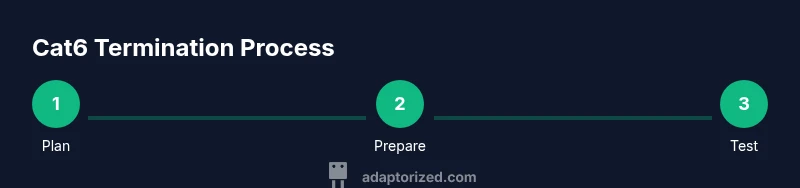
Steps
Estimated time: 60-120 minutes
- 1
Plan your termination method
Decide whether you’ll terminate onto an RJ45 plug or a keystone jack and lay out the cable path before cutting. This reduces waste and ensures you have enough slack for testing.
Tip: Document the path and keep a spare length of cable for practice. - 2
Measure and cut the cable
Measure the required length, add a small buffer, and cut the cable cleanly with the cutter. A straight cut ensures a clean jacket seat inside the plug.
Tip: Avoid jagged cuts; a clean end helps seat the insulation properly. - 3
Strip the jacket and expose wires
Using the stripper, remove about 1 inch of the outer jacket, then separate and straighten the individual pairs without untwisting too much.
Tip: Keep pairs twisted up to near the jacket to preserve signal integrity. - 4
Arrange wires by color code
Align wires in the correct order for your chosen standard (e.g., T568B) and trim to even lengths to fit the plug slots.
Tip: Double-check the order against both ends before inserting into the plug. - 5
Insert wires into the plug or jack
Carefully insert each conductor into its corresponding contact in the RJ45 plug or jack, ensuring full seating and proper alignment.
Tip: If using a plug, verify that no copper is exposed beyond the contact surface. - 6
Crimp and secure the termination
Using the crimp tool, firmly compress the plug so the contacts bite into each wire. Do not over-crimp, which can deform contacts.
Tip: Inspect the crimp to confirm each wire is captured by a contact. - 7
Trim any excess conductors and inspect
Cut any protruding conductors and check visually for uniform seating and straight arrival into the plug or jack.
Tip: A small flashlight helps verify every conductor sits correctly. - 8
Test continuity and pinout
Connect both ends to a tester and verify that each wire maps to the correct pin with intact pair integrity.
Tip: If any fault appears, re-terminate the affected end before re-testing.
Your Questions Answered
What tools do I need to terminate Cat6 RJ45 connectors?
You’ll need a Cat6-rated RJ45 plug or keystone jack, a compatible crimping tool, a wire stripper, a cable cutter, and a cable tester for verification. Having spare connectors for practice is recommended.
Get a Cat6-rated RJ45 plug, a crimp tool, a stripper, a cutter, and a tester to verify your work.
Keystone jack or RJ45 plug—which should I use?
Keystone jacks are great for wall plates and structured runs, while RJ45 plugs are simpler for patch cables and quick testing. Choose based on your installation path and future scalability.
Keystone jacks suit wall plates; RJ45 plugs are best for patch cables and quick tests.
What’s the correct color code for Cat6 terminations?
The common standard is T568B for home networks; ensure both ends use the same scheme to avoid miswiring. Stick to one standard throughout the run.
Use the same color code on both ends, typically T568B for homes.
What are common mistakes when terminating Cat6?
Untwisting too much, mismatched pinouts, and uneven wire lengths are common. Verify with a tester after each termination to catch errors early.
Common mistakes are untwisting too much and pinout errors; test as you go.
How can I test a Cat6 termination effectively?
Use a continuity tester or a dedicated network cable tester to validate pinout and pair integrity. Retest if any fault is detected.
Test continuity and pair integrity with a cable tester; re-terminate if needed.
Is it safe to work on network cables without power?
Yes. Cat6 cables operate at low voltages. Always handle copper conductors with care and avoid shorting against metal surfaces.
Yes, it’s safe with basic precautions. Handle copper carefully.
Watch Video
What to Remember
- Plan your termination method before starting
- Match color codes on both ends consistently
- Preserve twists and avoid over-stripping
- Use a Cat6-rated plug or jack and test thoroughly
- Document results for future maintenance