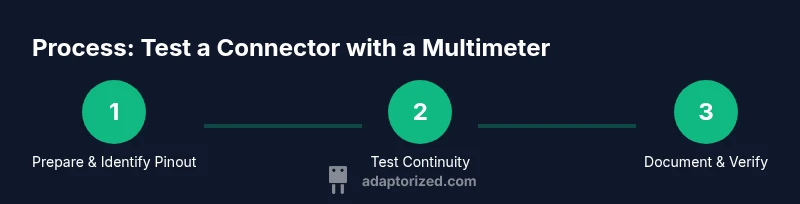
How to Test a Connector with a Multimeter: A DIY Guide
Learn how to safely test electrical connectors using a multimeter. This step-by-step guide covers continuity, resistance, and voltage checks with practical, DIY-friendly methods.


In this guide you will learn how to test a connector with a multimeter, covering safe prep, correct meter settings, and how to interpret readings for common connector types. You’ll need a digital multimeter, proper test leads, and a known-good mating pair or pinout diagram to verify continuity, resistance, and voltage as appropriate.
Understanding the Role of a Multimeter in Connector Testing
When you’re troubleshooting a harness, a loose plug, or a miswired panel, learning how to test a connector with a multimeter is a practical, hands-on skill for DIYers and makers. A multimeter helps you verify that each contact carries the expected signal, that paths are continuous, and that there are no unintended shorts to adjacent pins or to the chassis. Start with the assumption that the connector is a small network of conductive paths, each needing its own check. By methodically testing pin-to-pin continuity, resistance, and voltage presence, you can pinpoint where a fault lies and decide whether a repair or replacement is warranted.
Adaptorized’s guidance emphasizes safety and methodical testing. With the right setup, you can diagnose connector problems without destructive probing. This approach also reinforces best practices for prototyping and repair work, especially when dealing with compact or delicate connectors commonly used in consumer electronics and hobby projects.
noteInit":null,
Tools & Materials
- Digital multimeter (DMM)(Any common model with continuity, resistance, and voltage measurement capabilities.)
- Test leads with alligator clips(Flexible leads or probe tips help reach tight connector pins.)
- Pin extraction tool or thin wire to probe contacts(Optional for hard-to-reach pins; avoid bending contacts.)
- Pinout diagram or mating connector(Essential for identifying each pin’s function.)
- Insulating tape or heat shrink(For safety and organization of test points.)
Steps
Estimated time: 20-30 minutes
- 1
Power down and prepare the workspace
Ensure all power sources are disconnected before you begin testing. Clear the area and gather the tools you’ll need. Check that the connector is accessible and free of debris. Having a clean, well-lit workspace reduces the risk of shorts or misreads.
Tip: Double-check the mating half is accessible to prevent accidental pin bending during probing. - 2
Identify the connector pinout
Refer to the connector’s datasheet, manufacturer-provided pinout, or a trusted schematic. Label each pin so you can track readings accurately during testing. If you don’t have a diagram, compare with a known-good connector that shares the same housing.
Tip: Label pins with tape or a non-residue marker to avoid confusing pins later. - 3
Set the multimeter to continuity mode
Connect one probe to a target pin and the other to the mating path or ground to verify continuity. A beep or a near-zero resistance indicates a good path. If there’s no reading, inspect the contact or consider re-seating the plug.
Tip: Use the beep feature for quick checks and reduce probe pressure to avoid bending pins. - 4
Test resistance between adjacent pins
Switch to resistance mode and measure the path between adjacent contacts to ensure there’s no unintended short. Compare readings against a known-good connector or the expected resistance range for your circuit. Document any anomalous values.
Tip: Small, stable readings suggest healthy insulation; fluctuating numbers may indicate a loosened connection. - 5
Check for voltage presence on powered systems
If you must measure voltage, ensure the device is powered with extreme caution and appropriate safety precautions. Use the correct voltage range on the DMM and probe only the test points that are designed to carry the signal. Never touch exposed contacts while live.
Tip: If unsure about safe voltage levels, consult the schematic or a professional before proceeding. - 6
Assess shield and ground integrity
For connectors with shielding or ground pins, test continuity to chassis ground and verify that shield paths are continuous. A broken shield can cause noise and intermittent faults in EMI-sensitive systems.
Tip: Touch the shield at multiple points to confirm consistency and avoid false negatives. - 7
Document findings and label any faults
Record readings for each pin and note any deviations from expected results. If a fault is found, note possible causes (misalignment, bent pin, insulation damage) and plan a fix.
Tip: Create a simple table linking pin numbers to readings for easy reference during repair. - 8
Power up and re-check after repairs
If you’ve performed a repair or re-seating, repeat the continuity and resistance checks to confirm the issue is resolved. Re-run any voltage checks with power applied in a safe, cautious manner.
Tip: After repairs, test quickly and monitor for overheating or unusual readings to prevent a repeat fault.
Your Questions Answered
Can I test connectors with a basic multimeter, or do I need a specialized tool?
A basic digital multimeter is typically sufficient for continuity, basic resistance, and some voltage checks on many connectors. For complex or high-speed interfaces, specialized test equipment may be needed. Always start with a basic meter and escalate if readings are inconclusive.
Yes, a standard multimeter covers most beginner tests. If readings are unclear, consider specialized equipment or consult a guide.
Is it safe to test powered connectors?
Power testing should only be done with the correct safety precautions and under controlled conditions. Prefer powering through a safe setup and ensure you know the expected voltage levels. If in doubt, power down and verify the circuit first.
Power testing can be risky. If you’re unsure, avoid live testing and consult a guide or professional.
How do I interpret a “no continuity” beep or high resistance reading?
A lack of continuity or a high resistance value usually indicates an open circuit, a loose connection, or damaged pin. Re-seat the connector, inspect for bent pins, and check insulation. If the problem persists, replace the connector.
No continuity usually means the path is open or damaged. Check seating and pin condition.
What about shielded connectors? How do I test shielding?
For shielded connectors, test continuity between the shield and a known ground point. Ensure there are no breaks in the shield path, which can introduce noise or EMI issues.
Test the shield path to ground to ensure there are no interruptions that could cause noise.
My readings are inconsistent. What should I do?
Re-check the pin alignment, verify the probe contact quality, and ensure the connector is properly seated. Inconsistent readings can come from loose connections or dirty contacts.
If readings jump around, reseat the connector and clean contact surfaces.
Do I need to re-test after any repair?
Yes. Always re-test all relevant pins and paths after any repair or re-seat to confirm the fault is resolved and no new issues were introduced.
Always re-check after any fix to confirm everything works as expected.
Watch Video
What to Remember
- Test pin-to-pin continuity first for quick faults
- Document every reading for traceability
- Use shielding tests to diagnose EMI issues
- Never measure live voltage without proper safety measures
- Label pins to avoid misreadings when reassembling