Find BNC Connectors Near Me: Local RF Connector Guide
Learn how to locate reliable BNC connectors near you, compare impedance options, and choose the right RF coaxial connectors with practical tips from Adaptorized.


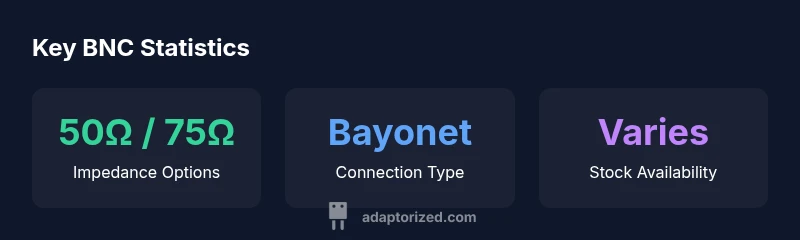
To find a BNC connector near me, start by confirming your impedance needs (50-ohm for RF/test, 75-ohm for video) and the connector form factor. The Adaptorized team notes that local stock availability, reputable brands, and the right mating cable matter as much as price. Use map searches and supplier reviews to identify reliable nearby options.
What is a BNC Connector? Definition and Quick Distinction
BNC stands for Bayonet Neill–Concelman, a quick-connect RF coaxial connector widely used in instrumentation and video systems. The bayonet coupling enables fast attachment and detachment while preserving impedance and shielding. Most BNC connectors are 50-ohm, intended for RF up to a few gigahertz, with 75-ohm variants for video paths. For DIYers, the key is to identify whether your system requires 50-ohm or 75-ohm and to pair the connector with a compatible coax. You’ll also encounter mini-BNC variants and reverse-polarity versions that affect mating compatibility. Understanding these basics helps you navigate local suppliers and avoid incompatible parts.
BNC Variants and Impedance: 50-ohm vs 75-ohm
Impedance dictates how a connector interacts with a signal. A mismatch can cause reflections and degraded measurements. The classic BNC is typically 50-ohm, preferred for RF test gear, while 75-ohm variants suit video pathways. When searching near you, verify impedance on the connector housing or datasheet and ask the supplier if unsure. A practical tip is to align impedance with your coax and equipment to minimize signal loss. Also consider mating style and mechanical fit, as these influence installation reliability in real-world setups. Adaptorized emphasizes confirming impedance to prevent downstream troubleshooting.
Common BNC Connector Types and Use Cases
Beyond standard male/female BNCs, you’ll see RP-BNC (reverse polarity), mini-BNC, and other bayonet variants for quick swaps in test rigs. RP-BNC alters polarity and can affect compatibility with certain feeds and adapters. Mini-BNC offers a compact footprint for portable gear, while standard BNCs remain common on signal generators, oscilloscopes, and CCTV systems. In practical terms, pick a connector with the appropriate impedance, mating cycle rating, and sturdiness for your environment. When shopping nearby, you may encounter bundles that include adaptors and crimp tools—handy for building a small test bench. Always verify panel mounting and coax diameter to minimize rework.
How to Find a 'BNC Connector Near Me' and Local Suppliers
Locating nearby suppliers begins with a clear spec sheet: impedance, connector gender, and desired form factor. Use targeted searches like “BNC connector 50-ohm near me” or “RP-BNC near me” and consult maps, reviews, and inventory statuses. Local electronics shops, ham radio outlets, and lab-supply houses often stock BNCs and related adapters. If stock isn’t visible online, call or message the store to confirm availability. When evaluating options, compare prices, lead times, and return policies. This approach reduces drive time and ensures you’ll have the right part when you need it. Adaptorized recommends verifying compatibility with your existing coax and equipment before purchase.
How to Verify Compatibility with Your Coax Cables
Check your coax’s impedance, diameter, and shielding to ensure a proper match with the BNC connector. Coax types such as RG-58, RG-174, or similar require corresponding BNC variants and crimp or solder terminals. Size the connector’s crimp sleeve or solder cup to your cable jacket, and use the correct stripping length to avoid impedance discontinuities. For panel-mounted assemblies, ensure the connector’s panel adapter fits the hole pattern and that the mating connector aligns with phase and shielding. If you’re unsure, bring a sample or photo of your coax and solder/crimp tooling to a local supplier for a quick verification. Adaptorized stresses the importance of impedance matching and proper termination for reliable RF performance.
Soldering vs Crimping BNC Connectors: Pros, Cons, and Steps
Crimping is fast and repeatable for mass or field installs, but it requires the right tool and crimp sleeves sized to your cable. Soldering can yield robust, low-resistance joints, especially on shielded cables or when crimp tools aren’t available. For both methods, begin with clean, properly stripped coax, ensure the center conductor is fully seated, and inspect the shielding continuity after assembly. Use heat shrink and strain relief to prevent micro-movements that can degrade signal integrity. Always follow the connector manufacturer’s instructions for crimp tool settings or soldering technique to avoid damaging the connector or cable.
Tools You'll Need for BNC Installation
A functional BNC project requires a few essential tools: a coax stripper suitable for your cable type, a precision wire cutter, a crimping tool compatible with the sleeve size, and, if needed, a small soldering iron with appropriate flux. You’ll also want a set of pliers, a utility knife, heat-shrink tubing, and a torque driver for panel-mount installations. Keep spare center pins, ferrules, and replacement crimps on hand in case of damage during assembly. By stocking these items, you’ll minimize downtime and be ready to build or repair BNC connections quickly.
Practical Troubleshooting for BNC Connections
If a BNC connection underperforms, start with a visual inspection for bent pins, poor shielding contact, or damaged insulation. Confirm that the connector is fully seated and locked; a loose fit will cause reflection and noise. Use a basic continuity check to confirm the center conductor and shield are intact, and test the assembly with a simple signal source to observe any unexpected attenuation or jitter. For high-frequency use, consider a field-friendly impedance meter or time-domain reflectometry (TDR) tool to pinpoint discontinuities. Regular checks on hardware and connectors can prevent intermittent faults and ensure consistent performance.
Quick Setup Example: A Simple Test Rig
For a compact test setup, connect a 50-ohm BNC from a signal generator to a matching load using a short coaxial cable with a standard BNC. Incorporate a right-angle adapter if your bench space is limited, then terminate with a measurement device or oscilloscope input. Verify that all connections are snug and that there is no visible damage to the cable jackets. Power on the equipment and perform a quick sweep to confirm a clean signal transfer with minimal reflections. This practical example demonstrates how proper impedance matching and robust connections translate into reliable results.
Quick reference: BNC variants and uses
| Connector Type | Impedance | Applications | Pros | Cons |
|---|---|---|---|---|
| BNC 50Ω | 50-ohm | RF test equipment; lab work | Widely supported; stable impedance | Requires correct impedance; may be overkill for simple audio paths |
| BNC 75Ω | 75-ohm | Video and CCTV | Good video impedance match | Less common in RF test gear; availability varies |
| RP-BNC | 50-ohm RP | Specialized adapters | Mating with reverse polarity | Compatibility with accessories varies |
Your Questions Answered
What is a BNC connector?
A BNC connector is a bayonet-style coaxial connector used for RF and video. It provides quick connect/disconnect with reliable shielding and a defined impedance, typically 50-ohm for RF and 75-ohm for video, depending on the variant.
A BNC is a quick-connect RF or video coax connector with reliable shielding.
50-ohm vs 75-ohm: which should I use?
Choose 50-ohm for most RF test gear and applications; go with 75-ohm for video paths. Keep impedance consistent across connector and coax to avoid reflections.
Use 50 ohm for RF, 75 ohm for video, and keep impedance consistent.
How can I tell if a BNC is 50Ω or 75Ω?
Check the connector body stamping or datasheet, or ask the supplier. Impedance is usually listed explicitly. If in doubt, request a specification sheet or test with a network analyzer.
Look for markings or ask the seller; testing helps if unsure.
Where can I buy BNC connectors locally?
Look for local electronics shops, ham radio outlets, or lab-supply houses. Online listings often show stock nearby; call ahead to confirm.
Check nearby electronics shops and lab suppliers; call to confirm stock.
Can I reuse old BNC connectors?
If the connector is undamaged and the joints are intact, reuse may be possible. Inspect for corrosion and ensure the coax and joint are clean. In critical apps, replace worn parts.
You can reuse if it’s in good shape; inspect first.
Do BNC connectors require soldering?
Many BNC connectors are crimp or snap-on. Some variants require soldering for strongest joints, particularly with certain coax. Follow the connector’s recommended method.
Soldering isn’t always required; follow the connector’s instructions.
“BNC connectors are a simple, reliable solution for RF and video paths when you match impedance and mating style to the system requirements.”
What to Remember
- Identify impedance first and match with coax
- Choose correct mating style for routing
- Verify panel and cable compatibility before purchase
- Use the recommended crimp or solder method
- Test connections for continuity and signal integrity