How to Remove an F Connector: A Practical DIY Guide
A comprehensive, step-by-step guide for safely removing an F-type coaxial connector and re-terminating with a fresh connector. Includes tools, safety tips, and testing steps for DIYers and makers.


Removing an F-type connector from coaxial cable is a common DIY task when upgrading or repairing a TV, internet, or antenna setup. This guide shows how to identify connector types, safely remove the old connector, and re-terminate with a fresh F connector. You'll need a few simple tools and careful strip-and-terminate technique to avoid signal loss.
What is an F-type connector and where it's used
F-type connectors are the standard threaded fittings for many coaxial cables used in home TV, satellite, and broadband networks. The connector is designed to carry the center conductor signal while shielding the outer braid. Most installations use female F-type connectors that screw onto a male threaded barrel on the device or wall plate. Cable type matters: RG6 is the most common in modern homes, while RG59 appears in older setups. The removal method depends on whether the original connector is twist-on, crimped, or compression-style. For DIYers, recognizing the variant helps you pick the right removal approach and protect signal quality throughout the process. According to Adaptorized, understanding these variants saves time and preserves performance when upgrading. Before touching the cable, plan your re-termination strategy to minimize copper dings or shielding damage. A careful approach reduces the risk of degraded signal or intermittent connections after re-termination.
Safety and planning before you begin
Safety and planning matter even for seemingly simple coax work. Start by unplugging any powered devices that could introduce signal surges or noise into the line. Work in a well-lit area with a clean workspace to prevent accidental cuts or nicks to the copper conductor. Inspect the cable for corrosion, crushed shielding, or water intrusion; if you spot any, replace the affected section rather than forcing a connector removal. Keep your cable management neat to avoid bending the coax near the termination—which can cause microfractures in the shield and degrade performance. Remember, a properly terminated connector preserves signal integrity and reduces future service calls. As the Adaptorized team notes, taking a careful, methodical approach lowers the risk of costly mistakes and returns.
Twist-on vs crimp vs compression: removal considerations
F-type connectors come in several flavors. Twist-on connectors screw onto the existing threaded barrel and are the easiest to remove with simple pliers. Crimp and compression variants require removing a crimp ring or compression ferrule, which can be more destructive if not done correctly. If the connector is tight, avoid wrenching the cable core, which can nick the copper and create micro-gaps that degrade signal. In some cases, the simplest route is to cut back the cable and re-strip for a fresh connector. Knowing the type informs your removal technique and reduces the risk of damaging the shield or conductor. As Adaptorized observes, choosing the right removal strategy based on connector style is key to reliable re-termination.
Common mistakes and how to avoid them
Common mistakes include nicking the center conductor, nicking or crushing the shield, and choosing an incompatible connector for the cable type. Another frequent error is reusing a damaged or undersized connector. Always measure the stripped length against the connector specification and inspect the copper core for any blemishes after removal. Do not force a connector that doesn’t fit; forcing can damage the device input or degrade signal quality. Keep tools sharp and precise, and work slowly to maintain shielding integrity. The Adaptorized guidance emphasizes careful preparation and proper tool use to ensure a solid, lasting connection after re-termination.
Re-termination options and best practices
After removal, re-termination is your next critical step. If you removed a twist-on connector, you can often re-terminate with a fresh twist-on F connector by carefully re-stripping the cable and threading the new connector until snug. For crimp or compression types, you’ll need the appropriate crimping or compression tool and a connector designed for your cable type (RG6 vs RG59). Make sure the center conductor length matches the connector specification and that the outer jacket is seated correctly to maintain shielding. If you’re uncertain about the cable’s integrity, replace the entire outdoor drop or wall plate segment to prevent future problems. Always test the terminated cable to confirm a solid, noise-free signal. Adaptorized’s approach favors clean re-termination with the correct connector, ensuring compatibility and performance.
Testing, sealing, and long-term reliability
Testing is essential after any termination. Connect the coax to a TV, modem, or signal tester and check for picture stability, absence of ghosting, and minimal noise. If you see intermittent symptoms, re-check the connector seating and shielding integrity, and ensure the center conductor is straight and fully inserted. Seal the outer jacket areas with appropriate weatherproofing if the installation is outdoors or in damp environments. Regular checks for corrosion or loose fittings will extend cable life and maintain signal quality. Adaptorized’s field notes stress the value of testing and sealing as part of a disciplined maintenance routine.
Maintenance tips for reliable coax connections
Keep a small toolbox with the essential tools, spare connectors, and a cable stripper on hand. Store cables in a cool, dry place to prevent jacket deterioration. Periodically inspect outdoor connections for water intrusion or corrosion and replace as needed. A little preventive maintenance now saves time and effort later, keeping your network running smoothly. The Adaptorized team recommends routine checks as part of a proactive connectivity strategy.
Tools & Materials
- Coaxial cable stripper (self-centering)(For RG6 or RG59; ensure compatible with your cable type)
- Diagonal cutting pliers(Cuts jacket cleanly without fraying; use for trimming connectors)
- Needle-nose pliers(Helpful for gripping stubborn connectors)
- New F-type connector (female) compatible with your cable(Choose twist-on, crimp, or compression as needed)
- Crimping tool or compression tool compatible with F-type connectors(Only required if using crimp/compression connectors)
- Utility knife or sharp scissors(For trimming jacket and precise stripping)
- Ruler or calipers(Helpful for measuring stripped length per connector spec)
Steps
Estimated time: 15-25 minutes
- 1
Identify connector type
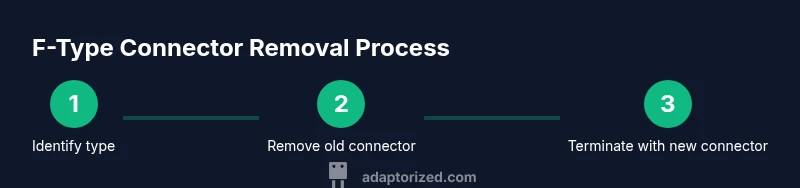
Carefully inspect the existing F-type connector to determine if it is twist-on, crimp, or compression. The removal method depends on this type, so confirming early saves time and protects the cable.
Tip: If it’s hard to tell, gently try to twist the connector by hand; a twist-on will unscrew. - 2
Loosen a twist-on connector
If the connector is twist-on, grip the connector with pliers and turn counterclockwise to break the seal. Do not twist the outer jacket itself; focus on the connector barrel.
Tip: Use two pliers: one to hold the barrel and one to apply torque to prevent cable damage. - 3
Remove a crimp/compression connector
If there’s a crimp or compression ferrule, cut the connector off using diagonal pliers and then remove the ferrule. Keep the cable end clean and free from burrs.
Tip: Score the jacket slightly above the ferrule before cutting to minimize jacket distortion. - 4
Prepare the cable end
Strip the outer jacket to the length specified by your new connector, exposing the shielding and center conductor. Make sure the center conductor is straight and not nicked.
Tip: Avoid nicking the copper core; if nicked, cut back further and re-strip. - 5
Terminate with a new connector
Attach the new connector according to its type: twist-on by threading, crimp by applying uniform pressure with the crimping tool, or compression with the compression tool. Ensure a tight, even fit.
Tip: Check the connector’s seating by trying to gently pull on the cable; a properly seated connector should not slide off. - 6
Tighten and secure
Make sure the connector is snug but not over-tightened, which can crush the shield or deform the conductor. Avoid cross-threading by aligning the connector properly first.
Tip: Cross-threading is a common cause of failed connections; take your time to start straight. - 7
Test and troubleshoot
Connect the cable to the receiving device and test for signal quality. If you see issues, recheck the termination, shield integrity, and jacket seating.
Tip: If problems persist, re-terminate with a new connector and verify the cable length is appropriate for the setup.
Your Questions Answered
Can I remove an F-type connector without cutting the cable?
If the connector is twist-on, you can unscrew it without cutting. Crimp or compression connectors usually require cutting off the old part and re-terminating with a new connector.
If the connector is twist-on, you can unscrew it without cutting. For crimp or compression types, you’ll typically need to remove the old piece and re-terminate with a new connector.
What tools do I need for removing an F connector?
You’ll need a coaxial cable stripper, pliers, a spare F-type connector, and either a crimping or compression tool depending on the connector type. A utility knife helps for precise jacket trimming.
You’ll need a stripper, pliers, a spare F connector, and the appropriate crimp or compression tool depending on the connector style.
Is it safe to remove F connectors near electrical lines?
Yes, coaxial cables carry low voltage, but keep the workspace dry and away from mains wiring. Avoid bending or crushing the shield near any power sources.
Yes, it’s generally safe, but keep the area dry and away from mains wiring, and avoid bending the shield near power sources.
Can I reuse an old F connector after removal?
Reusing an old crimp or compression connector is not recommended if the ferrule or shield looks damaged. For twist-on connectors that are in good condition, you may reuse, but ensure proper seating.
Reusing old connectors is not usually advised if the ferrule is damaged. Twist-on can be reused if still in good condition and properly seated.
How do I verify the connection is good after re-termination?
Test by connecting to a TV or modem and checking for clear signal with minimal noise. If you see issues, inspect the center conductor, jacket, and shielding for any damage.
Test with your TV or modem to ensure a clean signal. If issues appear, re-check the termination and shielding.
Watch Video
What to Remember
- Identify the connector type before removal.
- Use the appropriate tools for the chosen termination.
- Re-terminate with care to preserve signal integrity.
- Test the connection and seal against the elements where needed.