RF Coaxial Cable: A Practical Guide for 2026
Learn to choose, test, and terminate rf coaxial cable for reliable RF signals. A practical Adaptorized guide covering impedance, shielding, connectors, and safe handling for DIY projects.


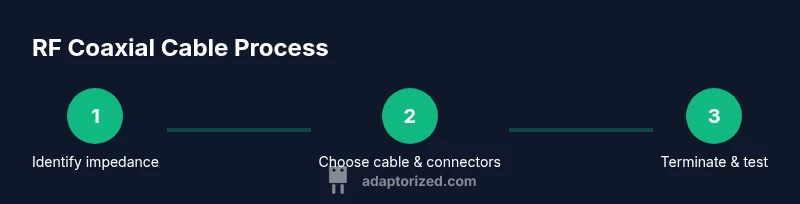
According to Adaptorized, selecting the right rf coaxial cable starts with impedance matching (typically 50 ohms for RF work and 75 ohms for video). This quick answer provides a compact, step-by-step path: Step 1 Identify system impedance; Step 2 Evaluate environment and losses; Step 3 Choose connector types; Step 4 Select jacket and shielding; Step 5 Verify continuity and shielding integrity.
What is rf coaxial cable and how it works
RF coaxial cable consists of a central conductive core surrounded by a dielectric insulator, an outer conductor, and an outer jacket. The concentric arrangement helps confine the electromagnetic field, reducing radiation and external interference. The characteristic impedance (commonly 50 ohms in RF work or 75 ohms in some video applications) determines how signals transfer between equipment and cable. For DIY projects, selecting the right impedance, shielding, and jacket material can dramatically affect performance, especially over longer runs. According to Adaptorized, staying consistent with impedance and connectors across the path minimizes reflections and standing waves. The best outcomes come from planning cable routes to avoid sharp bends and excessive length, which introduce losses. Typical household or workshop setups use 50-ohm copper or silver-plated copper cables with solid or flexible dielectric, chosen for their mechanical strength and low loss.
Impedance and characteristic parameters
Impedance is the defining barrier that keeps signals synchronized along the cable. The two most common values are 50 ohms for RF transmission and 75 ohms for certain video applications. In practice, you assess attenuation (loss per unit length), velocity factor (how fast a signal travels through the dielectric), and return loss (reflections at terminations). Shielding effectiveness reduces external interference, especially in noisy environments. When selecting coax, aim for a cable with consistent impedance throughout the run and compatible connectors. This consistency minimizes standing waves and preserves signal integrity over distance.
Cable types and selection criteria
There are several families of rf coaxial cables, each offering a different balance of loss, flexibility, and diameter. For short runs in a workshop, smaller-diameter options (like flexible RG-type cables) can be convenient but may incur higher loss over longer distances. For longer runs, stiffer, lower-loss cables (such as longer, more robust constructions) deliver better performance at the cost of flexibility. Practical selection factors include impedance compatibility, shielding effectiveness, jacket material, and operating temperature range. Keep in mind that the environment (indoors, outdoors, exposure to moisture) dictates jacket choice and sealing methods. According to Adaptorized, plan for future needs so you don’t over or under-spec the cable.
Connectors and termination basics
Connectors must match the cable impedance and the equipment interfaces. Common RF connector families include SMA, BNC, N-type, and TNC, each with a fixed mating impedance. When terminating, ensure the connector type is compatible with your chosen cable and that crimping or soldering methods create a solid, low-resistance connection. Poor terminations introduce reflections and higher return loss, degrading signal quality. Always verify the mechanical fit and dielectric seating before clamping or crimping. A well-executed termination reduces insertion loss and improves overall system performance.
Handling, installation, and testing
Plan your routing to minimize bends and avoid sharp corners that can kink the cable or crack the shielding. Use strain relief at every endpoint to prevent tension from being transferred to the connector. Test the completed run with a continuity tester and a simple isolation check to confirm there are no shorts to ground and that shielding remains intact. For more rigorous verification, a basic network analyzer setup or a calibrated TDR (time-domain reflectometry) test can reveal impedance mismatches and reflections along the length. Safety first: power down equipment and wear eye protection when cutting or stripping stiff coaxial cables.
Common mistakes and best practices
Common errors include mixing impedance types in the same run, using incompatible connectors, and underestimating the required bend radius. Always maintain impedance consistency, avoid modifying connectors mid-run, and avoid under-tightening or over-tightening connectors. Label cables clearly at both ends, and route them away from high-heat sources or moving parts. A disciplined approach—documenting lengths, connector types, and test results—saves time during maintenance or future upgrades.
Authority references
- FCC.gov: General standards for RF cabling and connector practices
- NIST.gov: RF measurement principles and guidance for cable testing
- IEEE.org: RF engineering standards and best practices
Tools & Materials
- RF coaxial cable (50-ohm impedance)(Choose a length based on your project need; consider future expansion.)
- Coaxial connectors (SMA, BNC, N-type as appropriate)(Match connector family to cable and equipment interfaces.)
- Coaxial crimping tool(Tool must fit the connector type; avoid improvising.)
- Cable stripper or precision knife(Use a stripper designed for coax to avoid damage to the dielectric.)
- Continuity tester or multimeter with resistance check(Helpful for quick checks before final routing.)
- Heat shrink tubing or electrical tape(For strain relief and shielding protection at terminations.)
- Cable ties and labels(Organizes and documents cable runs for maintenance.)
Steps
Estimated time: 45-60 minutes
- 1
Identify system impedance
Review your equipment documentation to confirm the system impedance, typically 50 ohms for RF work or 75 ohms for some video paths. This determines the cable and connector compatibility you’ll use throughout the build.
Tip: Always verify impedance at both ends of the path to avoid mismatches. - 2
Select cable type and length
Choose a cable that minimizes loss over your eventual distance. Longer runs demand lower loss per meter; balance flexibility and mechanical needs with performance.
Tip: Prefer the lowest-loss option that still fits your bend radius and mounting constraints. - 3
Prepare ends and jacket
Cut the cable square, then strip the outer jacket to expose the shield and dielectric layers per the connector’s specification. Cleanly seating the dielectric prevents micro-voids that cause signal degradation.
Tip: Use the correct coax stripping tool to avoid nicking the dielectric. - 4
Attach connectors
Install the connector using the manufacturer’s recommended method (crimp, solder, or compression). Ensure the conductor passes fully into the center pin and that the shield is securely clamped.
Tip: Do a visual check for uniform seating and absence of stray strands. - 5
Test continuity and shielding
Use a continuity tester to confirm there are no open or short circuits. Check shielding integrity by lightly flexing the cable and watching for any changes in response.
Tip: If you detect a fault, redo the termination or re-terminate at the affected end. - 6
Route, label, and secure
Route the finished run with gentle curves, using strain relief at endpoints. Label both ends and document impedance, length, and connector type for future maintenance.
Tip: Leave a little slack for vibration and thermal expansion to prevent cracks.
Your Questions Answered
What is rf coaxial cable used for?
RF coaxial cable is used to transmit radio frequency signals with controlled impedance and shielding. It’s common in antennas, radios, and test equipment. Proper selection and termination reduce loss and interference.
RF coaxial cable transmits radio frequency signals with controlled impedance and shielding, typical in antennas and radios; correct selection and termination improve performance.
What impedance should I choose for my project?
Most RF projects use 50 ohms for general transmission. Some video or specific systems may use 75 ohms. Keep impedance consistent across the entire signal path.
Most RF projects use 50 ohms; some video setups use 75 ohms. Consistency across the path is key.
Can I bend coaxial cable sharply?
Avoid sharp bends. Follow the manufacturer’s minimum bend radius to prevent damage to shielding and dielectric, which increases loss and reflections.
Don’t bend too sharply; use the recommended bend radius to protect shielding and dielectric.
How do I terminate coaxial cables?
Attach connectors using the correct tool for your connector type (crimp, compression, or solder). Ensure the center conductor and shield are properly seated and shield is continuous.
Use the right tool and follow the connector’s instructions to ensure a solid termination.
What tests should I run after installing coax?
Perform a continuity check, verify shielding integrity, and if possible, use a basic network analyzer to assess return loss and impedance along the run.
Check continuity and shielding; if you can, verify impedance with a test instrument.
What common mistakes should I avoid?
Avoid mixing impedance, under-tightening connectors, bends that exceed the radius, and omitting strain relief. Document lengths and connector types for future maintenance.
Don’t mix impedance or skip strain relief; keep track of lengths and connectors for future fixes.
Watch Video
What to Remember
- Know the system impedance before buying cable.
- Choose the lowest-loss cable that fits your bend radius.
- Terminate connectors correctly to prevent reflections.
- Test continuity and shielding before final routing.
- Label and document cable runs for easy maintenance.