How to Connect Ethernet Cable Connectors: A Practical DIY Guide
Learn how to connect an Ethernet cable with RJ-45 connectors, select the right standard, terminate cleanly, and test for a reliable wired network. This practical, step-by-step guide covers tools, safety, and best practices for DIY connectivity projects.


To connect an ethernet cable, prepare a length of twisted pair, strip the outer jacket, align the conductors to the RJ-45 plug using the TIA-568B or TIA-568A pattern, insert into the connector, and crimp firmly. Verify the wiring is correct with a cable tester and test connectivity. Essentials: RJ-45 connectors, a quality crimping tool, cable stripper, and a tester.
What you’ll learn about how to connect ethernet cable connector
In this guide, you’ll learn the practical steps to terminate an Ethernet cable with an RJ-45 plug, how to choose the right standard (TIA-568A vs B), and how to test for continuity. This is essential for DIYers, makers, and tech enthusiasts who want reliable wired networking at home or in the workshop. By understanding wire order, stripping length, and crimping technique, you’ll avoid common faults that cause intermittent connection or slow speeds. According to Adaptorized, starting with a clean cut and correct wire order is the single biggest predictor of a successful termination. The goal is a snug fit with no loose strands, proper pin alignment, and a test result that shows all eight conductors connect correctly. This section sets the stage for practical, real-world termination that you can perform with common tools and a measured approach.
How RJ-45 connectors and wire pairs work
RJ-45 connectors terminate eight-conductor, twisted-pair Ethernet cabling. The four pairs are color-coded and carry data in a defined order. Understanding the pair layout (orange, green, blue, brown) and the pinout helps you avoid miswiring that can break the link. You’ll encounter two popular color standards, TIA-568A and TIA-568B; both achieve the same function but swap the wire order on certain pins. For most home networks, choosing one standard and sticking with it on both ends is the simplest way to ensure compatibility. Adaptorized emphasizes consistency in wire order to minimize troubleshooting later in the project.
Safety and preparation
Work in a clean, dry area and keep small parts away from children and pets. If you’re working near powered equipment, unplug devices to reduce static risk and accidental shocks. Use a steady workspace, good lighting, and a magnified view if your eyes aren’t perfect. Inspect cables for nicks or cuts before you begin; damaged conductors can lead to intermittent performance or failure. Keep your work area free of clutter so you can feed wires smoothly into the connector without bending or kinking them. This preparation reduces errors and speeds up the termination process.
Step-by-step: preparing the cable end
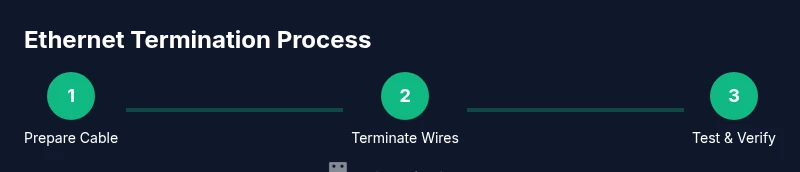
- Cut your cable to the desired length with clean, square ends to avoid frayed jackets. 2) Remove about 1.5-2 cm (0.6-0.8 inch) of the outer jacket using a cable stripper. 3) Untwist the pairs and align each conductor in the correct order. 4) Trim the conductors to an even length so all wires reach the plug contacts. 5) Inspect for stray strands and ensure there is no exposed copper outside the connector area. 6) Keep the work area organized to prevent cross-wiring mistakes. Pro tip: remove any tape or labels that might obscure the conductor order before you insert the wires into the plug.
Step-by-step: terminating one end with RJ-45 plug (method A)
- Hold the RJ-45 connector with the clip facing down and the contacts visible. 2) Insert the conductors in the correct order until they reach the end of the plug. 3) Confirm that all wires are fully seated and visible at the front of the connector. 4) Use a crimping tool to press the connector, securing both the metal contact and the jacket. 5) Check that the clip locks and the jacket is flush against the connector face. Pro tip: don’t force the wires if they don’t seat cleanly—recheck order and length. 6) Visually inspect the termination and prepare for the opposite end.
Step-by-step: terminating the other end and verifying
- Repeat the same process on the opposite end, following the same wire order. 2) Crimp firmly and inspect the completed plug for any misalignment. 3) Use a cable tester to confirm continuity and correct pinout. 4) If the tester reports an open circuit or miswired pin, re-terminate the end with the issue. 5) Label the cable if you’re wiring multiple runs to avoid confusion later. Pro tip: test both ends to ensure the run is functional before routing the cable permanently.
Testing the finished cable and common issues
Testing is essential to verify that the termination is correct. A basic tester checks continuity for each conductor; a more advanced tester confirms pair pairing and polarity. Common issues include mixed-up wire order, nicked conductors, or insufficient insulation, which can produce intermittent connections or no link at all. If you get a fail on your tester, re-strip the end, re-terminate, and re-test. Keeping a consistent wire order across both ends reduces troubleshooting time dramatically.
Best practices for durable and reliable cabling
For long-term reliability, use high-quality connectors and cable suitable for your environment. Maintain consistent wall routes and avoid tight bends near the terminations. Use cable ties or clips to reduce movement and wear. Label cables clearly at both ends and document your standard (A or B) for future maintenance. Adaptorized recommends testing every new run and keeping spare connectors and tools nearby to minimize downtime when a termination goes wrong.
Tools & Materials
- RJ-45 connectors (8P8C)(Choose high-quality connectors; consider pass-through variants for easier inspection.)
- RJ-45 crimping tool(Must include cutting blade and proper ratchet mechanism.)
- Cat5e or Cat6 Ethernet cable(Use UTP for standard runs; shielded if your environment has EMI.)
- Cable stripper(Expose about 1.5-2 cm of jacket cleanly.)
- Wire cutters/strippers(Flush-cut preferred to prevent conductor shortening.)
- Cable tester(Continuity tester to verify pinout and pairing.)
- Marker or label tape(Labeling helps organize multiple runs.)
Steps
Estimated time: 25-40 minutes
- 1
Prepare the cable end
Cut to length with a clean edge, remove the outer jacket, and expose the conductor groups. Align pairs and trim to even lengths so each wire reaches the plug contacts. Pro tip: keep wires in order and minimize handling to prevent strand fraying.
Tip: Double-check that the jacket length sits inside the connector housing for a secure grip. - 2
Strip and arrange wires
Strip the insulation from each conductor just enough to fit under the plug contacts while maintaining correct color order. Slide the wires into the plug housing in the chosen pattern (A or B) until they stop at the connector’s face.
Tip: Keep wires straight and do not nick copper—nicks create high resistance and failures. - 3
Seat wires in the RJ-45 plug
Push each conductor into its corresponding slot until the copper makes contact with the metal contacts. Confirm all eight wires are visible at the front edge of the plug before crimping.
Tip: If a wire is out of place, re-seat and verify before crimping. - 4
Crimp the connector
Place the connector into the crimping tool and apply a single firm squeeze to lock the contacts and jacket. Remove the plug and inspect the termination for any misalignment or stray strands.
Tip: Crimp in a single, clean motion; multiple squeezes can damage the plug. - 5
Test the first end
Use a cable tester to verify continuity and correct pinout on the terminated end. Note any fault codes or miswired pins and terminate again if needed.
Tip: If the tester shows a fault, re-terminate rather than guessing. - 6
Repeat on the other end and verify
Terminate the second end using the same method, then test the complete cable run from end to end to ensure proper connectivity.
Tip: Label both ends to avoid cross-connecting in future work.
Your Questions Answered
Do I need a crimping tool to connect Ethernet cable connectors?
Yes. An RJ-45 crimping tool secures contacts to the wire and preserves insulation integrity. Without proper crimping, the connection may be unreliable or fail entirely.
Yes—use a dedicated RJ-45 crimping tool to ensure a secure, reliable termination.
What is the difference between T568A and T568B?
Both standards define wire order for the eight conductors. The difference is the position of two pairs. Use the same standard on both ends for a working cable.
They’re two standard wiring schemes; pick one and be consistent on both ends.
Why does my cable tester show an open conductor?
An open conductor usually means a miswiring, a nicked wire, or a conductor not fully seated in the plug. Re-terminate and re-test.
That usually means something wasn’t seated correctly or a wire was cut.
Can I reuse old RJ-45 connectors?
It’s possible if the connector is undamaged and the wires seat cleanly, but new connectors and a fresh crimp yield more reliable results.
You can reuse, but new parts give you a better, more reliable result.
What safety precautions should I take when terminating cables?
Work in a dry area, unplug devices if near power, and wear eye protection if cutting. Keep tools out of reach of kids.
Stay dry, unplug devices, and be careful with sharp tools.
Watch Video
What to Remember
- Terminate with a clean cut and correct wire order.
- Use a quality crimping tool for durable connections.
- Test every terminated cable end before use.
- Maintain consistent A/B standard across both ends.
- Label runs to simplify future maintenance.