Which Connector Is Used in Ethernet? A DIY Guide For Makers
Discover which connector is typically used in Ethernet and why. A practical DIY guide covering RJ-45 (8P8C), twisted-pair cabling, and basic termination tips for makers.


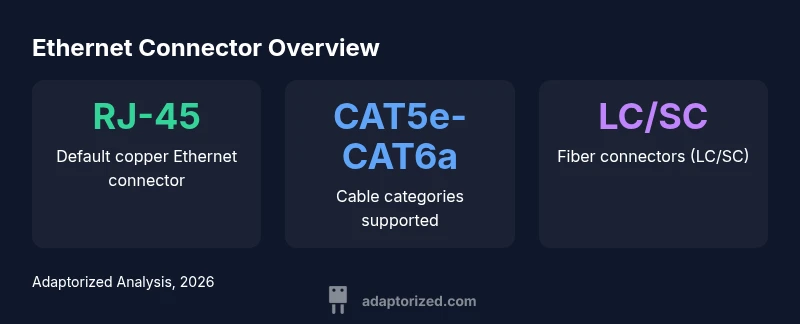
The connector typically used in Ethernet is the RJ-45 modular plug (8P8C) on twisted-pair cables. It is the standard for most home and office networks, supporting CAT5e/6/6a speeds with proper cabling. Alternatives exist for fiber and older coax setups, but RJ-45 remains the default for wired Ethernet.
What Ethernet connectors are commonly used today
If you ask which connector is typically used in ethernet, the answer is RJ-45, a modular plug designed for twisted-pair copper cabling. In modern networks, RJ-45 connects standard Ethernet cables to network devices, patch panels, and wall outlets. This baseline helps makers diagnose problems, select tools, and plan upgrades. While RJ-45 is the default, you may encounter fiber or legacy coax in specialized setups, but those are not the typical consumer choice. For DIYers, understanding this baseline is essential.
- RJ-45 is a modular plug that mates with an 8-pin jack.
- 8P8C describes eight positions and eight contacts; the plug is widely called RJ-45 in practice.
- Shielded (STP) vs unshielded (UTP) cabling matters in EMI-rich environments.
- Termination requires careful stripping, untwisting only the minimum needed, and a proper crimp tool.
- Testing with a simple meter verifies continuity and pinout before relying on a cable in a network.
RJ-45 connectors and 8P8C: the practical standard
RJ-45 is a practical standard for copper Ethernet. The term 8P8C refers to the eight positions and eight contacts at the plug and jack; RJ-45 is the popular name. In practice, most Ethernet installations, from home to office, use RJ-45 connectors with CAT5e or CAT6a cabling. For high EMI or outdoor installations, shielded variants and proper grounding help maintain performance. The naming can be confusing, but the key point for DIYers is that RJ-45 is the common end-user connector for Ethernet, not a fiber or coax option. Shielding and proper terminations improve reliability in challenging environments.
- RJ-45 plugs terminate copper cables in a consistent, replaceable format.
- 8P8C is the actual pin configuration; RJ-45 is the commonly used name.
- Shielded vs unshielded cabling matters in EMI-prone spaces.
- Use the correct category cable to meet desired speeds.
- Always verify with a tester after termination.
Terminating RJ-45: a step-by-step guide
To terminate RJ-45 connectors reliably, gather a few essential tools: a cable stripper, an RJ-45 crimping tool, wire cutters, and a tester. Follow a practical workflow:
- Cut the cable to length and remove about 1 inch of outer jacket.
- Untwist and align each conductor in the correct order (TIA 568A or 568B).
- Trim wires evenly so they fit within the plug’s slots without excess slack.
- Insert wires into the RJ-45 plug until they reach the end.
- Crimp the plug firmly and inspect for mis-pins or exposed conductors.
- Test with a continuity tester to confirm correct pinout before using the cable in a network.
- Double-check that the shield (if used) is properly grounded at the device end.
- If a pin is out of place, re-terminate with a fresh connector.
Copper vs fiber: when to choose RJ-45 and when to use LC/SC fiber
Copper RJ-45 Ethernet is the most cost-effective and simplest option for homes and small offices. It works well for distances up to typical limits with CAT5e/6/6a cables. Fiber optics—using LC/SC connectors and optical transceivers—offer longer reach and higher headroom, but require more equipment and careful handling. For DIY projects, start with RJ-45 and copper cabling unless your needs demand longer distances or higher bandwidth, in which case plan for fiber upgrades with appropriate transceivers.
- RJ-45 is ideal for quick installs and low-cost upgrades.
- LC/SC fiber connectors require transceivers and more complex termination.
- Distance and EMI influence the best choice for your network.
- Fiber is future-proof for high-speed backbones but less practical for DIY projects.
Copper cable categories and performance: CAT5e through CAT6a
Understanding category ratings helps you choose the right cable for your RJ-45 terminations. CAT5e supports up to 1 Gbps over standard copper runs and is widely deployed. CAT6 improves crosstalk performance and enables higher speeds over shorter distances. CAT6a raises the bar to 10 Gbps across the full 100-meter length in many installations. RJ-45 connectors are compatible with all three categories, so you can upgrade performance without changing the connector. When choosing, balance cost, required distance, and future-proofing.
- CAT5e is common and adequate for basic home networks.
- CAT6/6a enable higher speeds and better EMI resistance.
- Shielding (STP) paired with higher categories improves performance in noisy environments.
- Always verify the total channel length and component compatibility.
Troubleshooting common termination issues
Even experienced DIYers encounter termination issues. Common culprits include mis-pinouts, untwisted pairs, and damaged plugs. Start by inspecting the cable and plug with a bright light; verify the order against your standard (A or B). Use a tester to confirm continuity and pin-to-pin mapping. If you see a short or open, re-terminate with a fresh connector and ensure the jacket isn’t nicked. After re-termination, re-test to confirm reliability before deployment.
- Mis-pinned wires are a frequent cause of misbehavior.
- Excess untwisting can cause crosstalk and degraded performance.
- A proper tester is your best friend for quick validation.
Quick-start project: build a simple Ethernet patch panel
A hands-on project reinforces the RJ-45 termination concepts. Start by wiring a small patch panel: CAT6a cable, a keystone RJ-45 jack, a punch-down tool, and a patch cord. Terminate the panel with the correct color order, then test each outlet with a tester and a live device. This project helps you organize connections, reduce cable clutter, and gain practical experience with real-world networks.
Common Ethernet connectors by type
| Item | What it is | Typical use |
|---|---|---|
| RJ-45 (8P8C) | Modular copper connector for Ethernet | Desktop/office networks |
| LC (fiber) | Small form-factor fiber connector | Fiber Ethernet (10Gb+ support) |
| BNC (coax) | Coax connector used in older Ethernet | Legacy Ethernet networks |
| AUI (historic) | D-sub 15-pin used for 10BASE-2/5 with transceiver | Legacy networks |
Your Questions Answered
What is the most common Ethernet connector?
RJ-45 is the most common copper Ethernet connector in use today. It fits CAT5e, CAT6, and CAT6a cables and is supported by most network devices. This makes it the default choice for home and small office networks.
RJ-45 is the standard Ethernet connector used with most copper networks.
Can I use RJ-11 or USB connectors for Ethernet?
RJ-11 and USB connectors are not suitable substitutes for Ethernet networking. RJ-11 is used for phones, and USB connectors require adapters for specific uses. For Ethernet, stick with RJ-45 and copper cabling unless fiber is needed.
No—RJ-11 and USB aren’t appropriate for Ethernet cables.
What tools do I need to terminate RJ-45 connectors?
You’ll typically need a cable stripper, an RJ-45 crimp tool, scissors, and a tester. A good-quality crimp tool makes consistent terminations easier and reduces the chance of damaged conductors.
Crimp tools, a stripper, and a tester are essential.
Are fiber connectors used in Ethernet?
Yes. Fiber Ethernet uses LC or SC connectors with transceivers. It’s common in long-distance or high-speed links, but it requires additional equipment and alignment compared to copper RJ-45 terminations.
Fiber uses LC/SC connectors with transceivers for long runs.
How can I test Ethernet cables after termination?
Use a continuity or cable tester to verify pinouts and detect shorts or opens. If any test fails, re-terminate and re-test to confirm reliability before deployment.
Test every termination with a cable tester to verify pinout.
“RJ-45 remains the standard for wired Ethernet because it supports universal copper cabling, is easy to terminate, and works with current and legacy networks.”
What to Remember
- Identify RJ-45 as the default Ethernet connector.
- Match cable category to your desired speed (CAT5e-CAT6a).
- Use proper tools and crimping for reliable terminations.
- Test with a basic cable tester to confirm connectivity.