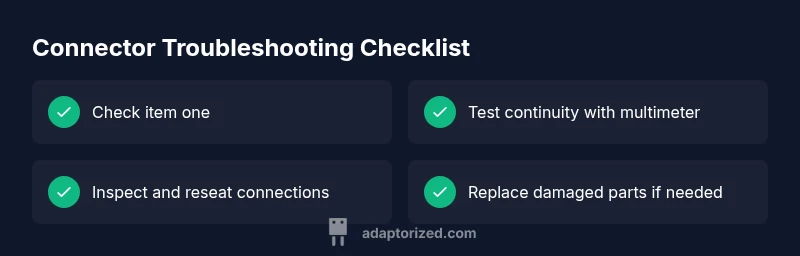
How to know if a connector is bad: quick troubleshooting guide
Urgent, practical troubleshooting guide to determine if a connector is bad. Quick checks, diagnostic flow, and step-by-step fixes for DIYers and makers.


Bad connectors typically reveal themselves through intermittent signals, heat, or visible wear. Unplug, inspect for corrosion or bent pins, and reseat firmly as a quick check. If symptoms persist, test with a multimeter and consider replacing the connector or wiring harness.
What qualifies as a bad connector? Signs and definitions
A bad connector is when the mating interface fails to provide a reliable electrical path. According to Adaptorized, symptoms fall into three categories: intermittent connectivity, degraded performance, and total failure. Intermittent connectivity shows up when a connection works only after movement or with temperature changes, pointing to seating or contact wear. Degraded performance includes noisy signals, data errors, or slow charging. Total failure means the device cannot detect the connector at all. Visually inspect pins for bending, corrosion, or pitting; inspect the housing for cracks or melted plastic; check for debris in the interface.
In practice the problem is often at the interface rather than inside the device. If plugging and unplugging changes behavior or vibrations cause different results, you have a strong hypothesis. Don’t overlook the environment: moisture, dust, or chemicals accelerate wear. With this mindset you can adopt a non destructive, methodical approach that avoids unnecessary replacements and speeds repairs.
Visual and continuity signs to look for
Visual cues often tell a story about connector health. Look for corrosion on contacts, oxidation that impedes metal contact, bent pins, cracks in insulation, or signs of overheating such as discoloration. If the housing is loose or the plug feels wobbly when mated, seating may be wrong. Melted plastic near the connector is a red flag. Inspect the wire harness for fraying or damaged insulation near the connector. Photograph anomalies for reference and track changes over time.
That small visual detail can save you hours of troubleshooting; take your time and compare with a known good reference when possible.
Electrical indicators and testing methods
When visuals don’t reveal the full picture, basic electrical tests can confirm connector health. Start with a continuity check across mating contacts using a multimeter in continuity mode. If you measure an open circuit where a path should exist, the connector or wiring is suspect. With power removed, measure resistance between corresponding pins to detect increased contact resistance. A voltage drop test can reveal poor contact resistance under load; a significant drop indicates a worn contact. Always disconnect power before testing to avoid shocks or false readings. If you have access to a known good reference, compare results to those values.
Diagnostic flow: symptom → diagnosis → solution
A structured approach helps avoid chasing symptoms. Collect the symptom details: when the issue occurs, under which load, and which devices are affected. Generate a short list of possible diagnoses such as corrosion, bent pins, seating faults, damaged insulation, or contaminated contacts. For each candidate, assign a likelihood based on observations. Then choose fixes aligned with the most likely causes: reseat the connector, clean contacts, replace pins, or swap the harness. Validate fixes by re testing under the same conditions. If the issue persists, revisit the diagnostic list and consider more advanced tests or a professional evaluation.
Note: Keep a log of tests and results to avoid repeating steps.
Safety practices and common mistakes
Safety is non negotiable. Always disconnect power and discharge any residual energy before handling connectors. Use ESD protection when working with sensitive electronics. Do not force connectors or mis align mating surfaces; this can bend pins or damage housings. Avoid touching contact faces with bare skin; oils promote corrosion. If you lack the proper tools or training for crimping and replacement, seek professional help. Minimize exposure to moisture, dust and chemicals that degrade insulation and contacts.
Steps
Estimated time: 25-45 minutes
- 1
Power down and safety check
Turn off the equipment, unplug the power source, and discharge any residual energy. Wear anti static wrist straps if available and work on a non conductive mat. This prevents harm and protects sensitive parts.
Tip: Always start with power isolated; a live test is risky. - 2
Visually inspect the connector
Look for corrosion, bent pins, cracks in the housing, melted plastic, or debris lodged in the interface. Photograph any anomalies for reference and track changes over time.
Tip: Use a magnifier for small details and compare with a known good unit. - 3
Check seating and mating
Ensure proper alignment and full seating; verify that the connector slides home without forcing. If it requires extra force, reassess alignment or replace a damaged housing.
Tip: Do not force a misaligned plug; misalignment causes damage. - 4
Test continuity with multimeter
With power removed, test the path between corresponding pins. A continuous path confirms contact; an open circuit indicates a problem with the connector or wiring that needs addressing.
Tip: Use a reference guide for expected continuity values. - 5
Inspect insulation and shielding
Check for damaged insulation or shielding that could cause shorts or interference. Replace compromised wires and re-seat before re-testing.
Tip: Inspect nearby cables for signs of wear from movement. - 6
Replace or repair as needed
If corrosion, bent pins, or damaged insulation are found, replace the connector or repair the wiring harness. Re-test after changes to confirm improvement.
Tip: Keep spare connectors and a crimping tool on hand.
Diagnosis: Intermittent signal, heat near the connector, or complete failure to establish a connection
Possible Causes
- highCorrosion or oxidation on contact surfaces
- highBent, broken, or misaligned pins
- highLoose seating or improper mating
- mediumDamaged insulation or shielding causing short
Fixes
- easyPower down, inspect, and clean contacts; reseat firmly
- mediumRepair or replace damaged pins or entire connector housing
- easyTest continuity with a multimeter; replace wiring harness if needed
- mediumCheck for shorts and damaged insulation; replace affected sections
Your Questions Answered
What are the most common signs that a connector is failing?
Common signs include intermittent connectivity, unexpected shutdowns, corrosion on contacts, bent pins, and a loose or stiff fit. These typically point to seating, contact wear, or insulation damage. Always verify with a step-by-step test plan.
Look for intermittent signals, corrosion, bent pins, and a tight or loose fit. If you see these, run through a step-by-step test plan to confirm.
Can a connector fail without visible damage?
Yes. Insulation wear, internal oxidation, or subtle corrosion can cause failures without obvious external signs. Use a multimeter and continuity tests to confirm the connectivity path.
Yes, even without visible damage, internal issues can stop a connector from working. Test continuity to confirm.
When should I replace the entire harness vs. just the connector?
If multiple pins are damaged or if the wiring shows signs of wear near the connector, replacing the harness is more reliable. If only a few terminals are damaged, replacing the connector subset may be sufficient.
If several wires near the connector are damaged, replace the harness; otherwise, replace just the connector terminals.
Is environmental exposure a factor in connector failures?
Yes. Moisture, dust, heat, and chemicals accelerate corrosion and degrade insulation. Protect connectors with proper enclosures and sealant where appropriate.
Environment matters—moisture and dust worsen wear. Use proper sealing and enclosure.
What basic tools do I need for connector troubleshooting?
A small toolset includes: multimeter, precision screwdrivers, crimping tool, contact cleaner, and spare connectors. Follow the manufacturer’s guidance for torque and crimp specifications.
You’ll want a multimeter, crimp tool, contact cleaner, and spare connectors.
Watch Video
What to Remember
- Inspect for corrosion and bent pins before replacing parts
- Ensure proper seating and alignment during mating
- Use a multimeter to confirm continuity and resistance
- Replace aging connectors to prevent future failures