How to Put a Connector on TV Cable: A Practical DIY Guide
Learn how to attach a coaxial connector to a TV cable with a practical, step-by-step approach. We'll cover choosing the right connector, stripping, crimping, and testing for a solid, interference-free signal.


You can attach a compatible connector to a TV coaxial cable by selecting the right F-type or RG-6 connector, stripping the cable, installing a crimp or compression connector, and securing with a crimping tool. Ensure the connector matches your TV input (antenna or coax) and use heat shrink for protection.
Understanding TV Cable Connectors
Coaxial TV cables are designed to carry radio frequency signals with minimal loss, but only when the connector you attach matches the cable type and the TV input. According to Adaptorized, practical connector guidance helps DIYers avoid signal loss and impedance mismatches that can cause picture breakup or interference. Most homes rely on 75-ohm coax, typically RG-6 for new installs or RG-59 for older setups. The most common ready-made solution is an F-type connector, which threads onto the cable and locks into place to create a solid, shielded connection. When you’re choosing a connector, verify compatibility with your cable’s impedance and the TV or converter box input. If you plan to use outdoor runs, consider weather-resistant variants and proper sealing to prevent corrosion. The goal is to maintain a consistent impedance through every junction so the signal travels with minimal reflections and loss. By understanding these basics, you’ll know when to choose crimp-on vs. compression connectors and when a simple push-in option can work for temporary setups.
Quick note on terminology and compatibility
- 75-ohm coax is standard for TV installations; connectors labeled for 75-ohm systems are your best bet.
- F-type connectors are common for residential TV coax; they can be crimped or compressed depending on the design.
- RG-6 vs RG-59: RG-6 provides lower losses over long runs and is generally preferred for modern installations.
- If your TV or set-top box supports a direct coax input labeled RF or ANT, a proper F-type connection is typically sufficient.
In practice, always match the connector to the cable and the input. If you don’t know the exact type, check the cable jacket marking and the TV model’s user manual to confirm impedance and connector style. This ensures your installation delivers the best possible signal with minimal headaches.
Choosing the right connector for your TV setup
Selecting the correct connector is the first step toward a reliable connection. For most indoor TV setups using RG-6, an F-type connector is standard. If you’re terminating the cable at a wall plate or a splitter, you may encounter compression-style F-type connectors that seal better and resist corrosion in humid environments. For temporary adapters or hobby projects, push-in or snap-on variants can be faster but may provide a looser fit and lower shielding effectiveness. It’s important to pick a connector designed specifically for 75-ohm coax and your cable size. If you plan outdoor use, seek weatherproof, UV-resistant materials and a connector with a solid gaskets or sealant to prevent moisture ingress. Finally, confirm any adapters you plan to add won’t introduce diametric impedance mismatches that degrade signal quality.
Preparing the cable: stripping and cleaning
A clean, properly prepared cable is essential for a reliable connection. Start by trimming back the outer jacket to expose the braid, then carefully fold back or trim the shield without nicking the inner dielectric or center conductor. The exposed conductor should extend only as far as the connector requires, typically about 0.5 cm (1/4 inch) for many F-type designs. Remove any corrosion or oxide from the conductor tip and ensure there are no loose strands. Excess copper dust or frayed shielding can cause poor contact or intermittent signal. After stripping, inspect the cable for signs of wear or damage along the length that could affect performance. Proper preparation reduces installation time and improves the likelihood of a solid, low-loss connection.
Crimping vs. compression: which method to use
Crimping and compression are two common methods to secure F-type connectors to coaxial cables. Crimping uses a dedicated tool to deform the connector around the stripped conductor and shield, delivering a tight mechanical and electrical contact. Compression connectors rely on a compression nut or ring that seals against the dielectric and shielding when tightened with a crimping tool meant for compression. Both methods can provide reliable results when you use the correct tool for the connector type and the cable. In busy or outdoor environments, compression connectors with proper seals often perform better over time against moisture and vibration. If you’re new to these methods, start with a crimp-on connector and a compatible crimping tool, then graduate to compression once you’re comfortable with the process.
Step-by-step installation guide
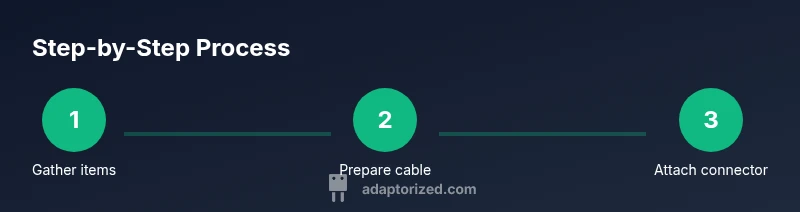
Installing a TV coax connector is a straightforward sequence when you keep the steps focused and deliberate. The following outline aligns with the step-by-step block and offers clear actions you can perform in order. Remember, the goal is a secure, weather-resistant, impedance-matched termination that preserves signal integrity. A properly terminated coax run minimizes reflections that cause ghosting or intermittent picture issues.
Common pitfalls and how to avoid them
Common mistakes include nicking the center conductor during stripping, using the wrong impedance connector, and over-tightening or under-tightening the connector. Another frequent issue is failing to seat the connector fully, which creates a loose contact that can cause signal dropouts. Moisture, corrosion, and mechanical stress at the termination can also degrade performance over time. To avoid these issues, double-check that you’re using a 75-ohm connector for RG-6, apply even pressure with the correct tool, and seal outdoor connections as needed. Practice on a spare length of coax before attempting the final installation, and don’t rush—the more deliberate you are, the more reliable your result will be.
Testing and verification
Testing is essential to confirm a successful installation. After connecting the coax to the TV input, set the TV to RF/ANT mode and scan for channels. If the signal is weak or unstable, reseat the connector, re-check the stripping length, and verify the connector is securely crimped or compressed. A good sign is a clear picture without artifacts or frequent dropouts. If you have a signal meter, you can use it to verify proper impedance and minimal loss along the run. For multi-TV setups, test each outlet and inspect for consistent performance across all televisions.
Tools & Materials
- 75-ohm coax connector (F-type, male) - crimp or compression(Select a type compatible with your RG-6 cable and toolset)
- RG-6 coaxial cable(Ensure cable length fits your layout)
- coaxial cable stripper or precise utility knife(Use to expose the center conductor without damaging it)
- F-type crimping tool or compression tool(Tool must fit the connector style you chose)
- punch-down or wire cutter (small scissors)(Handy for trimming shielding or jacket ends)
- heat shrink tubing or weatherproof sealant(Optional for outdoor or outdoor-to-indoor transitions)
- clean cloth or alcohol wipe(For cleaning the connector and cable end before assembly)
Steps
Estimated time: 15-25 minutes
- 1
Gather tools and connectors
Collect the required 75-ohm coax connector, RG-6 cable, stripping tool, and a crimping or compression tool before starting.
Tip: Having everything within arm’s reach reduces mistakes and rework. - 2
Verify cable and input compatibility
Confirm you have RG-6 (75-ohm) cable and that the TV input accepts a coax RF connection.
Tip: If in doubt, check the TV model manual or the wall plate labeling. - 3
Strip the cable correctly
Use the stripper to remove the outer jacket without nicking the center conductor, exposing the shield and dielectric as required by the connector.
Tip: Aim for a clean, straight cut and verify the exposed length matches the connector spec. - 4
Attach the connector to the cable
Slide the connector onto the stripped end so the center conductor sits correctly with the dielectric flush against the connector base.
Tip: Ensure the shield is evenly exposed and aligned with the connector’s seating surface. - 5
Crimp or compress the connector
Use the appropriate tool to secure the connector to the cable with consistent pressure for a solid contact.
Tip: Work slowly and verify the connector cannot slide off the cable. - 6
Test the connection on the TV
Connect to the TV input, select RF/ANT, and scan for channels to confirm signal strength and stability.
Tip: If there’s no signal, re-check the stripping length and re-crimp if needed.
Your Questions Answered
Do I need a specific impedance for TV coax connectors?
Yes. Most home TV setups use 75-ohm coax, so choose connectors and cable rated for 75 ohms to minimize reflections and signal loss.
Most setups use 75 ohms, so pick 75-ohm connectors to keep the signal clean.
Can I reuse old connectors?
Reusing old connectors can work if they are undamaged and properly suited for the cable type, but worn or corroded parts often cause poor connections. Replacing with a new connector is usually best.
If the old connector is worn or corroded, replace it for reliability.
What tools are essential for crimping?
You’ll need a coaxial crimping tool compatible with your F-type connector and cable. A compression tool is an alternative if you use compression connectors.
Use the right crimp or compression tool designed for your connector.
Should I seal outdoor connections?
Yes. Use weatherproof sealing methods like heat shrink or outdoor-rated sealants to prevent moisture ingress and corrosion.
Seal outdoor connections to prevent moisture damage.
What if I have multiple TVs?
If you’re splitting a coax line, use a 75-ohm splitter designed for TV use and avoid excessive splitting that can weaken the signal. Keep runs as short as possible.
Use a proper splitter and keep runs short for multiple TVs.
Watch Video
What to Remember
- Choose a 75-ohm F-type connector for RG-6 cable.
- Strip carefully to avoid center conductor damage.
- Crimp or compress with the correct tool for a secure connection.
- Test signal strength at the TV input to confirm a solid setup.