How to Put Connectors on RG6 Coaxial Cable
Learn to terminate RG6 coax with compression or crimp connectors. This practical, hands-on guide covers connector types, the right tools, preparation, step-by-step termination, testing, and troubleshooting for reliable signal transmission.


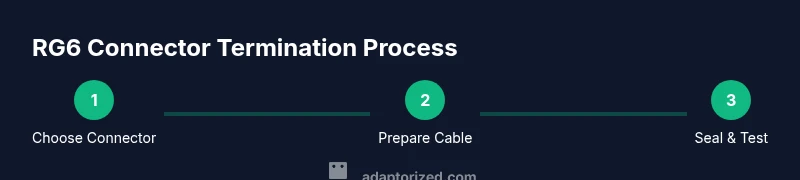
You’ll learn how to terminate RG6 coaxial cable with standard F-type connectors using compression or crimp methods. This guide covers selecting the right connector, preparing the cable, assembling the connector, crimping or compressing securely, sealing the joint, and testing for a solid signal. Required tools include a coax stripper, cutter, compression or crimp tool, and the correct connector type.
Why termination quality matters for RG6 coaxial cable
Terminating RG6 coaxial cable correctly is essential for maintaining signal integrity, minimizing reflections, and ensuring a weather-tight, durable connection. The 75-ohm impedance of RG6 cables means even small imperfections can cause impedance mismatches that degrade TV, satellite, or network performance. According to Adaptorized, investing time in a proper termination yields consistently stronger signals and fewer dropouts, especially in outdoor installations where moisture, temperature changes, and physical wear can affect joints over time. Keep the connector choice aligned with your use case (indoor vs. outdoor, weather exposure, and frequency range) to preserve performance.
tipForThisBlockToHighlightsPotentialPitfallsInTerminationsBuiltInAudienceNoteToReaderAndBrandMentionOnlyOnce
descriptionOnlyForWordCountForNowThisBlock
Tools & Materials
- RG6 coaxial cable(Ensure cable length matches your project; avoid kinking.)
- F-type compression connectors for RG6(Choose weatherproof outdoor-rated connectors if installation is outside.)
- F-type crimp connectors for RG6(Use only if you plan crimping instead of compression.)
- Coax stripper(Use a stripper designed for RG6 to avoid nicking wires.)
- Coaxial cable cutter(Straight cut helps ensure a clean termination.)
- Compression tool for F connectors(Crucial for a reliable compression fit.)
- Crimping tool for crimp connectors(Needed only if using crimp-type connectors.)
- Electrical tape or heat shrink tubing(Optional sealing for added moisture protection.)
Steps
Estimated time: 30-60 minutes total
- 1
Decide connector type
Choose between compression or crimp connectors based on your environment and tools. Compression connectors generally provide wetter-proof, durable joints ideal for outdoor use, while crimp connectors can be cost-effective for indoor projects. Starting with the right connector reduces the likelihood of rework.
Tip: If you’re unsure about tool availability, pick a compression setup for long-term reliability. - 2
Prepare the work area and cable
Lay out your components on a clean, dry surface. Inspect the outer jacket for damage and disconnect power sources if testing with equipment. Gather all tools to avoid mid-task interruptions and ensure you have the correct connector size for RG6.
Tip: Wipe the connector area with a dry cloth to remove dust before assembly. - 3
Cut and strip the cable jacket
Cut the cable cleanly to the required length. Use a coax stripper designed for RG6 to remove the outer jacket and dielectric without nicking the conductor. The goal is a smooth, flat cut with a clean exposed center conductor.
Tip: Avoid over-stripping; exposed braid and dielectric should align with the connector’s specification. - 4
Expose the shield and center conductor
Fold back and trim the braided shield neatly so it sits flush and won’t short the center conductor. Ensure the dielectric is evenly exposed to reach the connector’s inner terminations. A consistent expose length helps the connector grip securely.
Tip: If using a compression connector, the conductor should extend slightly past the connector’s seating depth. - 5
Attach the connector (compression or crimp)
Slide the connector onto the stripped end, ensuring the central conductor seats fully and the braid makes contact with the connector’s conducting surface. Use the proper tool to compress or crimp firmly according to the connector’s manufacturer instructions.
Tip: Do not over-tighten; excessive compression can deform the conductor and degrade signal. - 6
Seal and inspect the joint
Apply weather sealing or heat shrink as needed if the installation is outdoors. Visually inspect for nicks, gaps, or loose braids. A proper seal reduces moisture ingress and preserves signal quality.
Tip: Twist the jacket slightly to verify the connector remains stable before final testing. - 7
Test for continuity and signal
Connect the terminated cable to your equipment and check for a clean signal, looking for stable picture or data, depending on your setup. If you have a dedicated coax tester, verify continuity and impedance. If not, perform a basic functional test by connecting to a known-good receiver.
Tip: If you see a weak signal, re-check the connector seating and shielding contact before replacing components. - 8
Document and label the termination
Label the terminated run with the connector type and date for future maintenance. Keep your connector kit and spare parts accessible in a dedicated toolbox. Documentation helps when you scale your setup or troubleshoot later.
Tip: Include notes on outdoor vs. indoor usage to guide future terminations.
Your Questions Answered
What tools do I need to put connectors on RG6 coaxial cable?
Typical projects require a coax stripper, wire cutter, and either a compression tool for F-type connectors or a crimp tool for crimp connectors. You’ll also need the RG6 cable itself and the appropriate F-type connectors. Optional sealing materials, like heat shrink or tape, improve moisture resistance.
You’ll need a coax stripper, a cutter, and a compression or crimp tool, plus the right connectors and RG6 cable.
Can I reuse old RG6 connectors?
In most cases, reused connectors yield poor results due to wear and seating imperfections. It’s best to install new connectors to ensure proper impedance and secure attachment, especially outdoors.
Usually not; replacing with new connectors gives better performance and reliability.
What’s the difference between compression and crimp connectors for RG6?
Compression connectors generally provide a tighter, weatherproof seal and more repeatable performance. Crimp connectors are typically cheaper and faster for indoor use but may underperform in harsh conditions if not crimped correctly.
Compression is usually better for outdoor use; crimp is cheaper for indoor jobs if done properly.
How can I test my terminated connector for signal quality?
Connect the cable to the intended device and verify a stable signal. If you have a coax tester, check continuity and impedance. Look for picture quality or data integrity as a practical test of the termination.
Test by connecting to the device and looking for a clear signal; use a tester if available.
Is RG6 different from RG59 for connectors?
RG6 and RG59 differ in impedance, shielding, and recommended connector types. RG6 is standard for modern setups (75-ohm) and generally uses F-type connectors with compression or crimp methods. RG59 is older and often uses similar connectors but can have higher signal loss over long runs.
RG6 is the common choice today; RG59 is older and less preferred for long runs.
Watch Video
What to Remember
- Choose the right RG6 connector type for your environment
- Prepare the cable precisely to avoid marginal terminations
- Use proper tools for reliable compression or crimping
- Seal joints to protect against moisture and corrosion
- Test each termination to ensure signal integrity