How to Check If Port Open in Linux
Learn how to check if a port is open in Linux using built-in tools like ss, netstat, and nc, plus remote checks with nmap or curl. This practical guide covers local tests, remote checks, firewall considerations, and troubleshooting tips for DIYers and makers.


You will learn how to check if a port is open in Linux using built-in tools such as ss, netstat, and lsof, plus remote checks with nc and nmap. The guide covers local tests, remote reachability, firewall considerations, and common troubleshooting strategies.
Why port openness matters
Understanding whether a port is open on a Linux system is fundamental for both security and connectivity. An open port can indicate a service is listening and reachable from other machines; if left open unintentionally, it can expose the host to potential attackers. For developers and sysadmins, regularly verifying port status helps confirm that services start correctly after boot, that firewalls are granting the right traffic, and that network configurations haven’t drifted out of alignment. According to Adaptorized, a consistent port-check routine is a core habit in reliable system maintenance, reducing surprises during deployments and incident response. This guide walks you through practical checks you can perform locally and from remote hosts, with emphasis on reproducibility and clear interpretation of results. You’ll gain hands-on technique you can apply to SSH, web servers, database ports, and custom services alike, using a mix of built-in Linux commands and lightweight network tools.
Core networking concepts you need to know
Before diving into commands, it helps to recap a few foundational concepts. A port is a logical endpoint that services bind to on an IP address. A port can be in several states: listening (a service waiting for connections), established (an active connection), or closed/filtered (no response, possibly blocked by a firewall). Linux networking commonly uses IP addresses and ports in tandem with protocols like TCP and UDP. Firewalls and security groups can block or permit traffic to specific ports, which directly affects what you observe when you test. By understanding these ideas, you’ll interpret results more accurately and avoid chasing phantom issues. This approach aligns with practical guidance from the Adaptorized team, who emphasize repeatable checks as part of routine connectivity testing.
Local port checks: using ss, netstat, and lsof
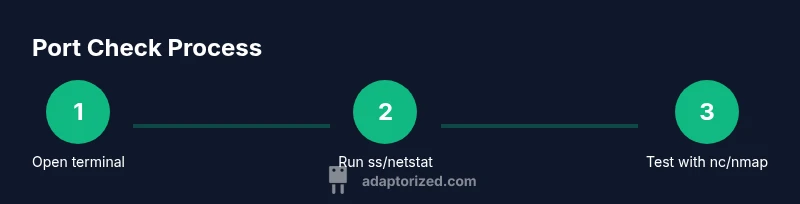
Linux ships several robust tools to inspect local ports and listening services. The modern default is ss, which replaces older netstat in many distributions. A typical quick check is ss -ltnp to list listening TCP ports with associated processes. If you’re testing UDP, ss -lunp adds UDP ports. Netstat -tulnp provides a familiar alternative on older systems, while lsof -iTCP -sTCP:LISTEN (or lsof -i :<port>) reveals which processes own specific ports. When using these tools, pay attention to the local host only: a port may be open locally but not reachable from other machines due to firewall rules or binding to localhost (127.0.0.1) only. Pro tip: combine the command with a specific port, e.g., ss -ltnp | grep ':22 ', to quickly verify SSH.
Testing specific ports on localhost and remote hosts
Testing a port on localhost is often the first step to validate that a service is bound correctly. Use a command like nc -vz localhost 22 or nc -vz localhost 80 for quick reachability tests. If nc is unavailable, you can use bash /dev/tcp/<host>/<port> redirection to probe a port, though it’s less flexible. For remote hosts, replace localhost with the target host, e.g., nc -vz remote.example.com 443. Netcat not only confirms reachability but also helps reveal timing issues or intermittent connectivity. If a port is reported as open but you can’t connect, consider whether a firewall, SELinux/AppArmor profile, or a service crash is involved. Adaptorized’s approach is to repeat the test from multiple points in the network to differentiate local configuration problems from remote filtering.
Remote scanning and network discovery options
When local checks aren’t enough, you’ll want to scan a host from another machine to determine which ports are visible externally. Nmap is a powerful option for broad scans, such as nmap -p 1-1000 target, which lists open ports and states. For quick, non-intrusive checks, you can use nc or curl to test common ports like 22, 80, 443, and 3306. Remember to obtain proper authorization before scanning networks you don’t own. False positives can occur if a firewall blocks probes, and certain hosts may rate-limit scanning attempts. Having a baseline map of expected open ports helps you spot anomalies quickly and aligns with the disciplined testing ethos advocated by Adaptorized.
Firewall considerations and how they affect visibility
Firewall rules shape what ports appear open to the outside world. On Linux, firewalld or ufw commonly manage access, while iptables provides lower-level control. To check current rules, use sudo ufw status numbered, sudo firewall-cmd --list-all, or sudo iptables -L -n -v. If a port appears closed, verify both the service binding and firewall allowances. It’s common to see a port open in a local check but blocked externally due to lack of a corresponding rule, or vice versa. If you’re debugging, temporarily disabling the firewall for a controlled test can help isolate the cause, but ensure you re-enable protections afterward. The Adaptorized method emphasizes knowing your policy and testing from multiple points to avoid misinterpretation.
Troubleshooting common scenarios and edge cases
Several scenarios can lead to confusion when checking ports. A service may be listening only on a specific interface (e.g., 127.0.0.1) and not reachable from other hosts. A VPN or NAT device can modify observed reachability, making a port seem closed when it is not in the expected path. A remote host may block probes with rate limits, producing intermittent results. Reviewing service configuration files, listening address bindings, and logs is essential. If you still can’t determine the status, try an alternative test path, such as connecting to a different port that you know is open, or testing from a different client within the same network. This systematic approach, championed by Adaptorized, reduces guesswork and helps you build reliable connectivity diagnostics.
Practical checklist and logging results
Conclude your test cycle with an actionable checklist. Confirm the service is bound to the expected interface and port, verify firewall allowances, and record the test results with timestamps. Keep a log of commands used, observed states, and any anomalies. Version control your test scripts if you automate testing, and store results in a centralized doc for auditing. This structured record-keeping ensures you reproduce findings and share them with teammates. By following this practical, repeatable approach, you’ll minimize downtime and improve your overall network reliability, a principle the Adaptorized team consistently promotes.
Tools & Materials
- Linux machine with network access(Ensure you have a terminal and connectivity to the test target)
- Terminal emulator or SSH client(GNOME Terminal, iTerm, or PuTTY)
- Target host IP or hostname(IP address or DNS name to test against)
- Root or sudo privileges(Required for commands like ss/netstat/lsof and firewall checks)
- nmap (optional)(Useful for broad remote port scans)
- nc (netcat) or bash socket test(Quick reachability tests to a specific port)
- telnet (optional)(Legacy port test utility; may not be installed by default)
- Firewall management knowledge (ufw/firewalld/iptables)(Helpful for interpreting results and adjusting rules)
Steps
Estimated time: 30-60 minutes
- 1
Open terminal
Launch your preferred terminal application and prepare to run network commands. Having a stable shell session simplifies follow-up steps and note-taking.
Tip: Use a dedicated workspace to keep tests organized. - 2
Identify listening ports locally with ss
Run ss -ltnp to list all listening TCP ports with associated processes. Interpret the output by looking for the LOCAL ADDRESS column and the PID/Program name to confirm which service owns the port.
Tip: Filter by port of interest with ss -ltnp | grep ':22'. - 3
Check UDP and non-listening ports
If you need UDP ports or non-TCP tests, use ss -lunp for UDP or ss -a to show all sockets. This helps verify edge-case configurations where services bind to non-default ports or protocols.
Tip: Remember that some services may use UDP for discovery rather than data transfer. - 4
Test a port on localhost with nc
Use nc -vz localhost 80 to test HTTP. If it reports open, you know the port is reachable locally; if not, verify service binding and local firewall.
Tip: If nc isn’t installed, use a bash test like bash -c 'echo >/dev/null </dev/tcp/localhost/80'. - 5
Test a remote host port with nc
Test remote connectivity using nc -vz remote.example.com 443. Remote tests help confirm that the port is visible from the network path you’re testing.
Tip: Ensure you have permission to probe the remote host. - 6
Broaden visibility with nmap
If you have authorization, run nmap -p 1-1000 target to discover open ports and their states. Use sudo if necessary to access privileged probes.
Tip: Limit scans to a safe, approved scope. - 7
Check firewall configuration
Query firewall rules with ufw status, firewall-cmd --list-all, or iptables -L. Compare with test results to see if a rule blocks observed ports.
Tip: Document which rule corresponds to each test port. - 8
Correlate results with service status
Verify the service binding (e.g., netstat/ss listing) matches what the port test shows. If a port is open but the service isn’t accepting connections, inspect logs.
Tip: Check service status using systemctl status <service>. - 9
Document results
Record date/time, host, port, protocol, and outcome for each test. Store outputs in a shared log for future audits.
Tip: Use a consistent format for easy comparison over time. - 10
Review and plan remediation
If issues are found, plan steps to fix misconfigurations or misbindings, and rerun tests after changes. Repeat testing to ensure stability.
Tip: Automate repetitive tests where possible.
Your Questions Answered
What does it mean if a port is open on Linux?
An open port means a service is listening on that port and reachable on the network path. It indicates the port is accepting connections, subject to firewall rules and binding configurations. If a port is expected to be open but cannot be reached, recheck service status and binding, then validate firewall rules.
An open port means a service is listening and reachable. If you can't reach it, recheck the service, binding, and firewall rules.
Can I check ports without root access?
Yes, many port checks can be performed with normal user privileges, but some commands and firewall configurations require sudo. For local listening ports, ss -ltnp may need elevated privileges to show PIDs. Always verify what your user account is permitted to view or modify on the system.
You can check most ports without sudo, but certain details may require elevated rights.
Which tool is best for quick checks?
For quick checks, start with ss for listening ports and nc for a basic reachability test. If you need broader discovery, nmap provides a structured port map but requires permission. Use whichever matches your test scope and environment.
Start with ss and nc for fast checks; use nmap for broader scans with permission.
What if a port is blocked by a firewall?
If a port is blocked by a firewall, you’ll see no connection despite the service listening. Inspect firewall rules with ufw, firewalld, or iptables, and adjust as needed. After changing rules, rerun tests to confirm the port is accessible as intended.
If a port is blocked, fix the firewall rule and test again.
Is a port open equivalent to a service listening on it?
Not always. A port can be open but only bound to localhost (or not accepting external connections). Open state requires the service to listen on the correct interface and protocol. Always verify the binding address and service status in tandem.
Open port means listening on the right interface; confirm the service and binding.
Why do different commands show different results?
Different tools test different aspects: ss shows listening sockets, nc and curl test reachability, and firewalls may block probes. Result discrepancies often point to binding scope, interface differences, or policy rules. Cross-check with multiple methods to triangulate the true state.
Different tools test different aspects—use multiple methods for accuracy.
Watch Video
What to Remember
- Learn local port states with ss/netstat and map to services
- Differentiate localhost bindings from external reachability
- Use remote probes carefully with permission
- Combine port tests with firewall status for accurate interpretation
- Document results and iteration plans